7
Reference Table of Screens and Menu Items
- 7.2
Product Settings Screen (Product Settings Tab)
40
7
Product Settings Screen (Product Settings Tab)
1
3
5
7
2
4
6
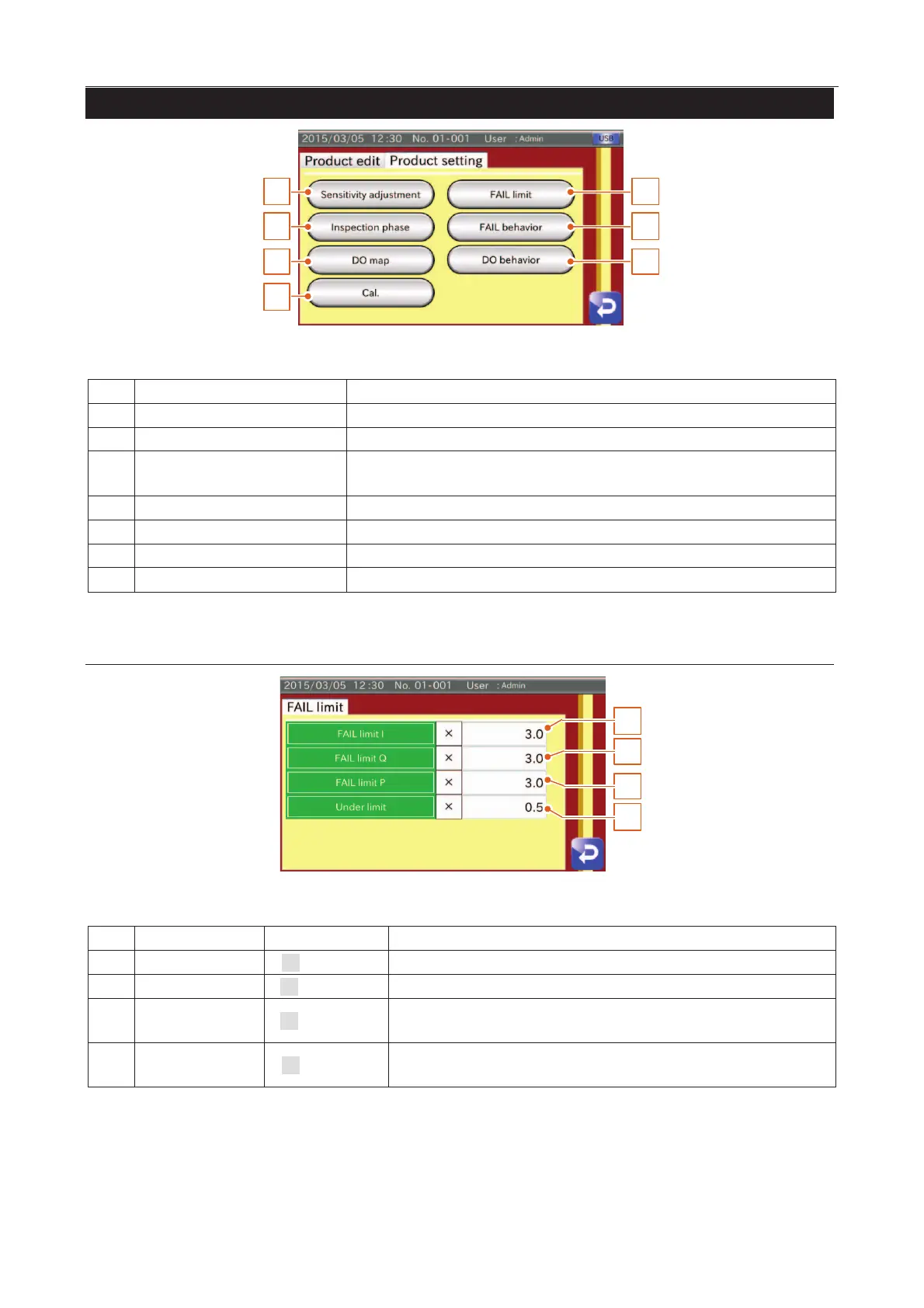
Fig. 551 PProduct Settings Screen (Product Settings Tab)
Sensitivity Adjustment button
Displays the "Sensitivity adjustment screen ".
FAIL limit settings button
Displays the "FAIL limit settings screen".
settings
Displays the "Inspection phase settings screen" including the "Phase tab"
and "Phase tracking tab".
FAIL behavior settings button
Displays the "FAIL behavior settings screen".
Displays the "DO map settings screen".
DO behavior settings button
Displays the "DO behavior settings screen".
Calibration settings button
Displays the "Calibration settings screen".
FAIL Limit Settings Screen
1
4
2
3
Fig. 552 FFAIL Limit Screen
Sets a magnification of detection level for the In-phase.
Sets a magnification of detection level for the Quadrature-phase.
P
Sets a magnification of detection level for the minimum phase of the product
effect.
0.5
Sets a magnification of detection level for the individual packing (not used for
PE sensor). This value is not used in other inspection modes.



 To Next Page