11
Maintenance
- 11.1
The system file
71
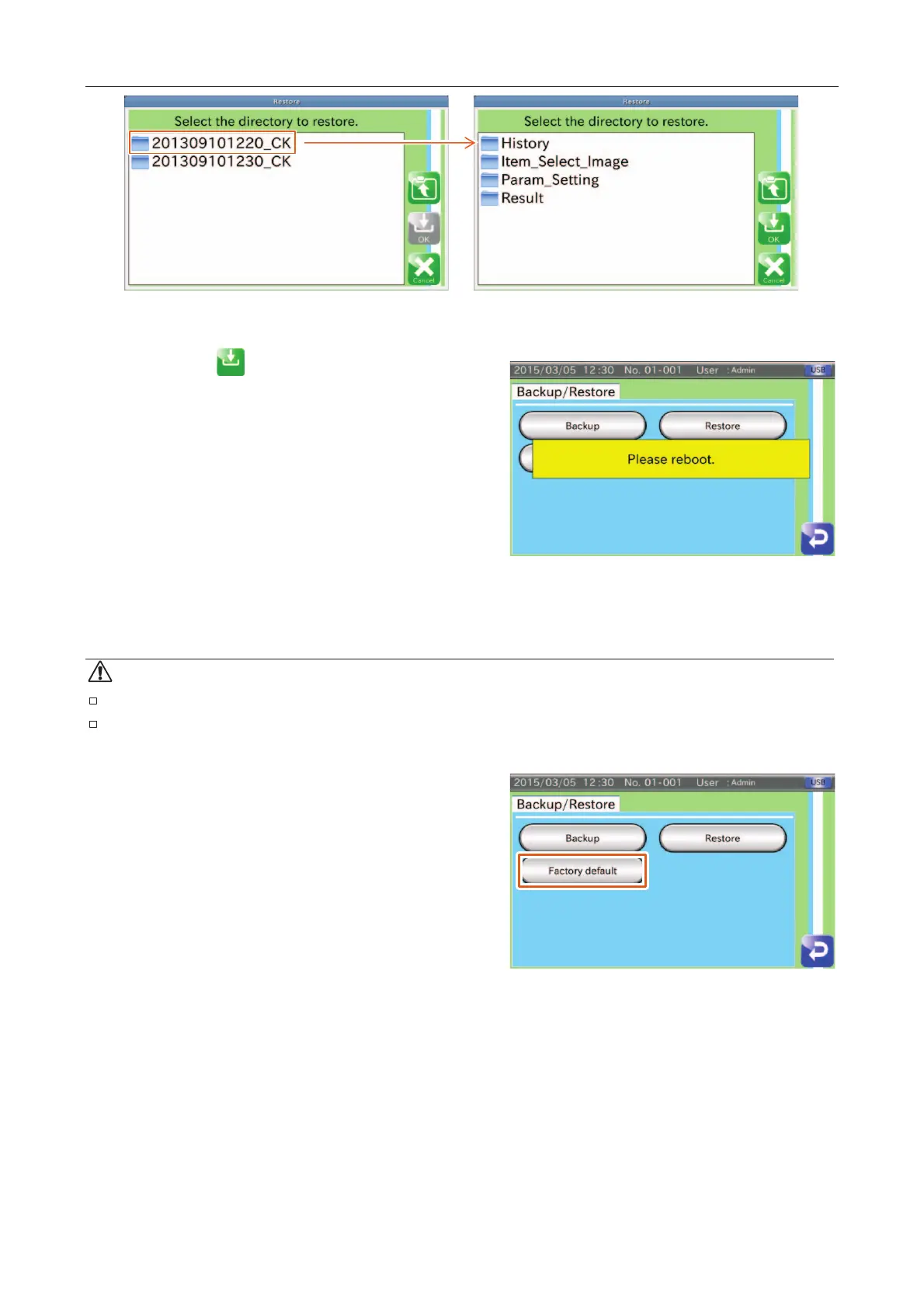
Fig. 887 SSelecting the Directory
Touch the "OK " icon if you wish to restore the
system settings.
When finishing the restoration, the AD-4971 displays the
restart message.
Restart the AD-4971.
Fig. 888 RRestart Message
Resetting to Factory Settings
CAUTION
Backup the system files before this reset.
A malfunction or error may occur due to the loss of the settings when resetting the AD-4971.
Touch the "Backup / Restore" button in the "Settings"
screen (System tab) to display the "Backup / Restore"
screen.
Connect the USB flash drive to the connector on the display
module.
Touch the "Initialization" button to display the "Factory
default" dialog box and touch the "YES" button
When the storage is finished, a restart message will be
displayed. Restart the AD-4971.
Fig. 889 BBackup // Restore Screen



 To Next Page