7
Reference Table of Screens and Menu Items
- 7.4
Settings Screen (System Settings Tab)
53
7
1
2
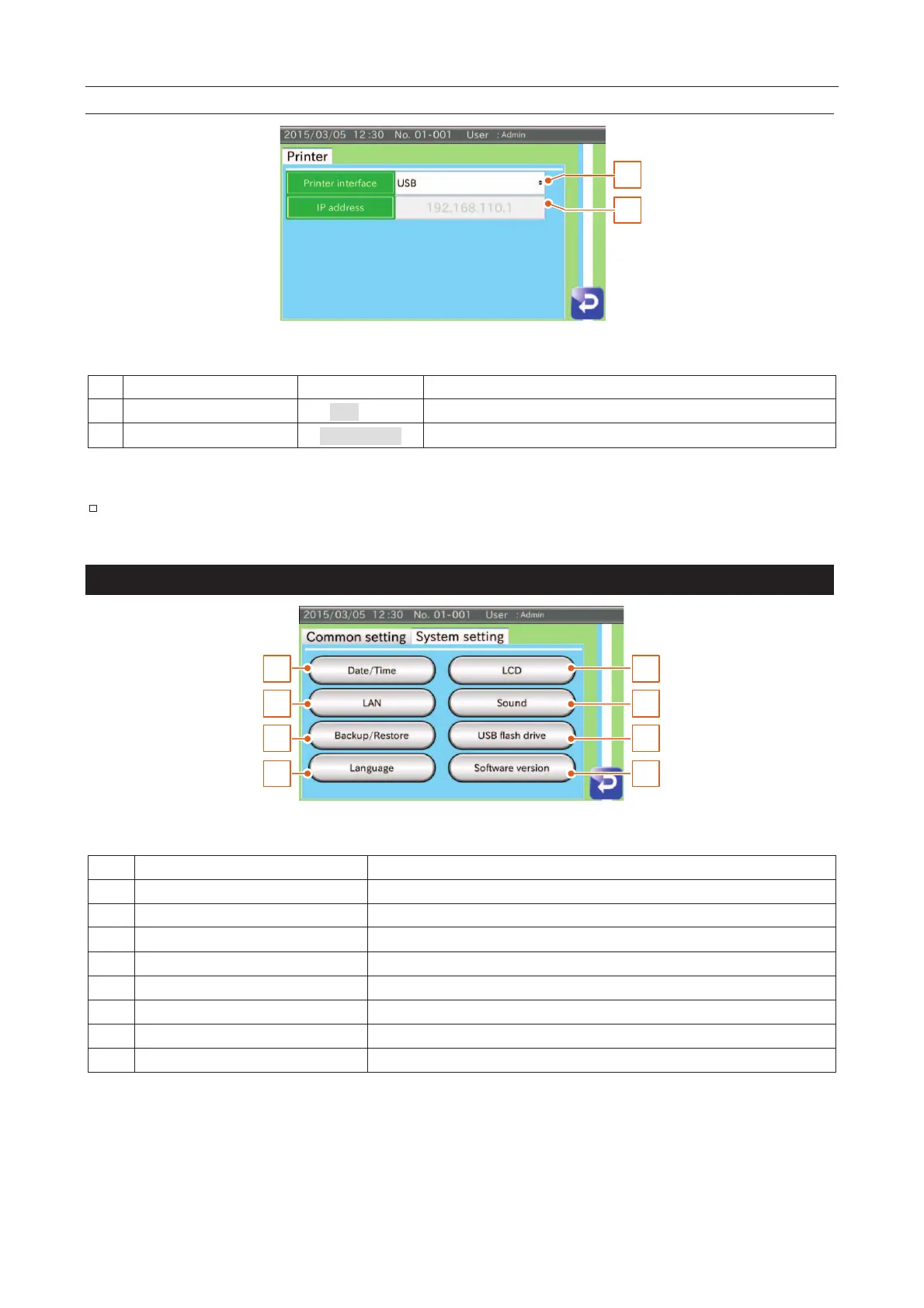
Fig. 669 PPrinter Settings Screen
Select the connection type of the printer.
Set an IP address for LAN communication.
When you use new interface, please restart the AD-4971.
Settings Screen (System Settings Tab)
1
3
5
7
2
4
6
8
Fig. 770 SSettings Screen (System Settings Tab)
Date / Time settings button
Displays the "Date/Time settings" screen.
LCD settings screen button
Displays the "LCD settings" screen.
Displays the "LAN settings" screen.
Displays the "Speaker settings" screen (buzzer)
Displays the "Backup / Restore" screen.
USB memory settings button
Displays the "USB memory settings" screen.
Displays the "Language settings" screen.
Displays the "Software version" screen.



 To Next Page