5
Using a USB Flash Drive
- 5.2
Storing the Results and the History
34
5
Storing the Inspection History and the Operation History
Both are stored in USB memory with a csv format file.
In the case of the inspection history, a new file is created for each inspection.
In the case of the operation history, a new file is created for each inspection.
User level "Quality Manager" or higher is required.
Connect the USB flash drive to the connector on
module.
Touch the "Setting " icon in the "Home" screen to
display the "Setting" screen.
Touch the "USB setting" button in the "Setting" screen
(System tab) to display the "USB setting" screen.
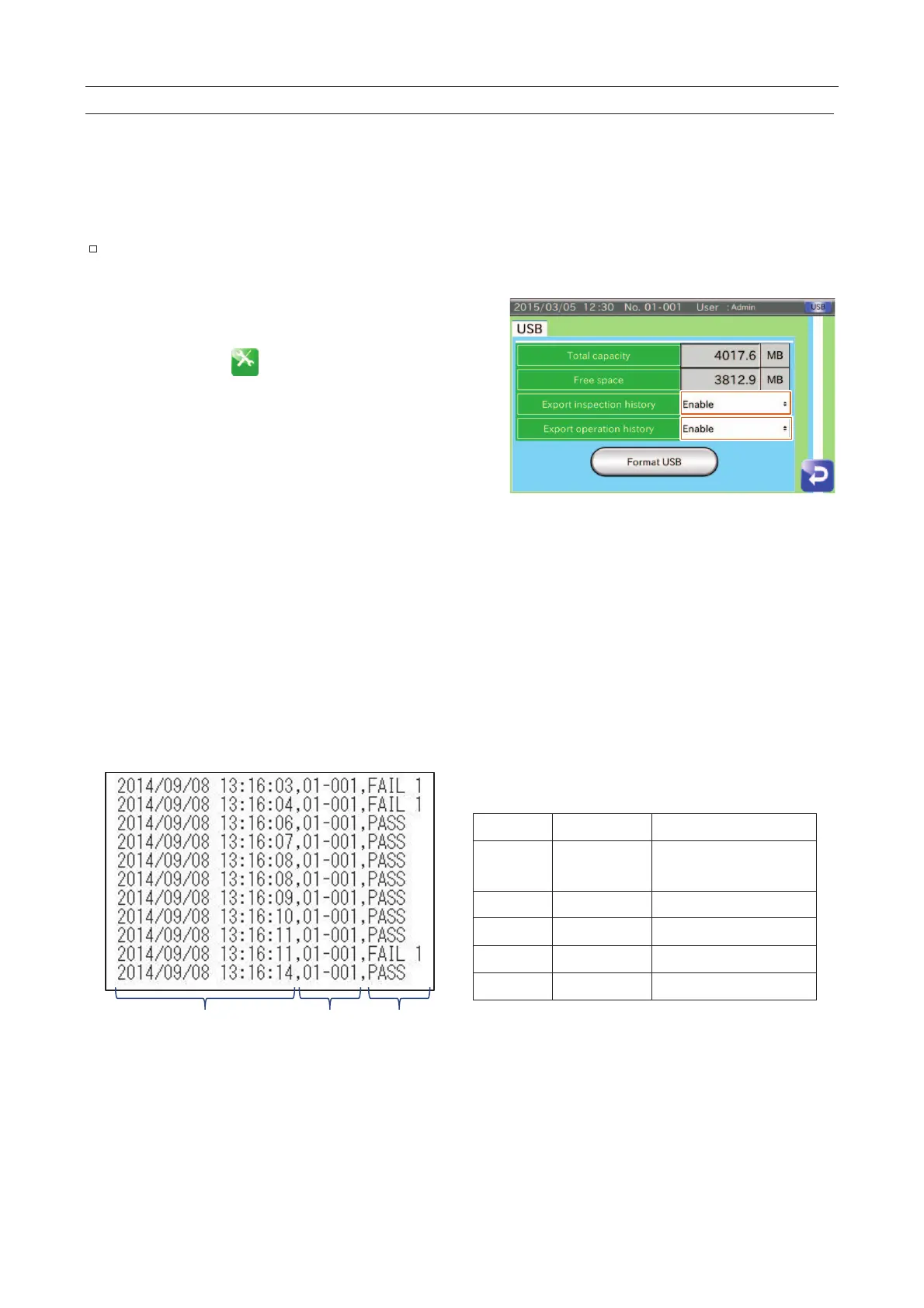
Set the "Export inspection history" to "Enable".
When the inspection is started, the inspection history is
stored in USB memory.
When the settings are changed, the operation history is
stored in USB memory.
Fig. 443 UUSB Settings Screen
Directory: Root directory of the USB drive.
File name: "First Time of Detection".csv
File name: Working_History_Save.csv
When the beginning of the inspection is "08/09/2014 13:16:03", the filename is "20140908131603.csv ".
Time No.
Type
Table 55 SSymbol of the Inspection Results
PASS
Good product is
detected.
Fig. 444 Example of IInspection History



 To Next Page