7
Reference Table of Screens and Menu Items
- 7.4
Settings Screen (System Settings Tab)
56
7
21
3
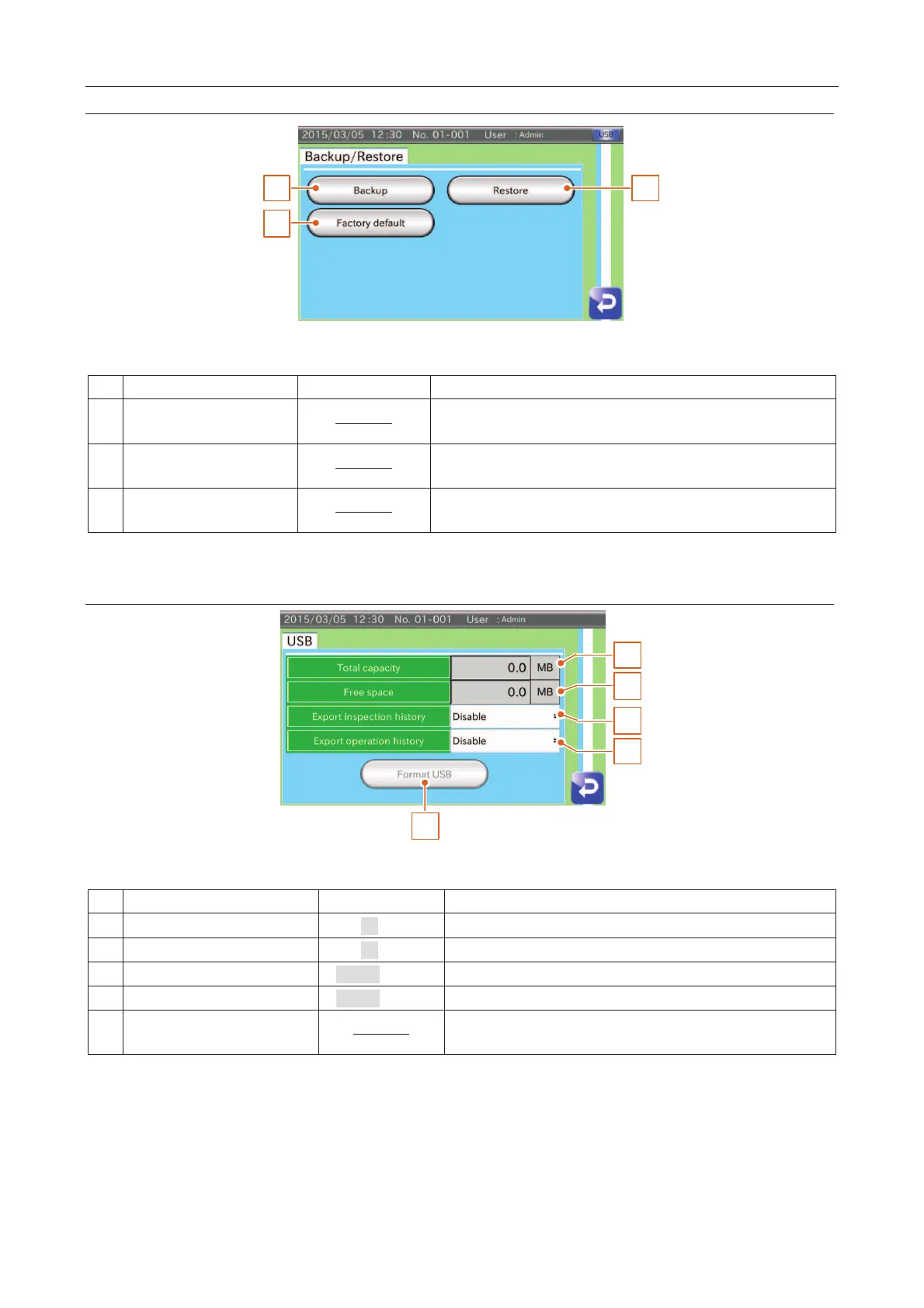
Fig. 775 BBackup // RRestore Screen
The system files are stored in the USB memory.
Refer to "
111.1.1. SSaving the System File".
The system files are restored from the USB memory.
Refer to "
111.1.2. RRestoring the System File".
All settings are reset to the factory settings.
Refer to "
111.1.3. RResetting to Factory Settings".
USB Memory Settings Screen
1
2
3
4
5
Fig. 776 UUSB Memory Settings Screen
The capacity of the USB memory.
The spare capacity of the USB memory.
Export inspection history
The inspection history is stored in the USB memory.
The operation history is stored in the USB memory.
The USB memory is formatted.
Refer to "
55.3. FFormatting a USB Memory".



 To Next Page