4
Basic Operations
- 4.7
Product Registration
23
4
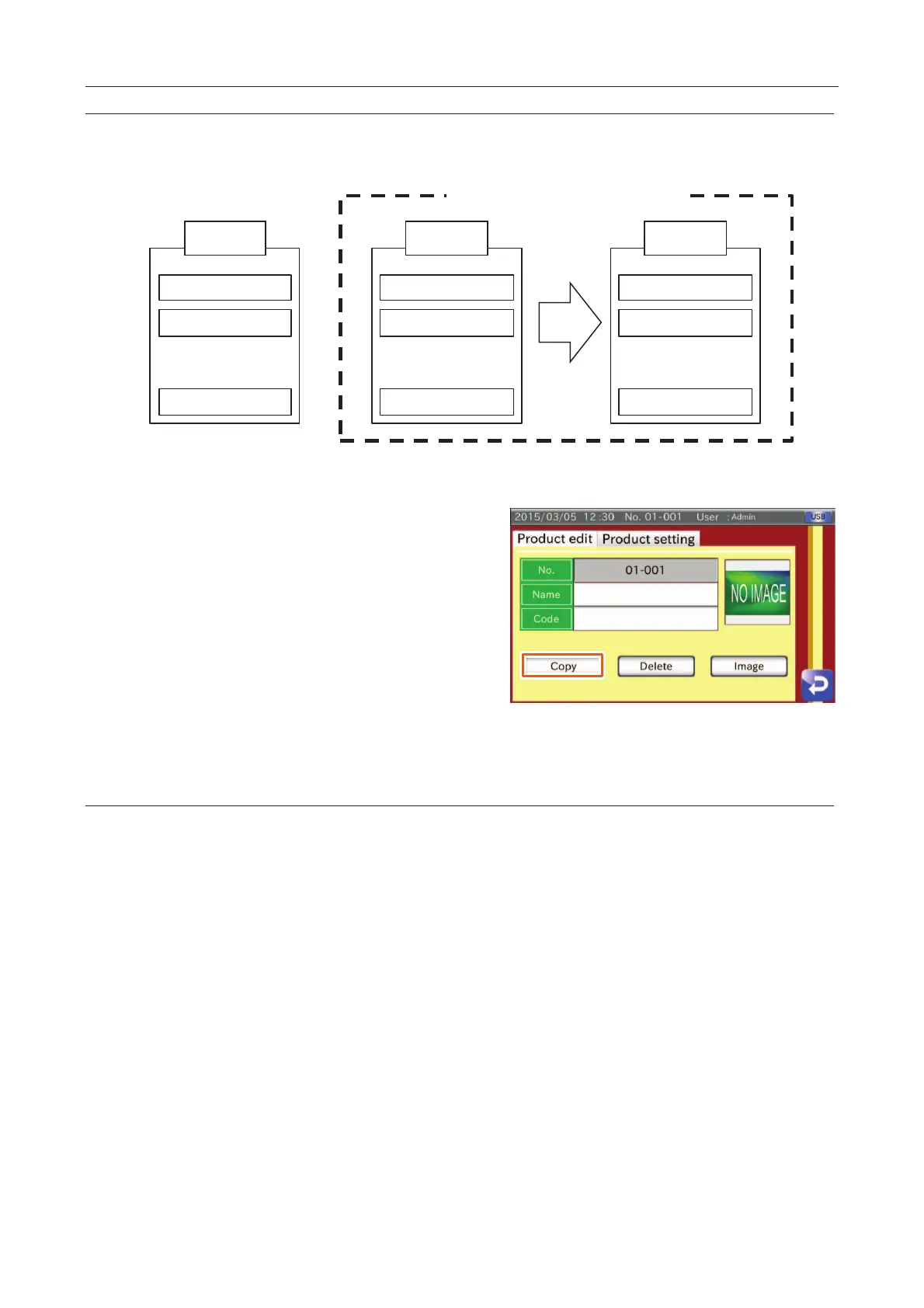
This function can copy the product data in the inspection group to the group in the current "Product edit" screen.
A 1
01-001
B 1
Z 1
呍
呍
呍
Under Inspection
A 2
02-002
B 2
Z 2
呍
呍
呍
A 1
02-002
B 1
Z 1
呍
呍
呍
In Product Edit Screen
Fig. 226 CCopying the Product Data
Display the "Product edit" screen.
Touch the "Copy" button to display the "Copy" dialog box
and touch the "Yes" button.
Confirm that the product list has been copied.
Fig. 227 PProduct Edit Screen (Tab)
Deleting the Product Data
This function can delete the product data and reset the registration of the product.
1. Display the "Product edit" screen.
2. Touch the "Delete" button to display the "Delete" dialog box and touch the "Yes" button.
3. Confirm that the product data has been reset in the list.



 To Next Page