4
Basic Operations
- 4.5
Management of User List
20
4
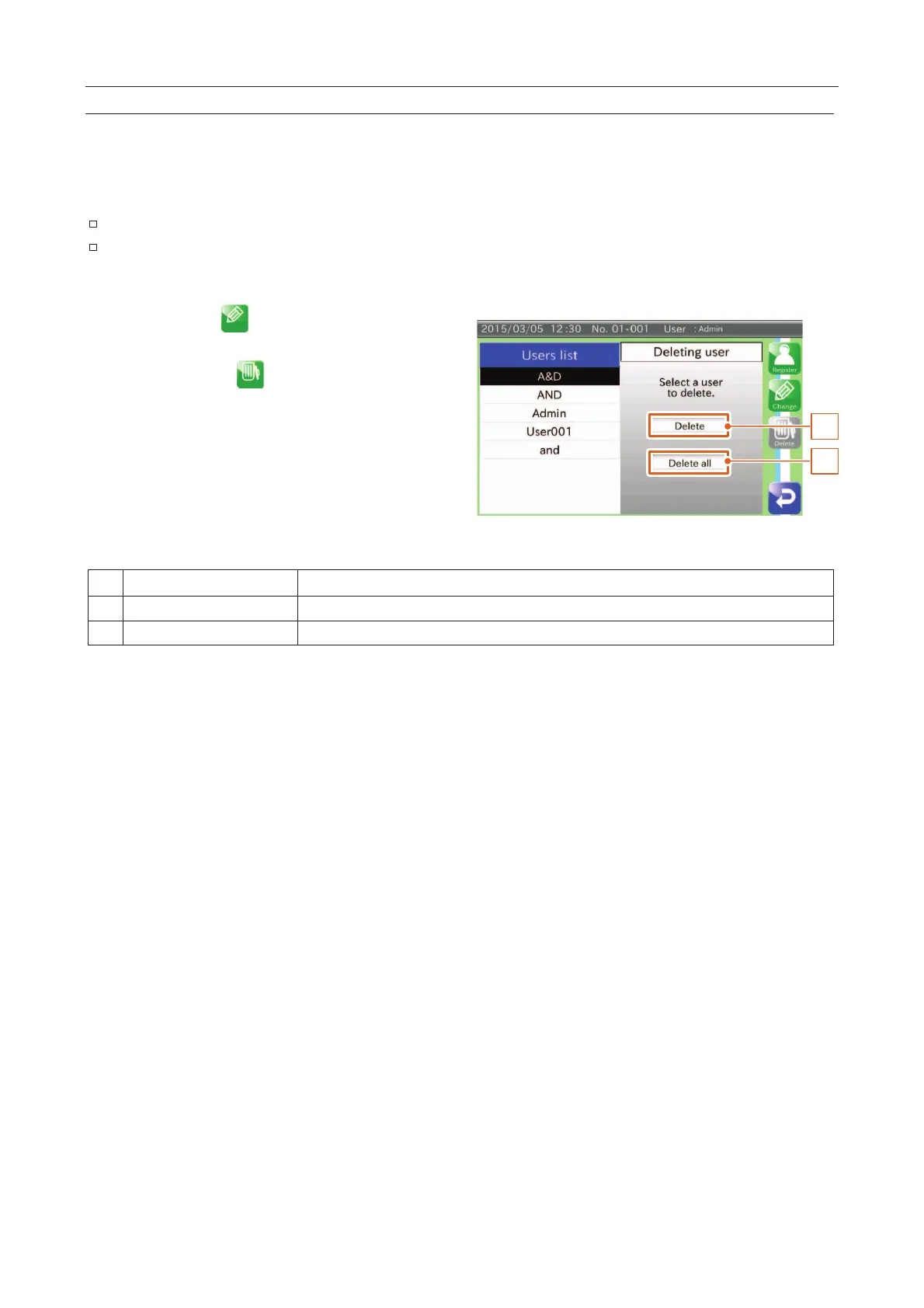
You can delete users in the list with the "Deleting user" screen.
Users can be deleted from the list either one at a time or all at once.
The "Admin" default user and user login cannot be deleted.
If a user without the "Admin" login logs into the AD-4971 and attempts to delete all users, the
user is logged out automatically.
Touch the "Edit " icon on the "Login
display the "Edit" screen.
Touch the "Delete " icon to display the
"Deleting user" screen.
2
1
Fig. 221 DDeleting User Screen
A specified user is deleted.
All users without "Admin" user login are deleted.
Deleting a User
1. Select a user from the list
2. Touch the "Delete" button to display the "Delete" dialog box and touch the "Yes" button.
3. Confirm the deletion.
Deleting All Users
1. Touch the "Delete all" button to display the "Delete all" dialog box and touch the "Yes" button.
2. Confirm the deletion.



 To Next Page