7
Reference Table of Screens and Menu Items
- 7.2
Product Settings Screen (Product Settings Tab)
42
7
Inspection Phase Settings Screen (Phase Tab)
2
1
3
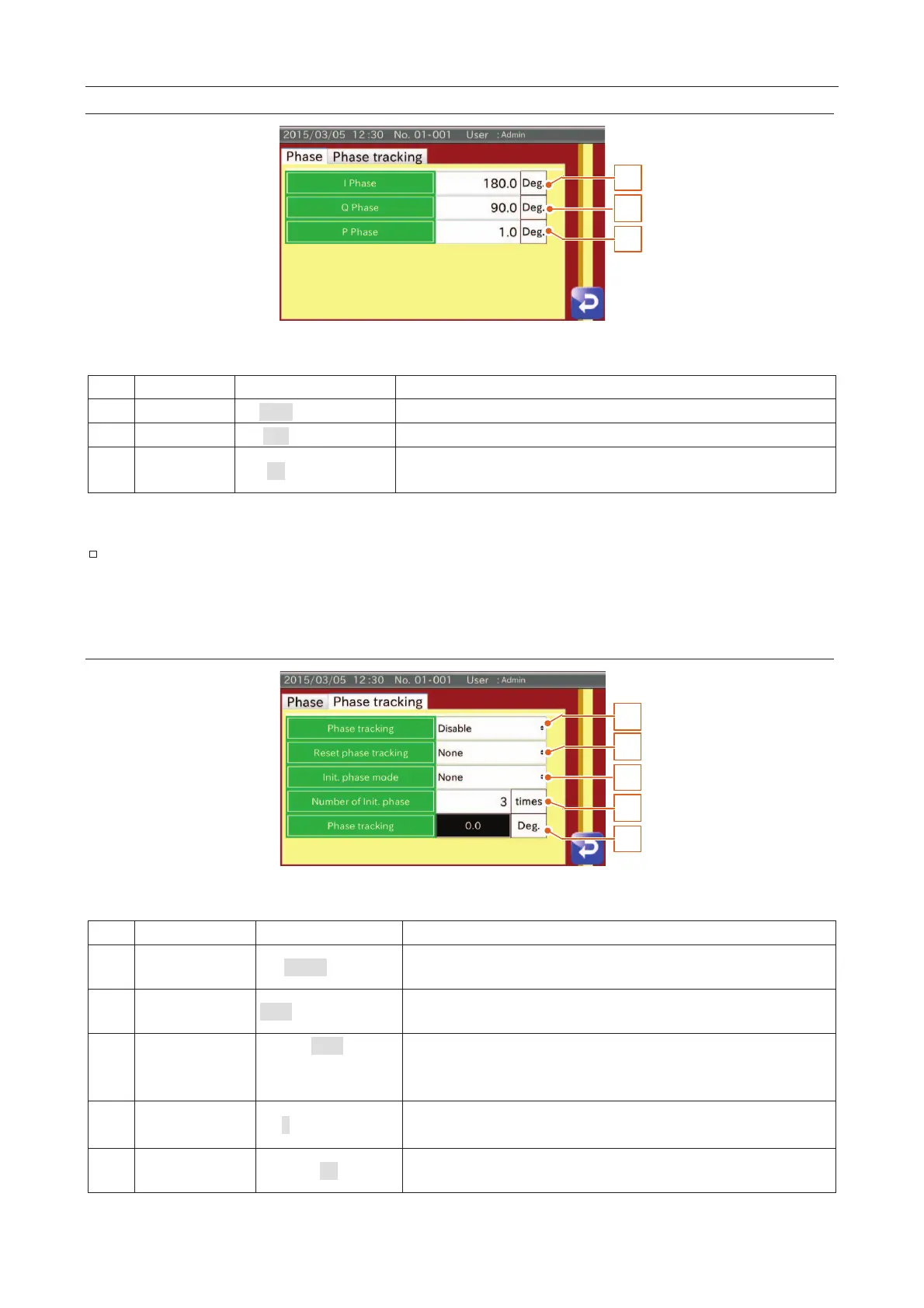
Fig. 553 IInspection Phase Screen (Phase Tab)
The value of the In-phase.
The value of the Quadrature-phase.
P 1.0 (0.1
The value of the minimum phase of the product effect.
It is set automatically when adjusting the sensitivity.
If changing the phase value, the inspection may not be executed correctly. The phase value
should be changed by the person authorized for managing the AD-4971.
Inspection Phase Settings Screen (Phase Tracking Tab)
3
1
5
2
4
Fig. 554 IInspection Phase Screen (Phase Tracking Tab)
Disable
The inspection phase is automatically traced according to the change of the
product phase.
, At inspect
Selects the time to reset the phase tracking when using the phase tracking.
None,
Only at 1st inspection,
At all inspection
Before starting the inspection, the phase tracking is started.
Init.
3 (1
The number of phase tracking in the inspection.
0.0
Displays the current value of the phase tracking. The value is reset by
turning off the AD-4971 and changing the product.



 To Next Page