CELL-DYN
®
3200 System Operator’s Manual
5-39
9140181H—October 2001
Section 5 Operating Instructions
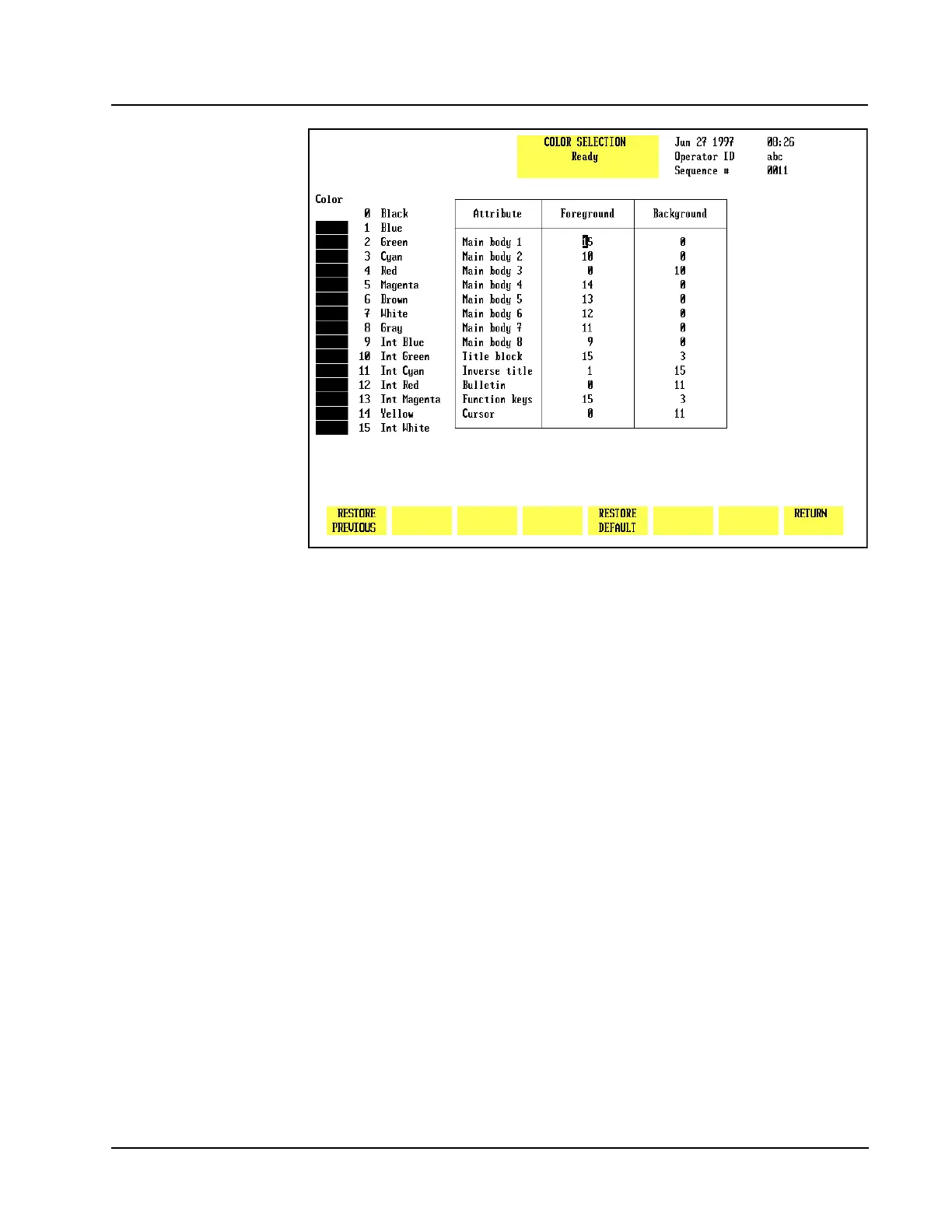
Figure 5.18 Select Color Screen
Select Color
The SELECT COLOR screen, shown in Figure 5.18, allows the user to select various
colors for displaying parameter data and other information on the screen. The
following soft keys are displayed when the[SELECT COLOR] key is pressed:
RESTORE PREVIOUS
RESTORE DEFAULT
RETURN
Color Reference
Main Body 1 Main screen
Main Body 2 Flags
Main Body 3 Run mode description
Main Body 4 Values below limits
Main Body 5 Values above limits
Main Body 6 Sequence numbers in Data Log
Main Body 7 RBC Histogram/New entry before Enter key is pressed
Main Body 8 PLT Histogram/New entry after Enter key is pressed
Title Block Top center of screen
Inverse Title Title not currently used
Bulletin Alert messages above function keys
Function Keys Soft key descriptions
Cursor Screen cursor



 To Next Page