CELL-DYN
®
3200 System Operator’s Manual
5-127
9140181H—October 2001
Section 5 Operating Instructions
Edit ID
The [EDIT ID] key is used to edit the Specimen ID from theDATA LOGscreen. When
the [EDIT ID] key is pressed, the cursor moves into the <Specimen ID> field and all
key labels are blank. Edits are saved by pressing the Enter key on the keyboard.
NOTE: The [EDIT ID] key is available only when the cursor is positioned next to a
Patient Record. It is not available for Background or QC records.
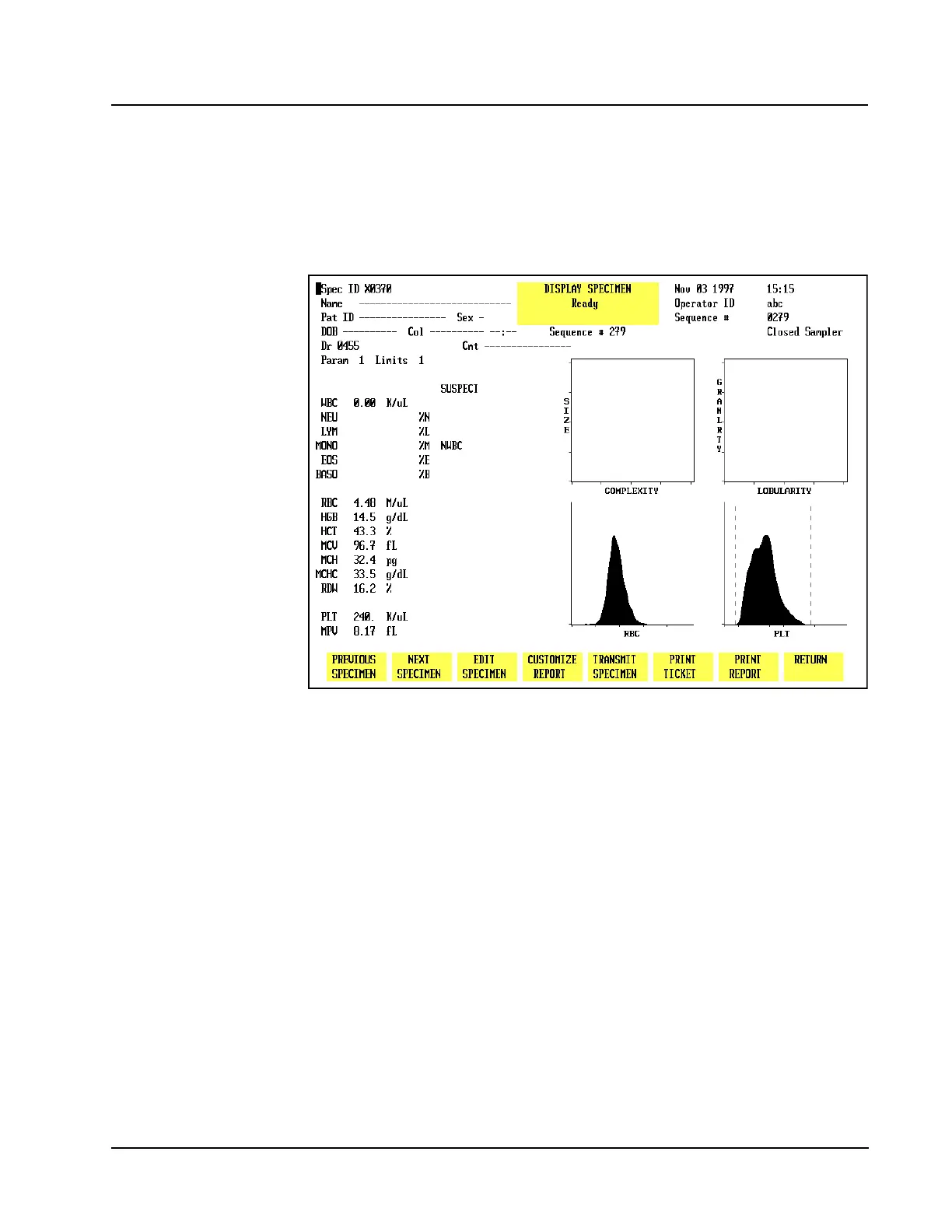
Figure 5.45 Display Specimen Screen
Display Specimen
The [DISPLAY SPECIMEN] key is used to display the results for the record indicated
by the cursor position. (See Figure 5.45.) The following soft key labels are
displayed when the [DISPLAY SPECIMEN] key is pressed:
PREVIOUS SPECIMEN*
NEXT SPECIMEN**
EDIT SPECIMEN***
CUSTOMIZE REPORT
TRANSMIT SPECIMEN
PRINT TICKET
PRINT REPORT/COLOR PRINT (The key label alternates between the selections.)
RETURN
* This key is not displayed when the first specimen in the log is on the screen.
** This key is not displayed when the last specimen in the log is on the screen.
*** This key is displayed only if the cursor is positioned next to one of the
following patient record types: Patient, Fragile WBC, or Resistant RBC.



 To Next Page