CELL-DYN
®
3200 System Operator’s Manual
10-9
9140181H—October 2001
Section 10 Troubleshooting and Diagnostics
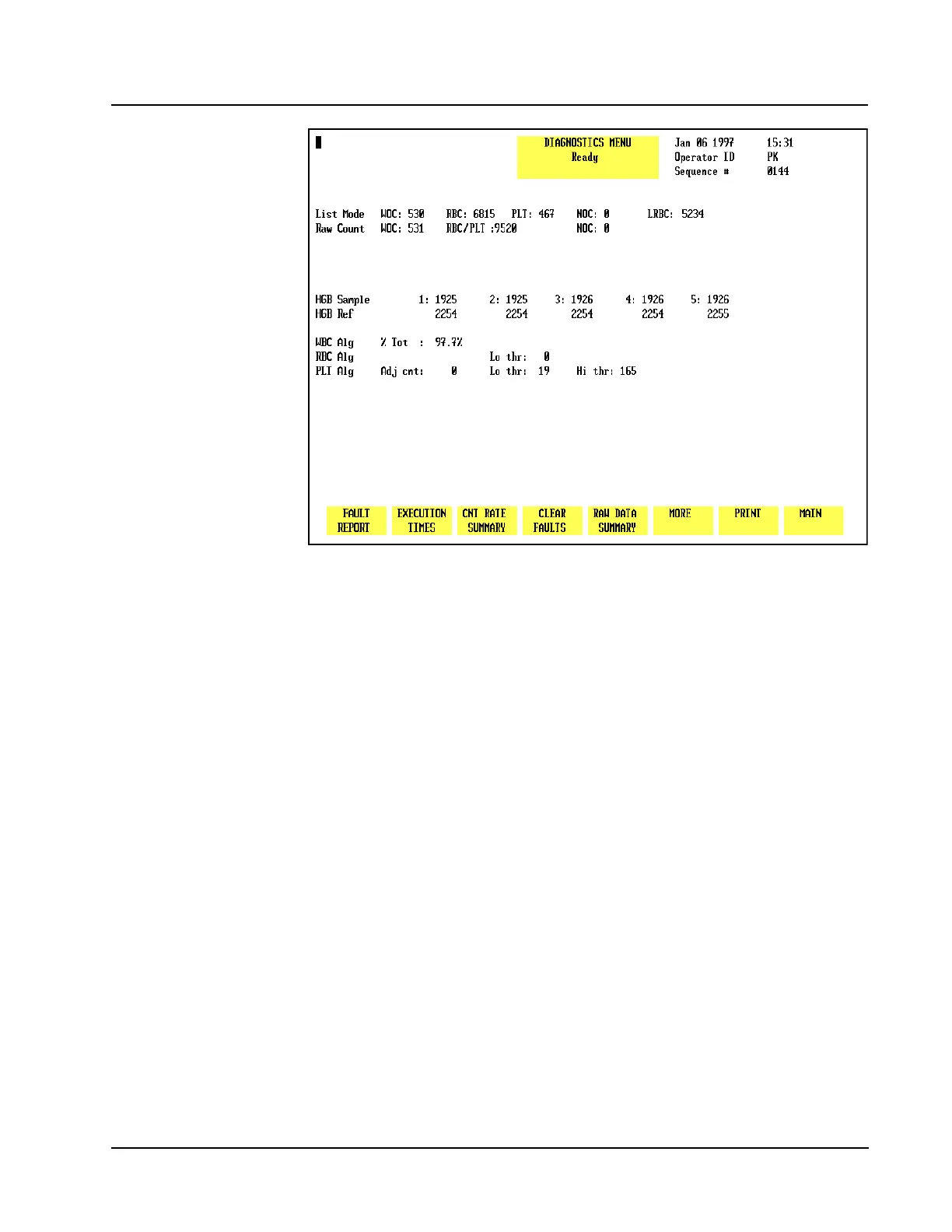
Figure 10.8 Raw Data Summary Screen
Raw Data Summary
When the [RAW DATA SUMMARY] key is pressed, detailed information pertaining to
the last cycle run is displayed. An example of the RAW DATA SUMMARY screen is
shown in Figure 10.8.
The HGB Reference and Sample readings may be used to assist in troubleshooting
erratic or imprecise HGB results.
More
When the [MORE] key is pressed, the second DIAGNOSTICS MENU screen is
displayed. The [MORE] keys on the remaining screens always display the next
DIAGNOSTICS MENU screen.
Print
When the [PRINT] key is pressed, a Diagnostic Report is printed. This report
contains information pertinent to the data displayed on the screen at the time the
key is pressed. If no data is displayed on the screen, the report prints the current
fault status.
The [PRINT] key functions in this way on each screen. Therefore, it will not be
discussed again in this section.



 To Next Page