140 Operation
4510001 REV B – 220620
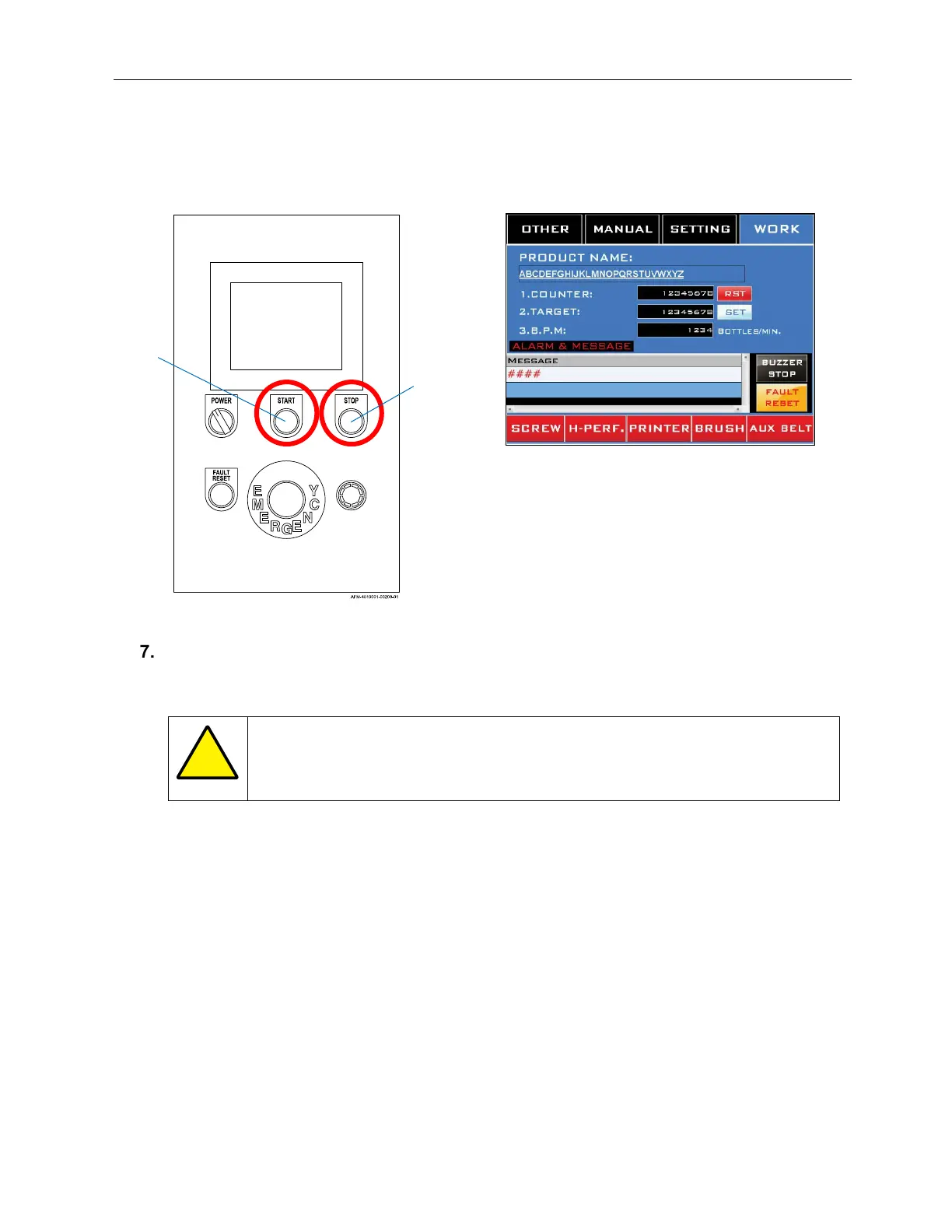
a. The “Counter” on the Working Screen will display how many bottles have been
labeled, and “BPM” will display the rate at which they are being labeled.
If a pause in production is needed (for example, labels are shooting onto the Conveyor
Belt instead of onto the bottles), press the Stop Button on the HMI and address the issue
before restarting.
ATTENTION: Do not use the E-Stop Button for routine pauses or halts to
production, as this can damage the system over time. Instead, press the
Stop Button.
Start
Button
Stop
Button



 To Next Page