180 Maintenance
4510001 REV B – 220620
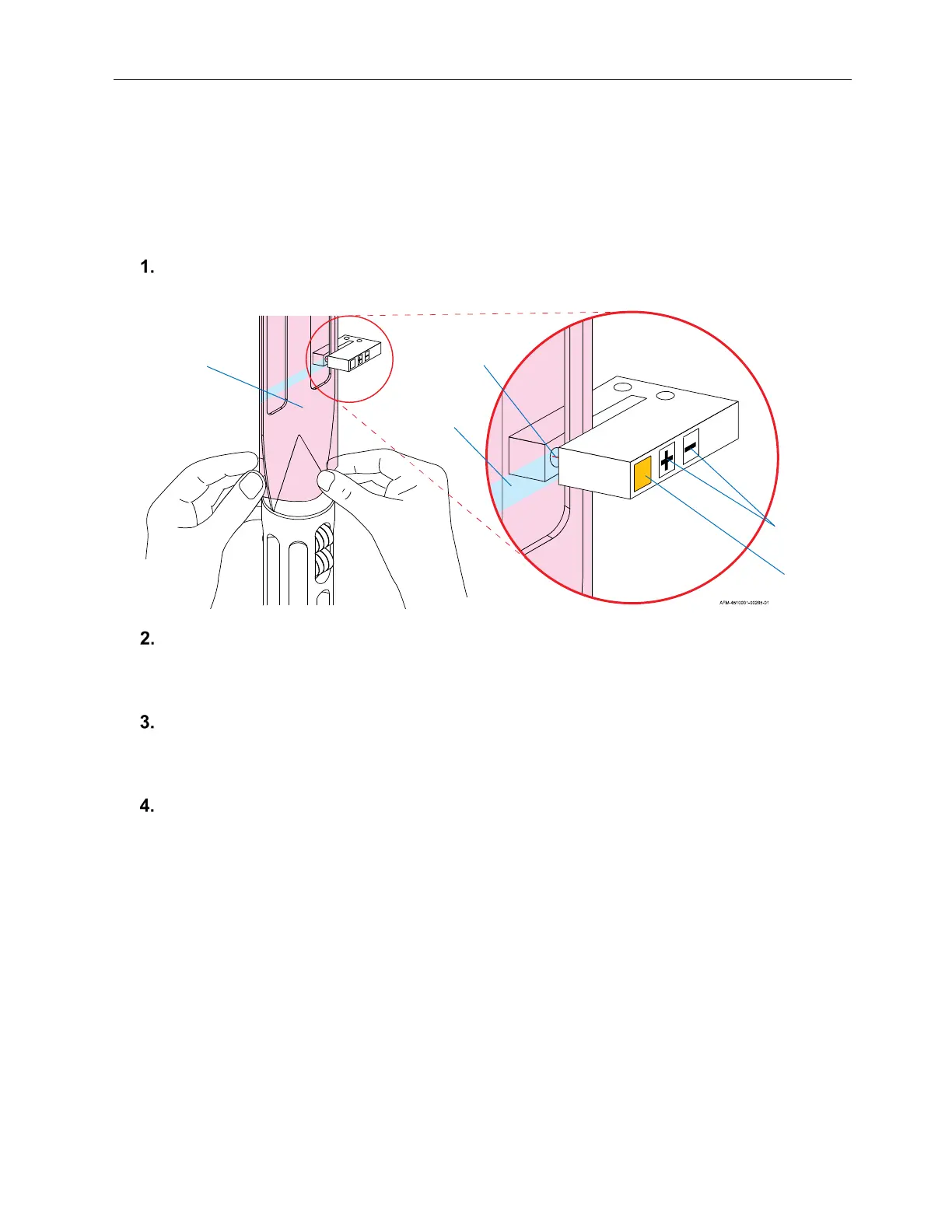
Yellow Light: Turns off when the Sensor beam is blocked by printed areas of label film.
Turns on when clear areas of label film are in the beam area.
+ Button: Increases Sensor sensitivity.
- Button: Decreases Sensor sensitivity.
Position the label film on the Mandrel Fin so that the clear area is in the beam of the
Print-Reading Sensor.
If the yellow light turns on, quickly press the “-” Button as many times as needed until the
light turns off.
Once the light is off (or if it was already off), quickly press the “+” Button until the yellow
light turns on and stays on.
Pull the label film down slightly until the printed area of the label film is in the beam of the
Print-Reading Sensor. The yellow light should turn off. The Sensor should now be able
to correctly identify the clear areas in the label film.
Yellow
Light
Sensitivity
Buttons
Clear Area/
Cut Mark
Mandrel
Fin
Sensor
Beam



 To Next Page