Introduction 39
4510001 REV B - 220620
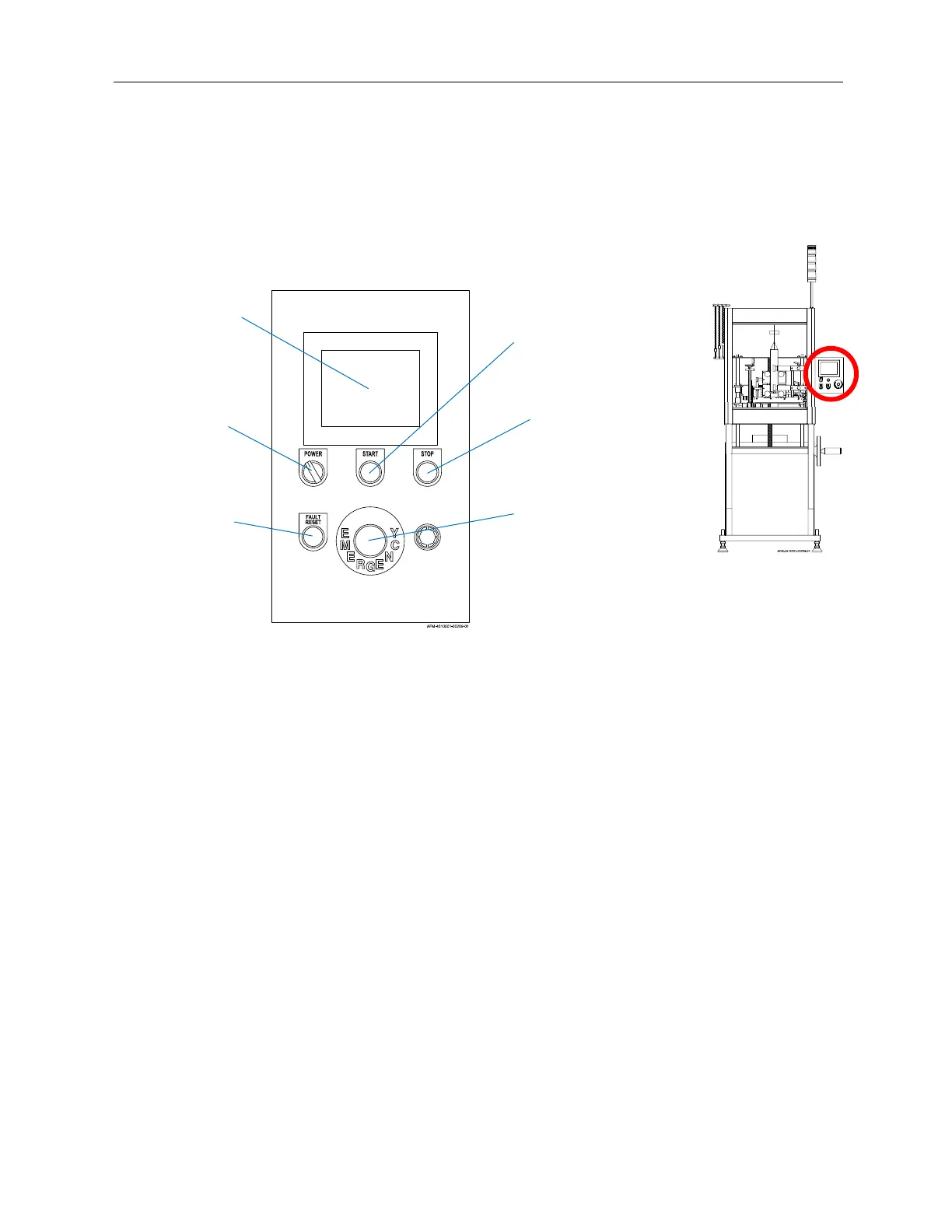
HMI
The HMI, or Human Machine Interface, is the Control Panel for users to set up and
operate the LX-150. Once physical setup of the Mandrel, Cutter Assembly, and film has
been completed, most operation of the LX-150 takes place through the Buttons and
Touchscreen of the HMI.
Touchscreen:
Provides information on the status of the machine and enables users to input
commands and settings.
Power Switch:
Powers the system on or off.
Start Button:
Starts the machine and connected peripherals.
Stop Button:
Stops the machine and connected peripherals.
Emergency Stop Button:
Immediately stops the machine and connected peripherals, sounds an alarm, and
brings up an alarm screen on the Touchscreen.
Fault Reset Button:
Enables any fault/alarm to be triggered again, but does not address the reason why it
was triggered.
HMI
Stop
Button
Power
Switch
Touchscreen
Start
Button
Fault Reset
Button
E-Stop
(Emergency Stop)
Button



 To Next Page