Installation 49
4510001 REV B - 220620
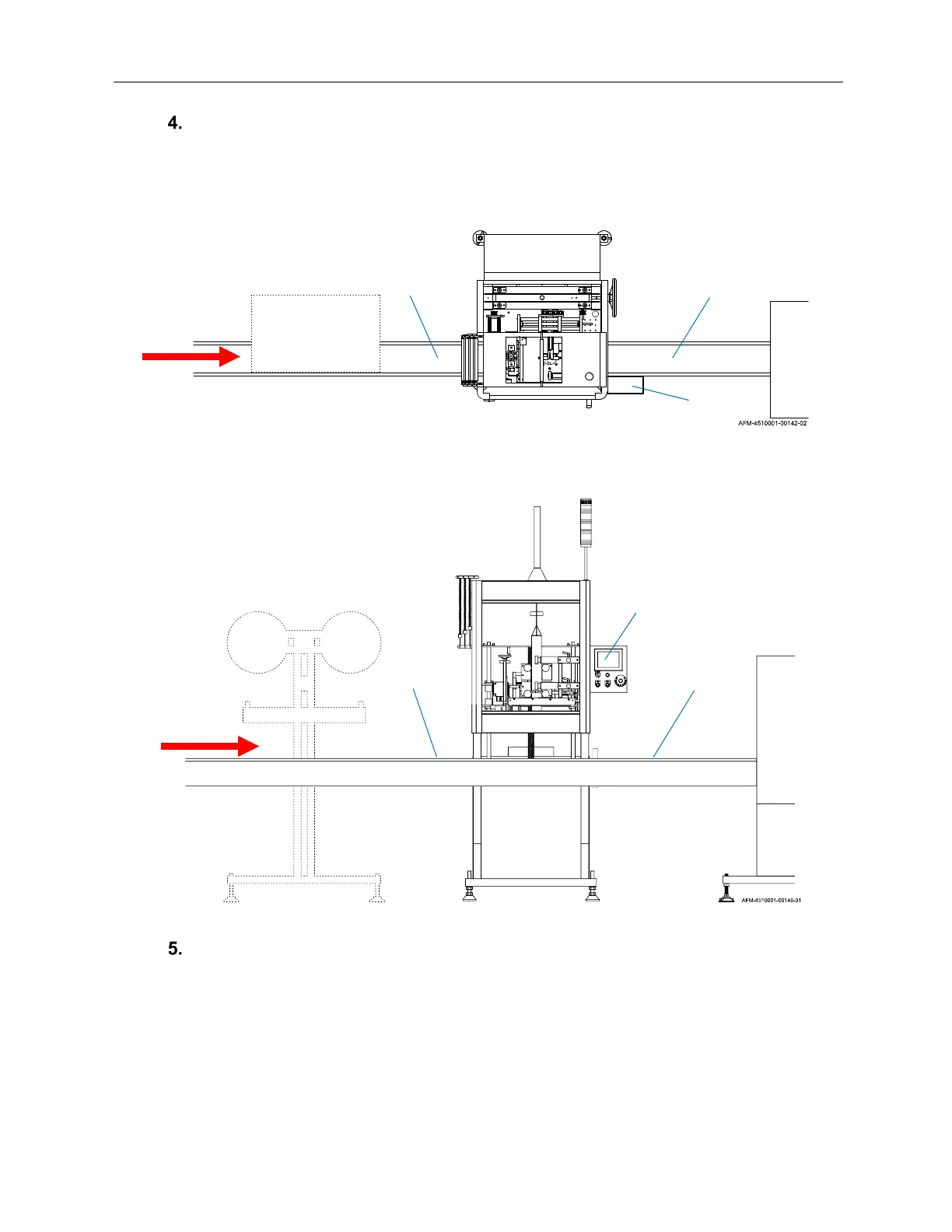
Move the LX-150 generally into position as shown in the diagram below (dashed
lines indicate components that will be installed later). The Conveyor should run
through the sides of the LX-150, exiting the side where the HMI is.
Remove the plastic film covering from the LX-150.
Positioning the LX-150 (View from Above)
Conveyor
LX-150
HMI
Conveyor
Product
Heat
Shrink
Tunnel
UR-1
Positioning the LX-150 (View from Front)
Conveyor
LX-150
HMI
Conveyor
Product
Heat
Shrink
Tunnel
UR-1



 To Next Page