228 Rockwell Automation Publication 750-IN001P-EN-P - April 2017
Chapter 5 I/O Wiring
Access Drive Control Pod
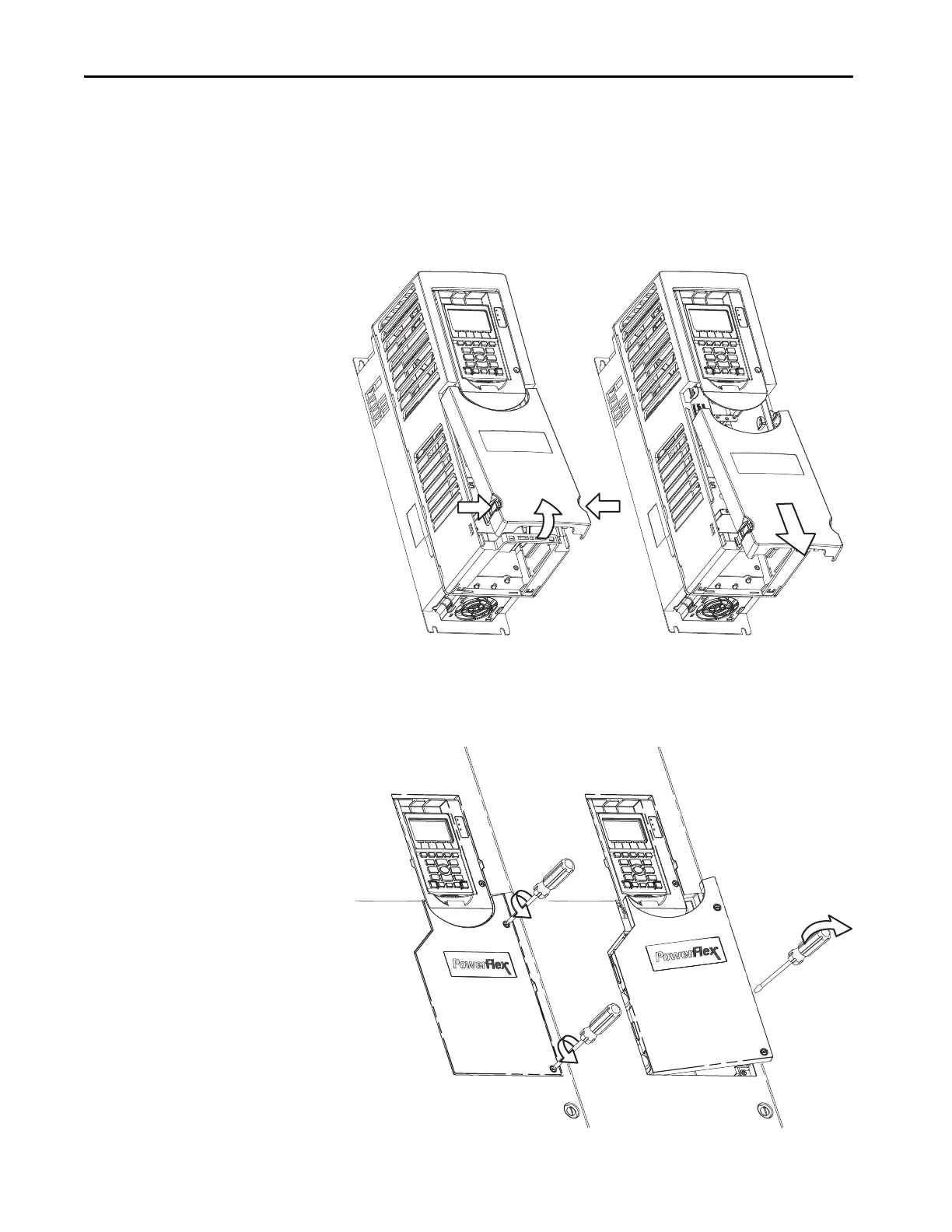
To access the drive control pod, follow the steps for the frame size of your drive.
1. Remove the drive cover.
For wall mount Frames 1…5, follow these steps.
a. Squeeze locking tabs and pull out bottom of cover.
b. Pull cover down and away from the chassis.
For wall mount Frames 6…7, follow these steps.
a. Loosen door screws.
b. Gently pry the door open to remove.



 To Next Page
 Loading...