Rockwell Automation Publication 750-IN001P-EN-P - April 2017 127
Lift and Mount the Drive Chapter 3
Fiber-optic Cables
Follow these guidelines for fiber-optic cables.
Disconnect Drive Control Pod
Wiring Connections
Frame 8 drives, with drive control pod installed, complete step 1 and step 2 of
this procedure.
Frame 9 and larger drives, with drive control pod installed, complete step 1
through step 7
of this section.
If the drive control pod is mounted remotely, skip this section.
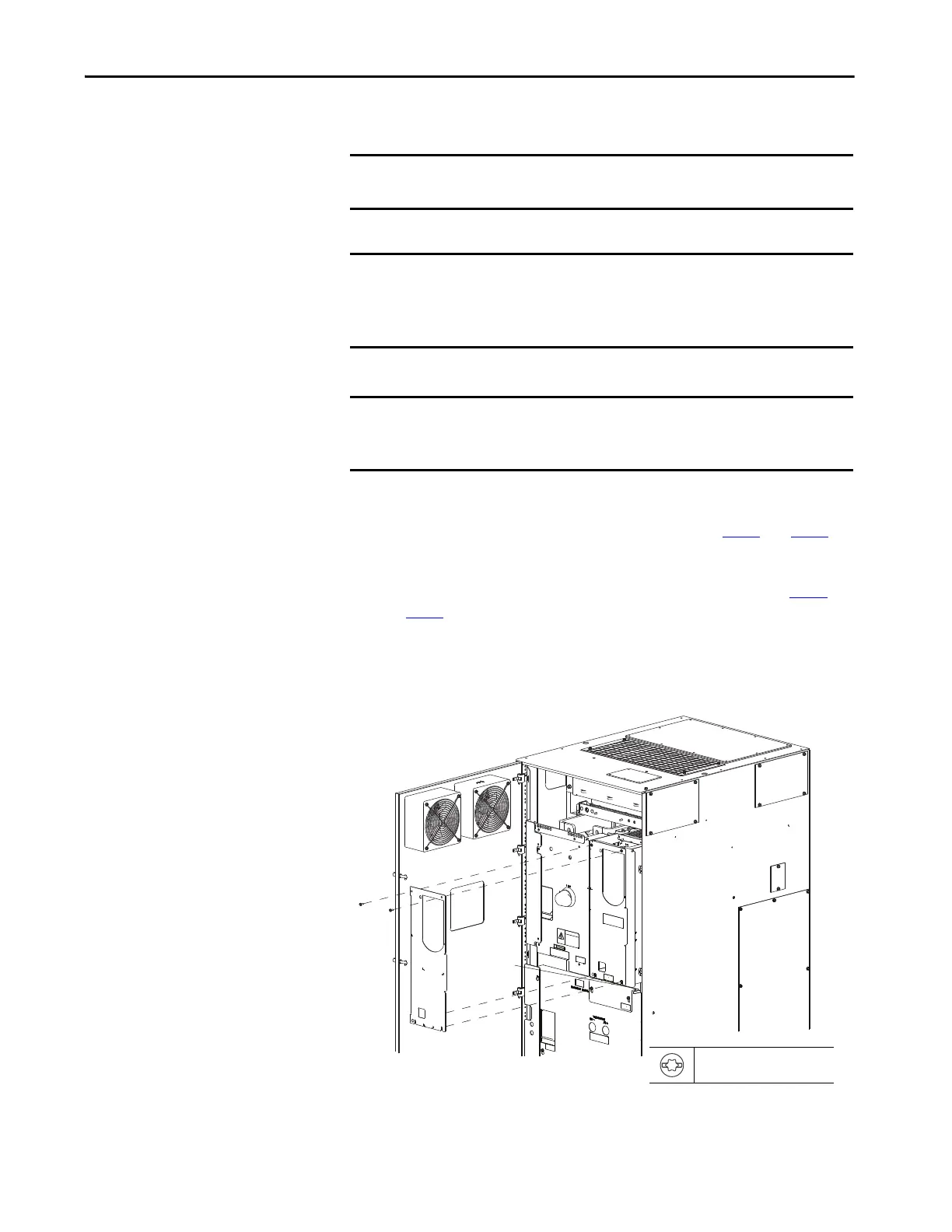
1. Remove the right front cover.
IMPORTANT Fiber-optic cables have a minimum bend radius of 50 m (164 ft)m (2 in.). If
cables are over bent, damage will occur.
IMPORTANT For Frame 8 drives, the fiber-optic cables that are used to connect the fiber
interface board to both the converter (AC input)/DC precharge (DC input)
control board and the inverter power layer interface board must be the
same length. The provided cables are 560 mm (22 in.) long.
IMPORTANT For Frame 9 and larger drives, the fiber-optic cables that are used to connect
the fiber interface board to the power layer interface board must be the
same length. The provided cables are 2.8 m (110 in.) long.
T20 or F 6.4 mm (0.25 in.)
1.8 N•m (16.0 lb•in)
Floor Mount Frame 8 Shown



 To Next Page
 Loading...