230 Rockwell Automation Publication 750-IN001P-EN-P - April 2017
Chapter 5 I/O Wiring
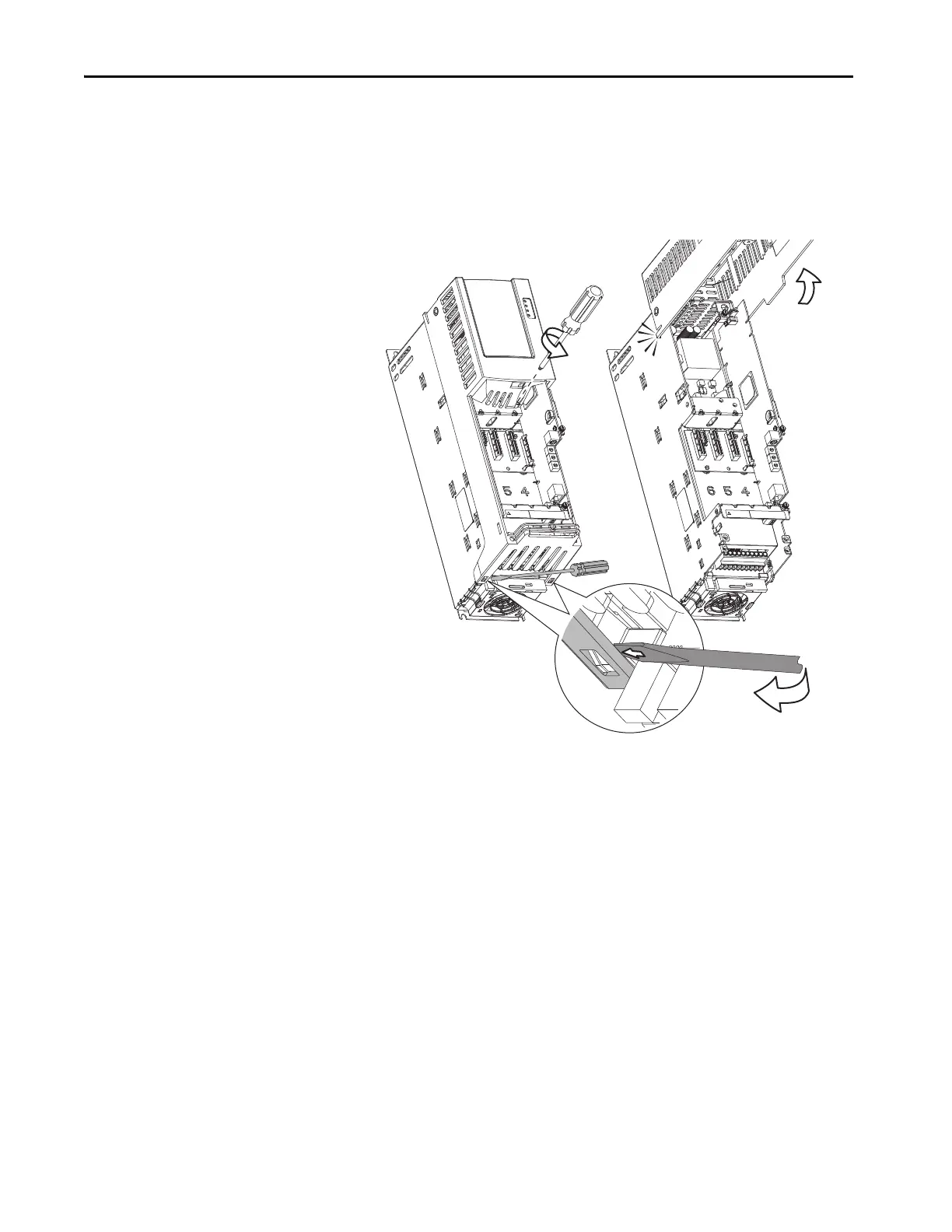
2. For wall mount Frame 1, follow these steps.
a. Lift the chassis cover.
b. Loosen the retention screw.
c. Use a screwdriver to release the chassis cover locking tabs.
d. Lift the chassis cover until the latch engages.


 To Next Page
 Loading...