MM-400A
9. Measurement
9-14
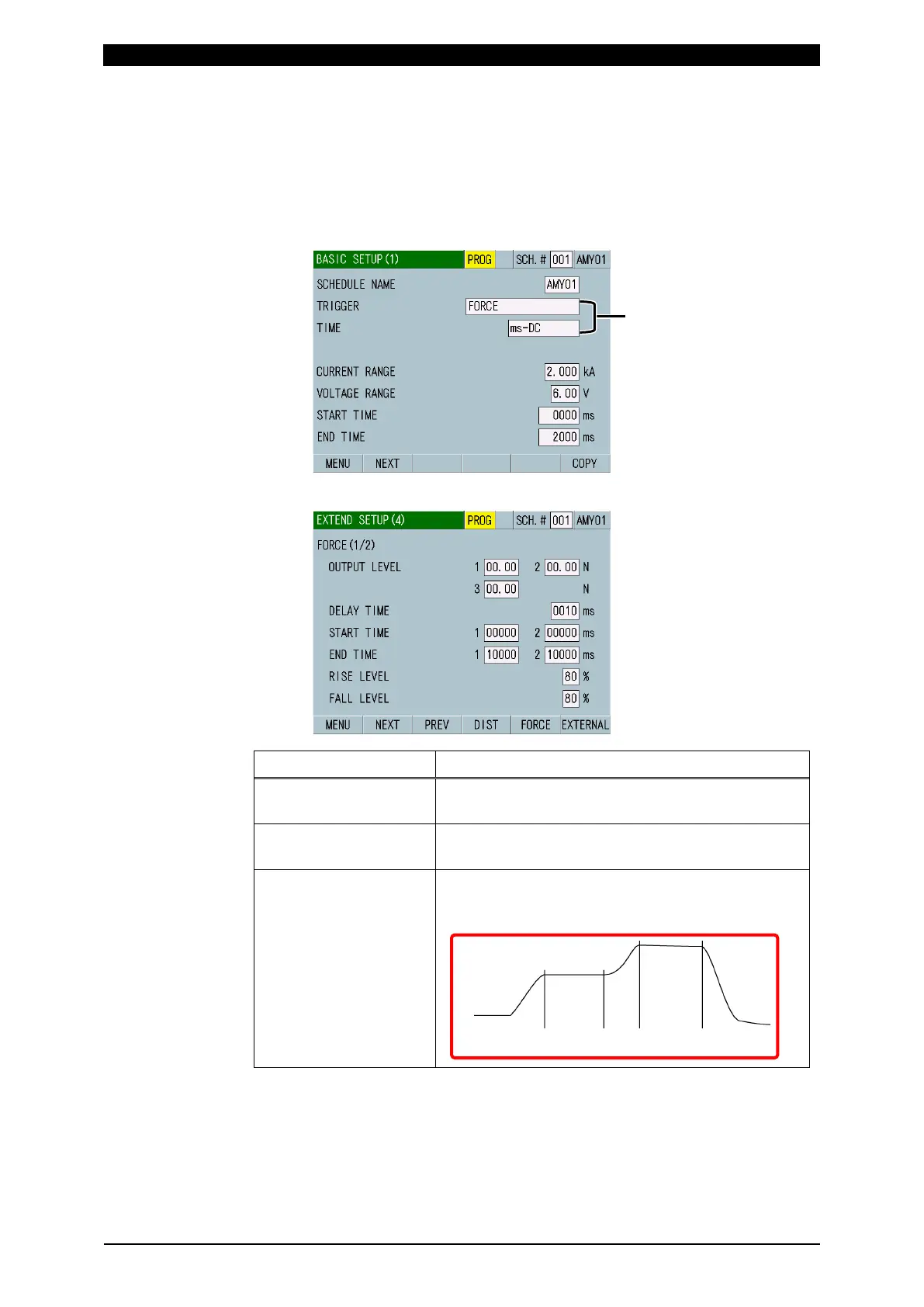
7) Touch the MENU key.
The MENU screen appears. Select BASIC SETUP.
The BASIC SETUP (1) screen appears.
8) Select FORCE or AUTO for TRIGGER in the BASIC SETUP (1) screen, and
select a time of welding current to select. (For more information, refer to (2) l-1
in Chapter 8.)
9) Set the following items in the EXTEND SETUP (4) screen.
Item Setting
OUTPUT LEVEL 1/2/3 Signal can be output from external outputs FORCE
LEV1, FORCE LEV2 and FORCE LEV3.
DELAY TIME Measures force at the end of the delay time after
the current flow end.
START TIME 1/2
END TIME 1/2
Referring to the figure shown below, set a force
calculation interval by the START TIME and END
TIME.
TRIGGER: FORCE or AUTO
TIME
: -AC for AC welding
-DC for DC welding
START END START END
TIME 1 TIME 1 TIME 2 TIME 2



 To Next Page