MM-400A
8. Operation Screens
8-16
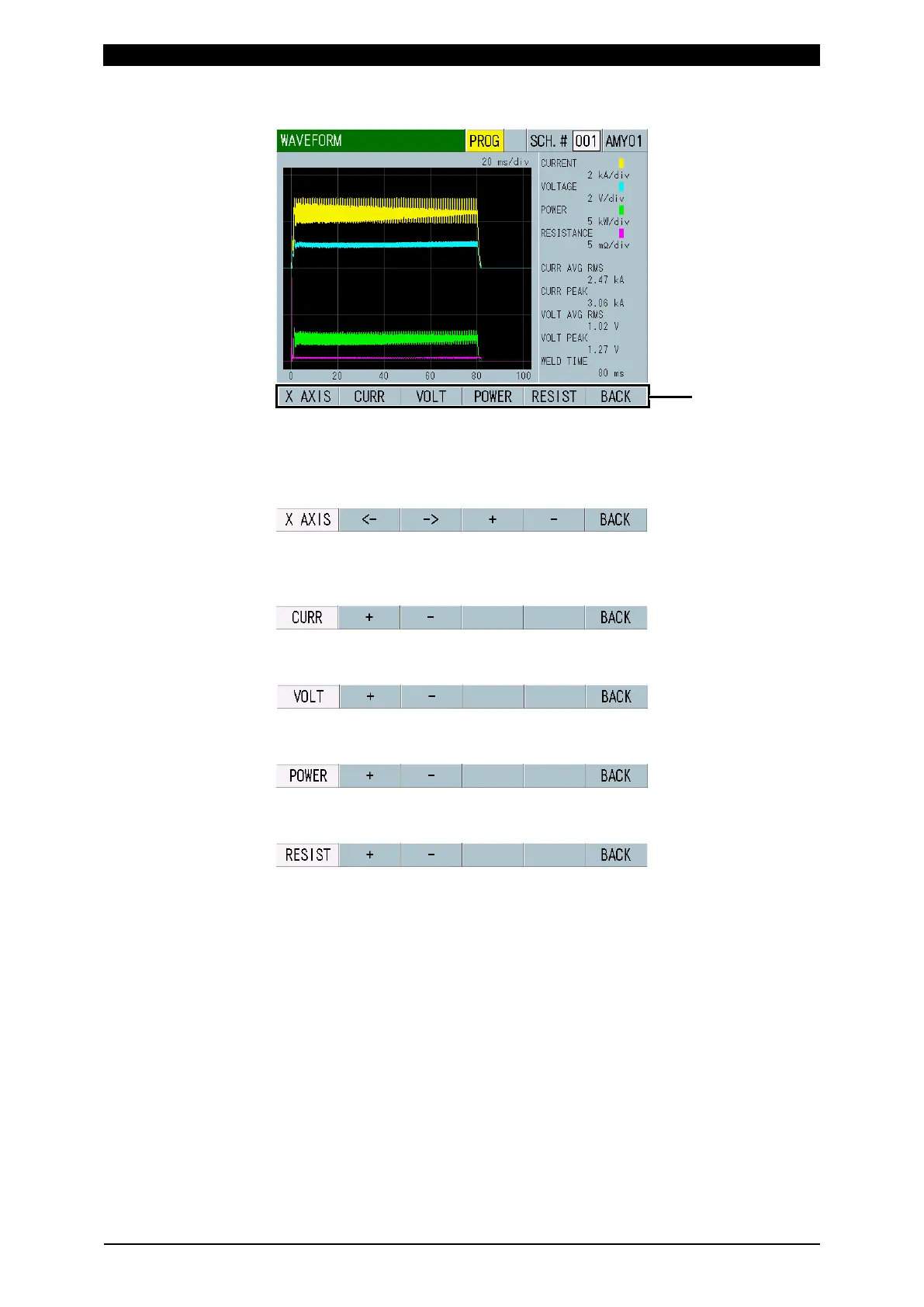
(6)-1 XY-axis scale command
X AXIS: Touching this enlarges/reduces the time axis of waveform and makes
it possible to move the waveforms. In this condition, touch the arrow key (<- ->).
This moves the waveforms to the right or left. Touch + (plus) to enlarge the
time axis of waveform or - (minus) to reduce it.
CURR: Touching this makes it possible to adjust the scale of the vertical axis
for the current waveform. In this condition, touch + (plus) to enlarge a scale of
the vertical axis for the current waveform or - (minus) to reduce it.
VOLT: Touching this makes it possible to adjust the scale of the vertical axis
for the voltage waveform.
POWER: Touching this makes it possible to adjust the scale of the vertical axis
for the power waveform.
RESIST: Touching this makes it possible to adjust the scale of the vertical axis
for the resistance waveform.



 To Next Page