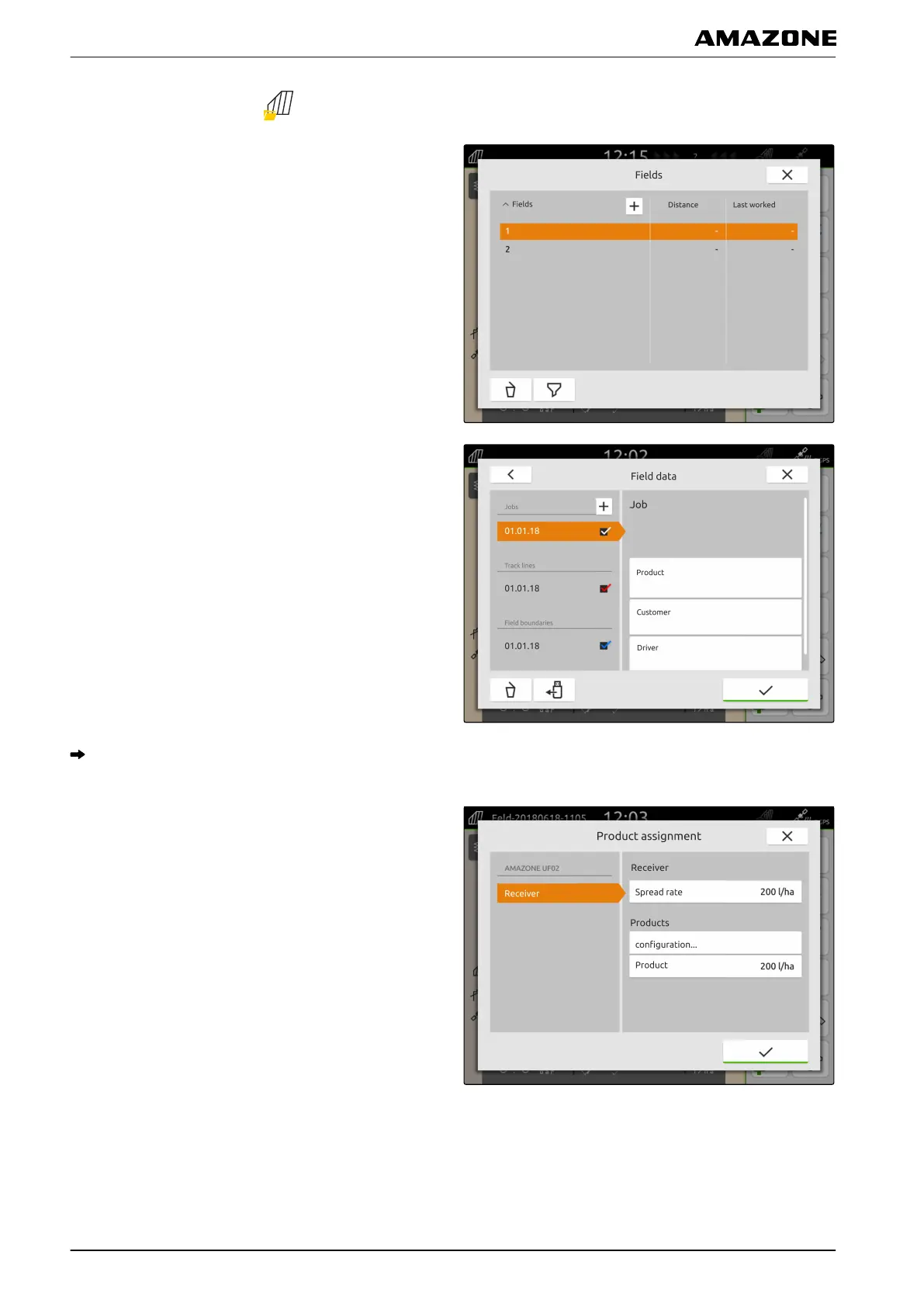
1. In the Work menu, select .
2. Select the field.
3. Select the desired job under "Jobs".
4. Select "Product".
On the left side, the setpoint receivers of the
connected implement are listed.
5. Select the desired setpoint receiver.
6. Under "Products", select "Configuration ...".
P | Working with documentation | Managing products
MG6010-EN-GB | G.1 | 13.12.2018
68



 To Next Page