Section 11 LabVIEW Measuring Instrument
11-4
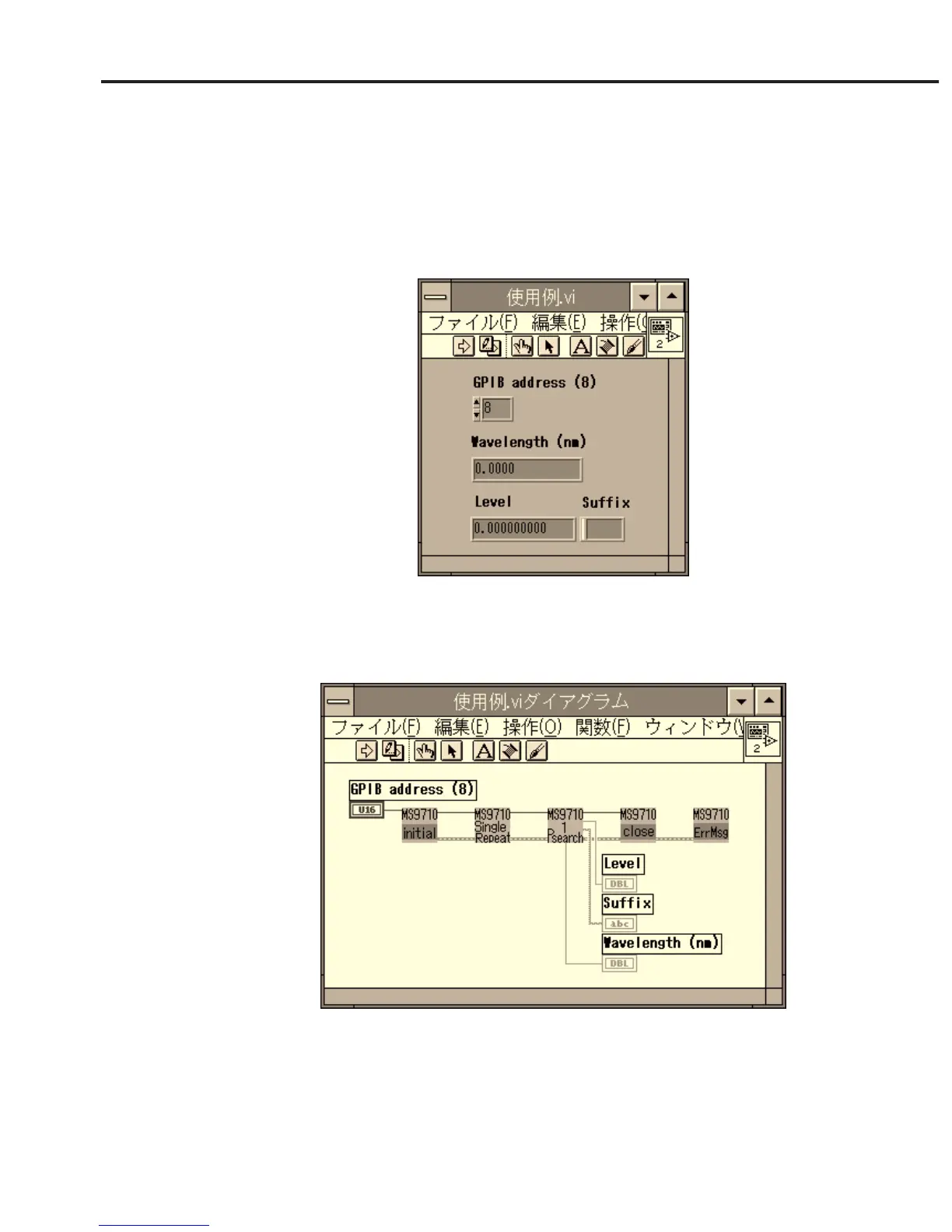
(2) Arranging controllers and displays
Double-clicking on the MS9710A Initialize.vi on the diagram window will
open the measuring instrument driver window. Copy the controllers subject
to GPIB address input from this window onto the front panel window.
Double-click on the MS9710A Peak/Dip;Peak/Dip Search.vi icon and copy
the displays for displaying a marker wavelength, level, and unit onto the
front panel window.
(3) Connecting displays, controllers, and icons
Connect driver terminals with wires as shown below.
(4) Executing the program
After completion of sweep, carry out peak search to output the trace marker
values to the display on the front panel.













 To Next Page