Service Manual i2000SR interface module
625798100.APS.5.doc Page 105 of 212
STEPS REFERENCES
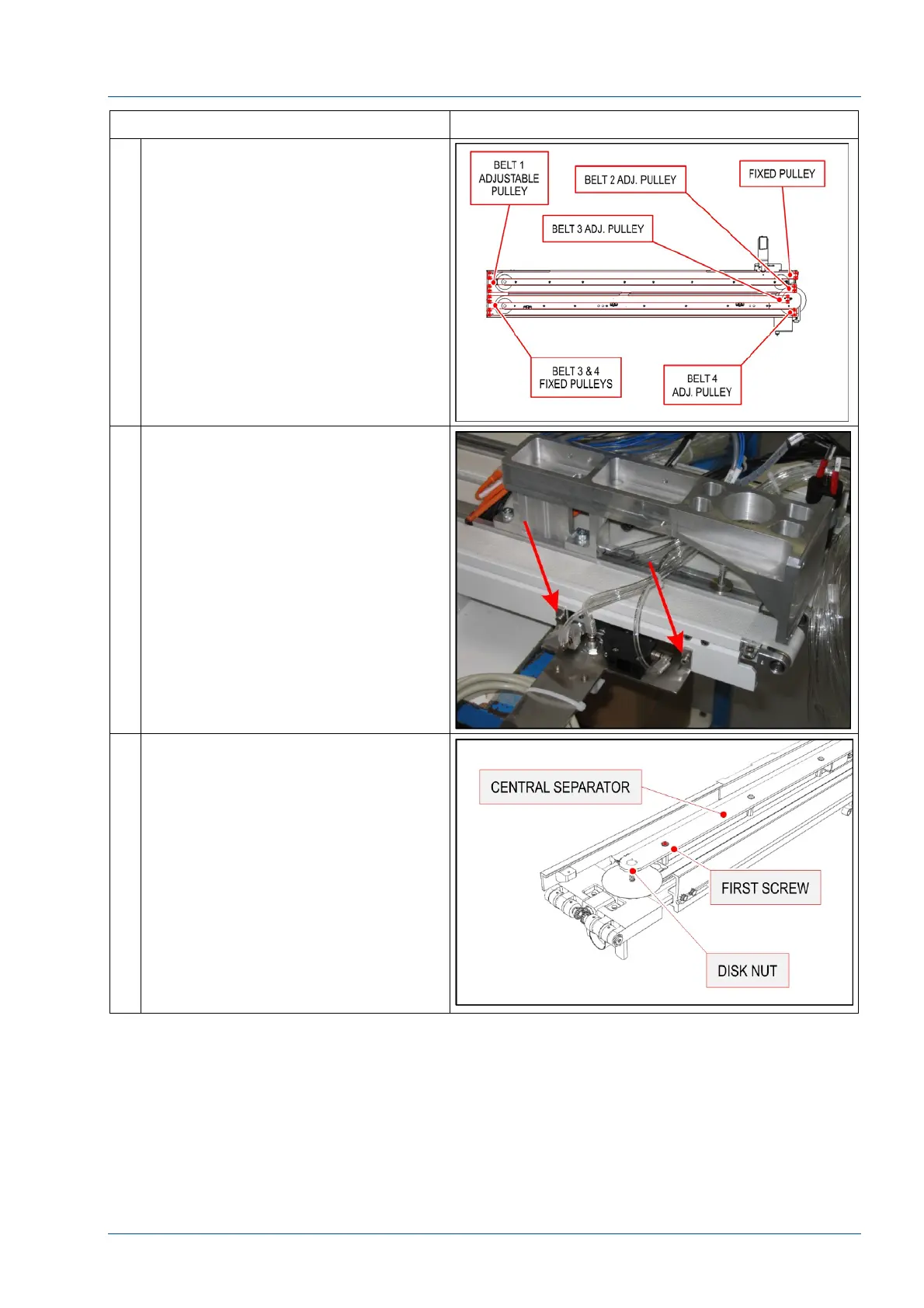
17 Refer to the figure for terminology
used in this procedure.
The correct belt tensioning order is:
Belt 1 – 2 – 3 – 4
18 Belt 1 Replacement – PFD0304
Remove the pneumatic multi
connector bracket to access the
screws shown in the figure.
Starting from the Lane 1-2 section,
remove the screws shown in the
figure to remove the barcode reader
bracket.
19 Loosen the first screw of the central
separator to avoid interference with
the disk rotation nut.



 To Next Page