i2000SR interface module Service Manual
Page 172 of 212 625798100.APS.5.doc
STEPS REFERENCES
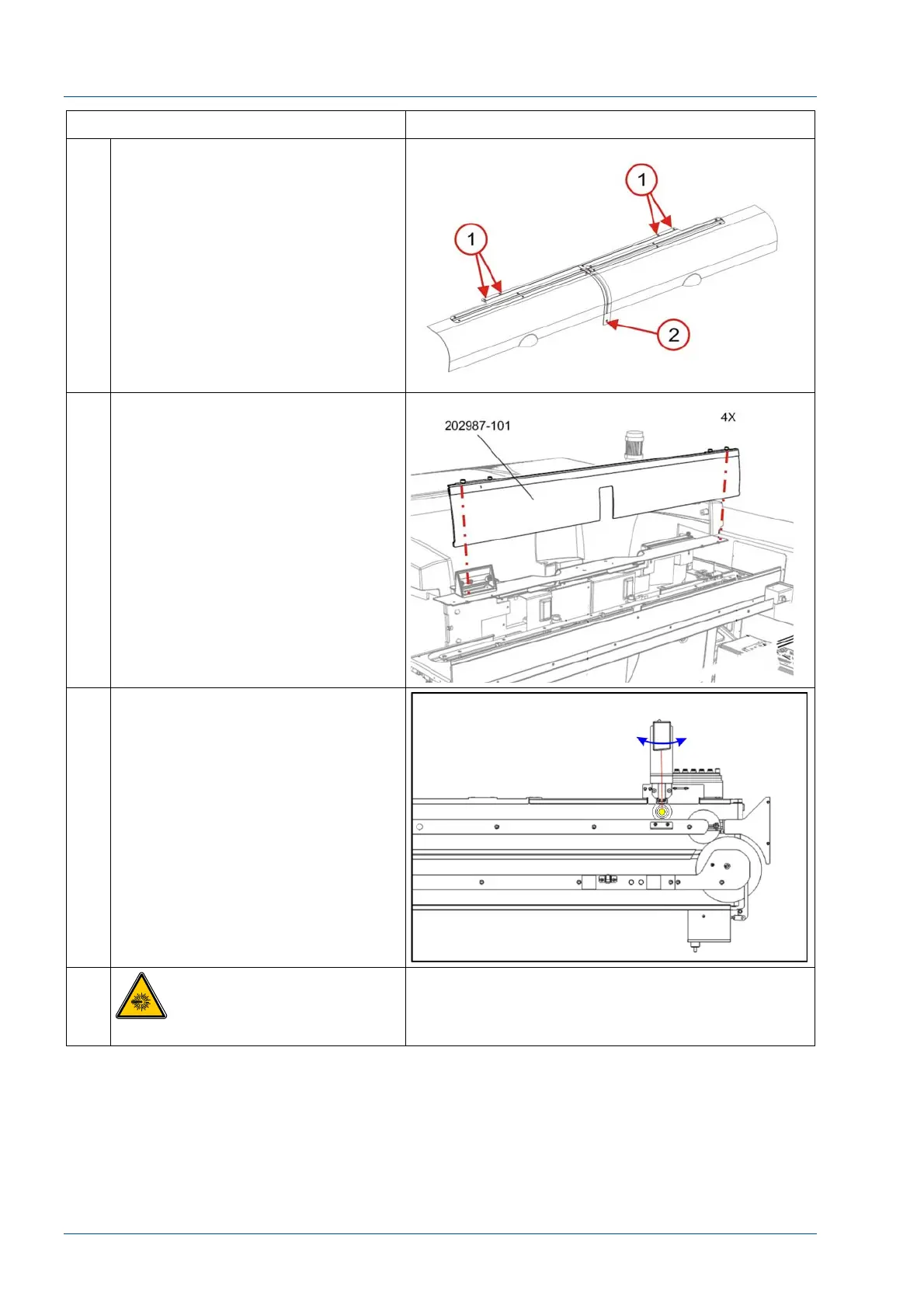
4 Remove the screw in the Center
Rail [2]
Remove the Hinge Mount (P/N
203621) and two front covers by
removing the four (4) countersink
screws [1].
5 Remove the center cover by
loosening the four (4) ¼ turn
screws.
6 Put a carrier with a tube in it at the
barcode reader (BCR) gate stop.
7
CAUTION: Laser radiation
DO NOT STARE INTO BEAM



 To Next Page