i2000SR interface module Service Manual
Page 178 of 212 625798100.APS.5.doc
STEPS REFERENCES
5 At the i2000SR SCC, perform Sample
and STAT probe calibrations
Maintenance, As Needed, the
appropriate probe to calibrate.
1111 Sample Probe Calibration
1117 STAT Probe Calibration
NOTE:
At the following screen prompt;
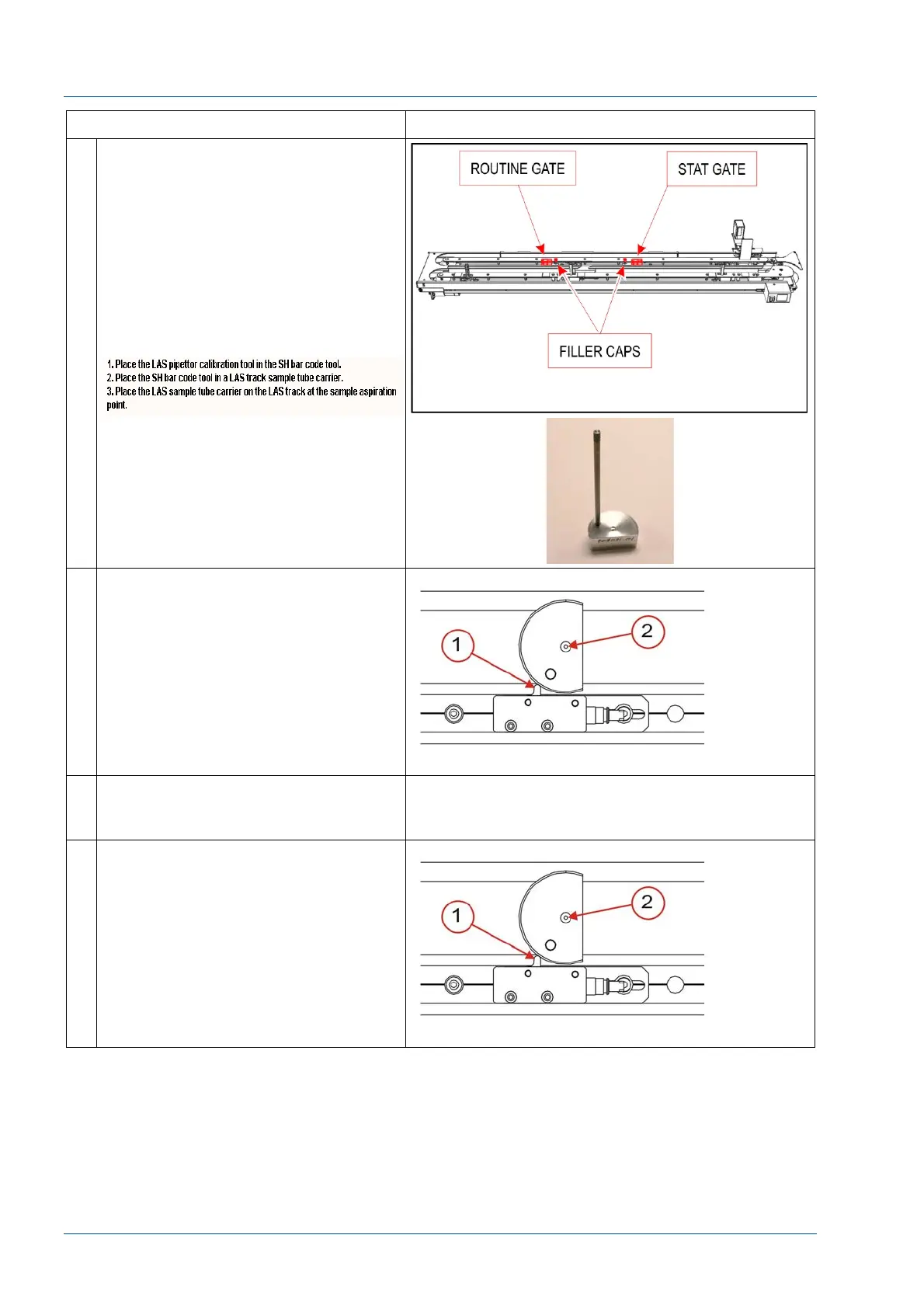
Use the (p/n 204021) LAS pipettor
calibration tool illustrated in the
reference area.
6 Place the LAS Probe calibration tool
(P/N 204021) into the IM track at the
appropriate sampling location.
Ensure that the tool [2] is pressed
firmly against the gate [1]. If it is not,
the alignment will be compromised.
7 Follow the i2000SR screen menu
options to select the LAS probe
alignment option.
8 Follow the screen menu options to
position the probe over the center of
the tool [2].
As the probe must be precisely
centered, a combination of probe and
gate position adjustments may be
required.



 To Next Page