Touch Screen Devices
Telligence
5PM000224A / 10 August 2022 / Ver. H
Touch Screen Devices
This chapter introduces the basic features of touch screen devices.
Note: Depending on your system configuration, some screens and features may not be
available.
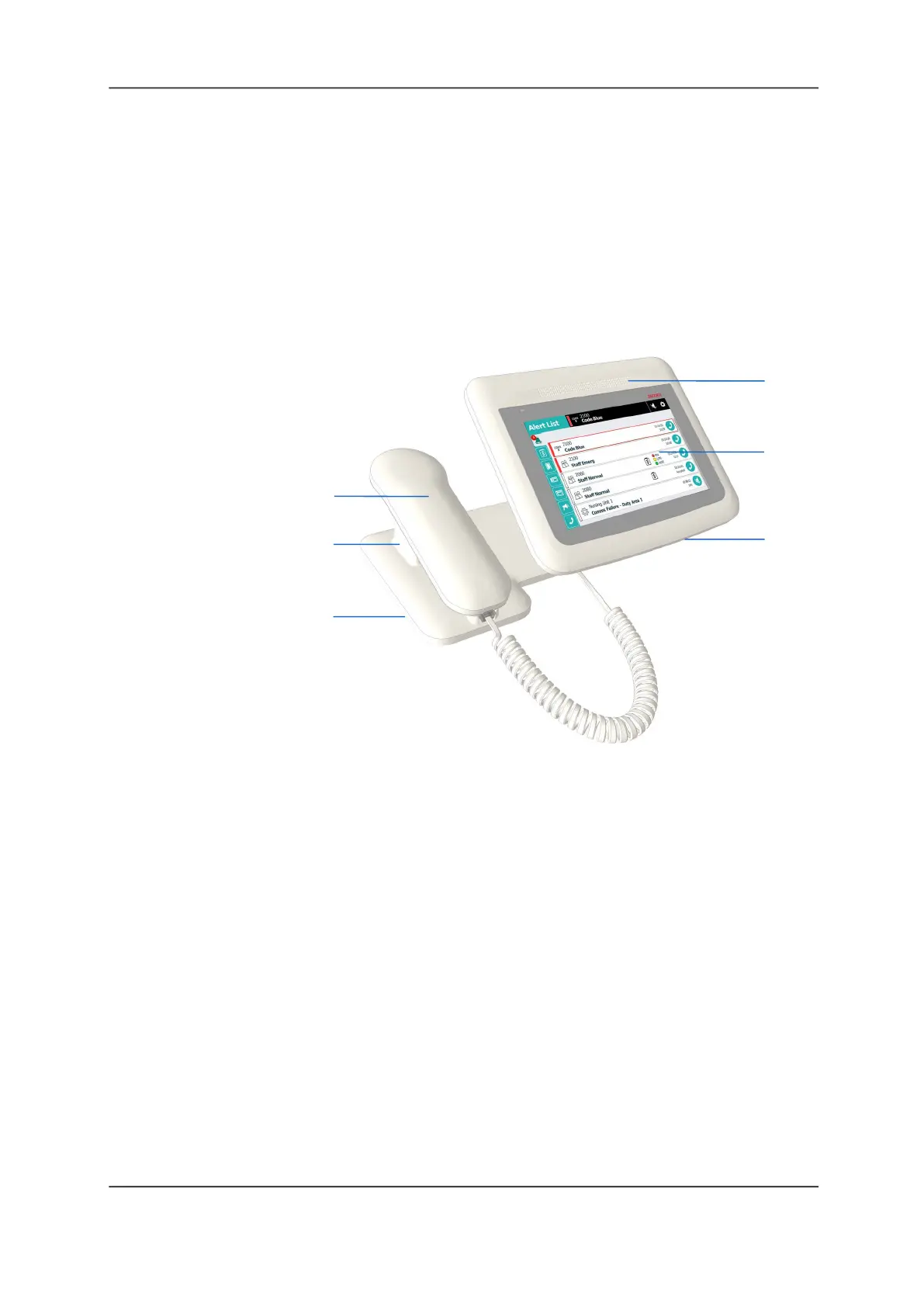
Staff Console
The staff console is the primary call center for staff-patient communication.
Figure 5: Staff Console
Legend:
(1) Receiver
(2) Cradle
(3) Headset plug
(4) Speaker
(5) Touch screen
(6) Microphone
Staff consoles are used for the following tasks:
• Answering calls
• Setting tasks
• Upgrading calls to higher priorities
• Placing calls to patients and staff members
• Broadcasting audio messages
• Talking to staff members at other staff consoles and annunciators
• Configuring call priorities for staff and patient devices
Handset and Speaker
The staff console includes a telephone handset and a speakerphone for hands-free operation.
Headsets can also be connected to a staff console when needed.
The staff console can be placed in Normal or Enhanced Audio mode. In Normal mode, the staff
console sends and receives audio simultaneously so you can hear the caller’s voice even while
you are speaking. In Enhanced Audio mode, communication is one-way. Tapping a button on
the touch screen allows you to alternate between listening and speaking modes. Enhanced
audio mode can improve communications in noisy environments.
(1)
(4)
(5)
(6)
(2)
(3)



 To Next Page