Room Devices
Telligence
59PM000224A / 10 August 2022 / Ver. H
(3) Toilet: Alerts staff that the patient needs help to the toilet.
(4) Pain: Alerts staff that the patient needs help with pain management.
(5) Lighting Control: Two buttons that allow patients to control the room lighting.
(6) Microphone: Provides two-way communications with the staff console.
(7) Water: Sends a request for water.
(8) Sun Blind Control: Raises and lowers the sun blinds in patient rooms equipped with a Sun
Blind Control module.
(9) TV Channel: Channel, TV/Radio On/Off, TV Volume.
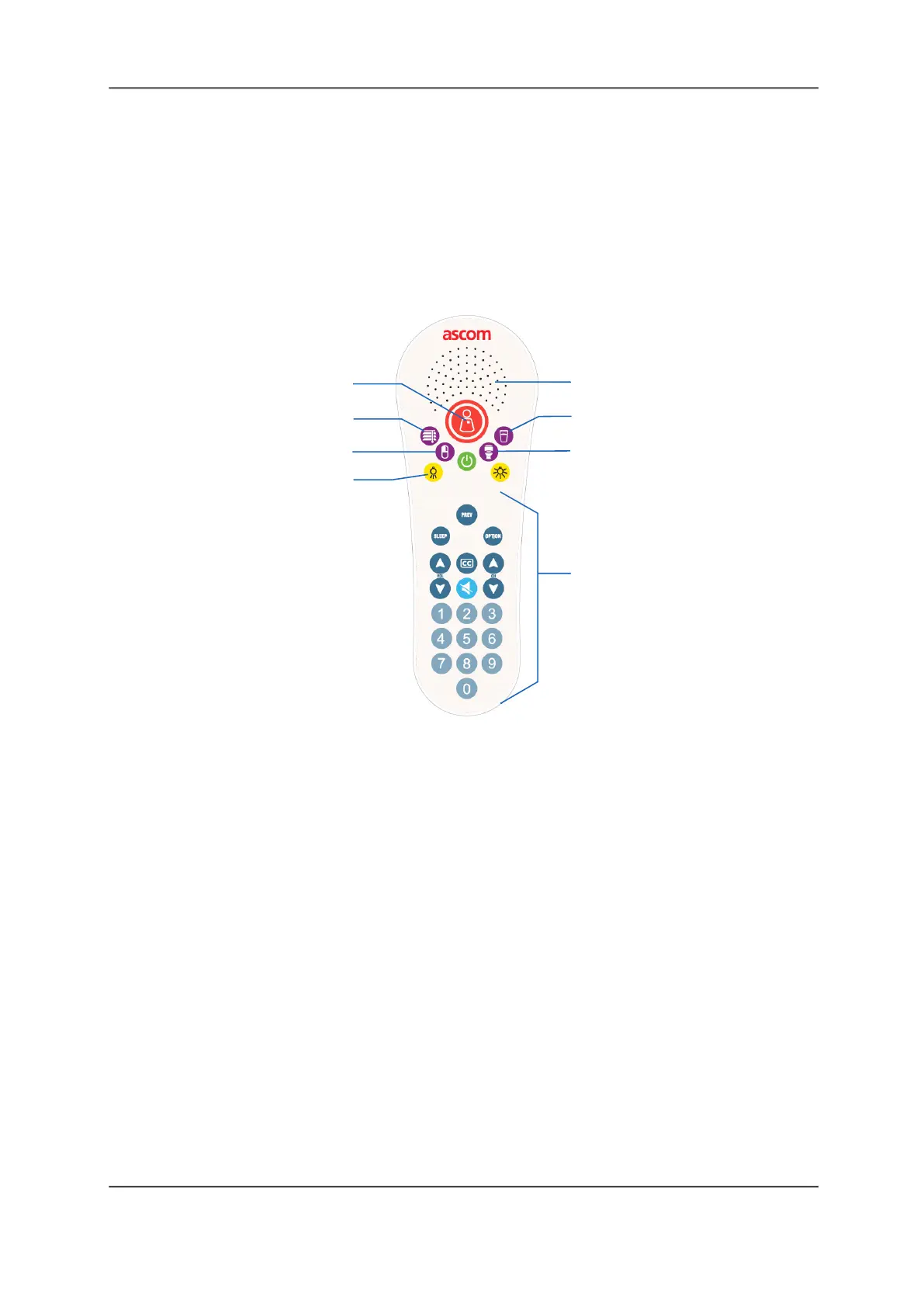
Figure 62: Pillow Speaker 2
Legend:
(1) Nurse Call: Places a nurse call request.
(2) Sunblind Control: Controls window blinds.
(3) Pain: Alerts staff that the patient needs help with pain management.
(4) Lighting Control: Two buttons that allow patients to control the room lighting.
(5) Speaker and Microphone: Provides two-way communications.
(6) Water: Sends a request water.
(7) Toilet: Alerts staff that the patient needs help to the toilet.
(8) TV Channel: Channel, TV, TV/Off, TV Volume.
Note: TV buttons do not control nurse intercom calls. The speaker volume between the patient
and the nurse station can only be adjusted at the staff console or annunciator.
Caring for Handsets and Pillow Speakers
To ensure proper operation of the handset follow these precautions:
• Use the provided bed linen clip to secure the handset to the patient’s bedding for easy
accessibility.
• Wall mounted holders can be purchased for holding handsets when not in use.
• Do not pull the handset to remove it from the Bedside module or while moving the bed.
Doing so can damage the cable or the delicate electronic equipment inside the handset.
(1)
(5)
(6)
(8)
(7)
(4)
(2)
(3)



 To Next Page