Touch Screen Devices
Telligence
36PM000224A / 10 August 2022 / Ver. H
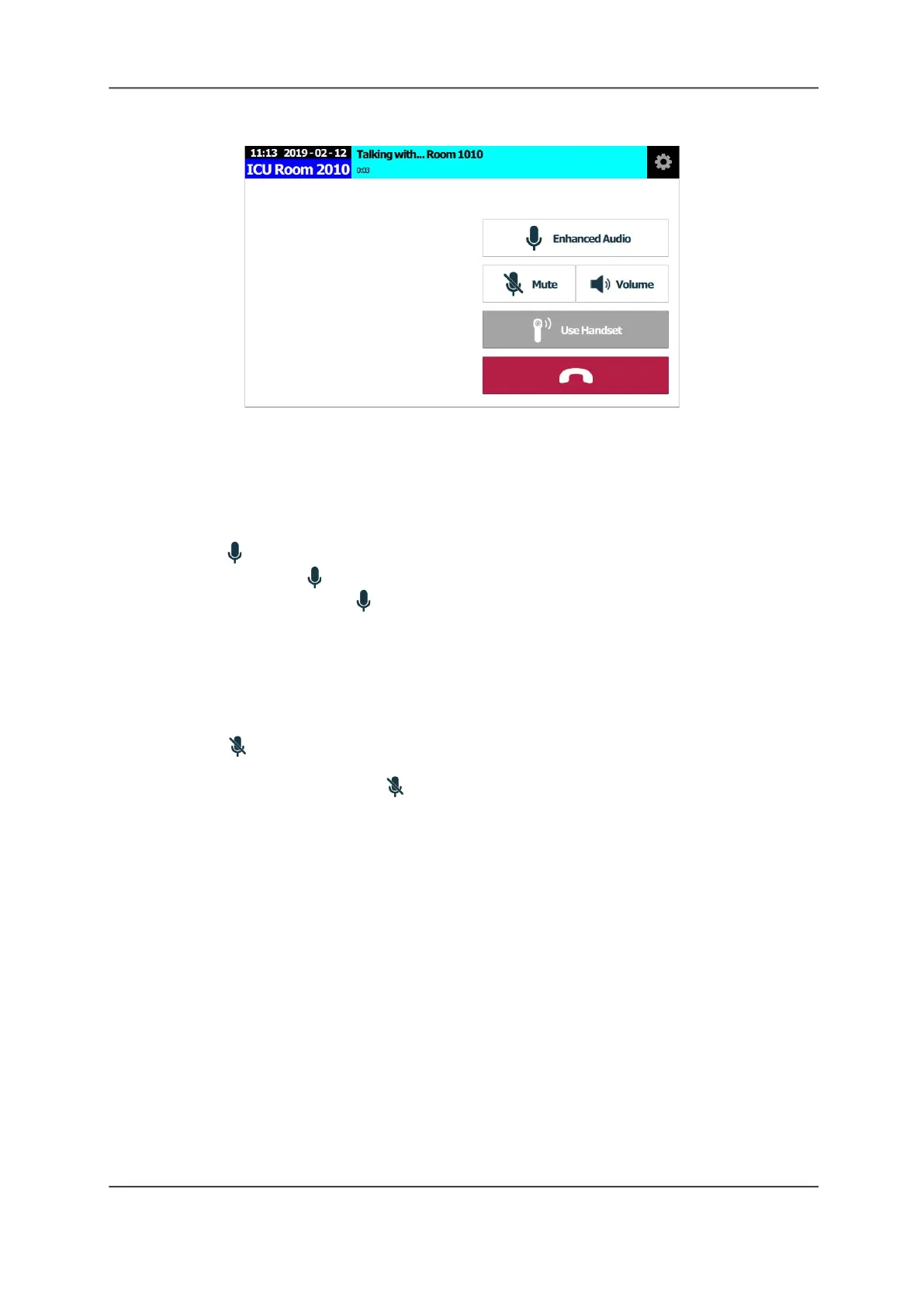
Figure 45: Active Call Screen
Enhanced Audio
The Enhanced Audio feature separates your conversation with a patient so that neither of you
hears any background noise from the one who is not speaking.
To enable Enhanced Audio:
1. Tap Enhanced Audio.
2. Touch and hold Press To Talk and begin speaking.
The button changes to Release to Listen while you are speaking.
3. Release the button to hear the patient.
Mute a Call
To mute your call:
Tap Mute to turn off the audio at the TelliConnect station. You can still hear the other
party, but they cannot hear you.
• To unmute your call, tap Mute again.
Set Speaker Volume
Control the speaker volume of the TelliConnect station and the speaker in the patient’s room.



 To Next Page