Touch Screen Devices
Telligence
34PM000224A / 10 August 2022 / Ver. H
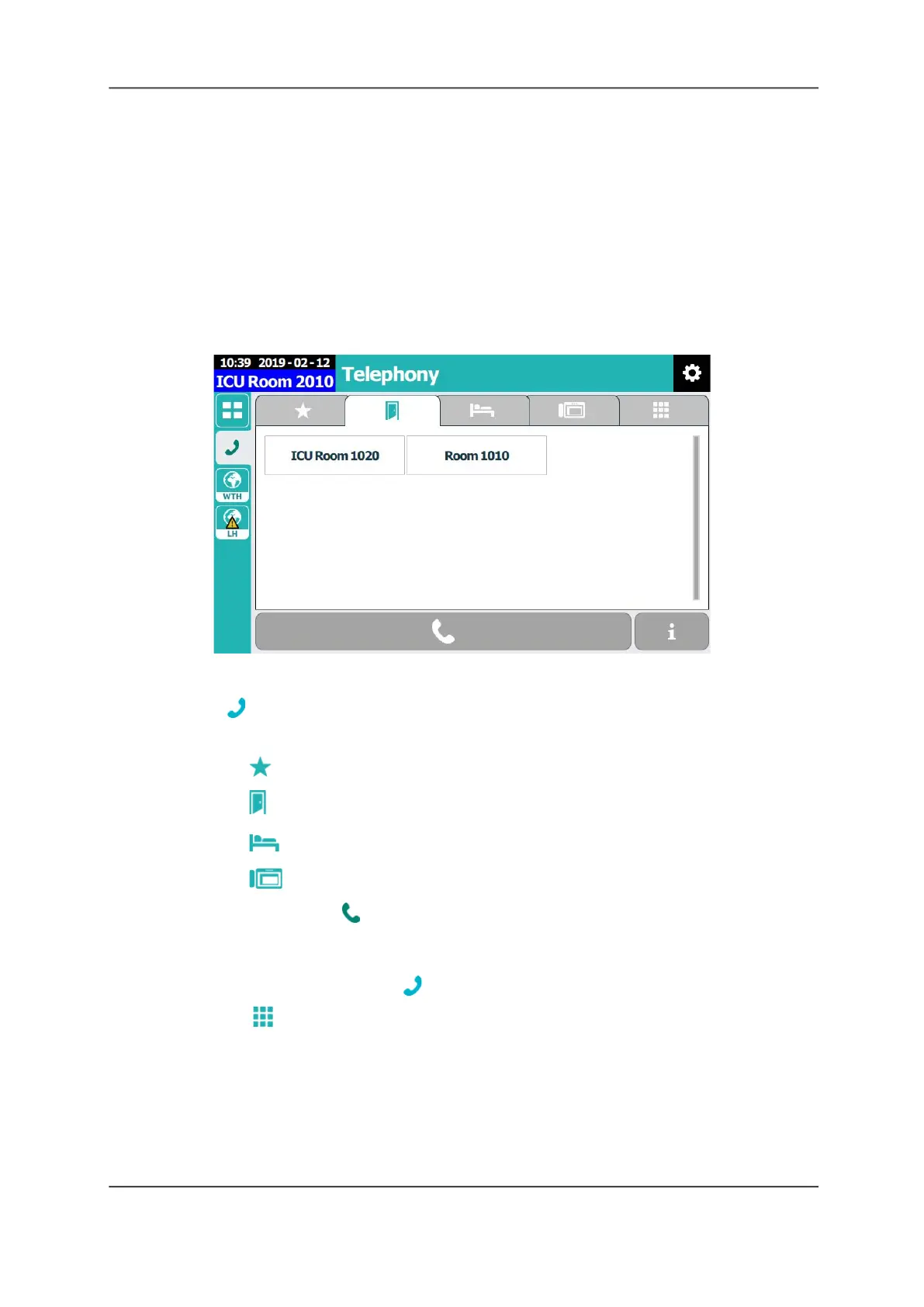
Telephony Screen
From the Telephony screen, you can do the following.
• Call a number from the Favorites list.
• Call a patient room.
• Call a patient bed.
• Call a nurse console.
• Enter a number on the dial pad.
• Call wireless and desk phones.
Figure 44: Telephony Screen
To call a favorite, room, bed, or staff console from the Telephony screen:
1. Tap Phone.
2. Choose one of the following:
• Tap Favorites, and then tap favorite number.
• Tap Room, and then tap a room number.
• Tap Bed, and then tap a bed.
• Tap Staff Console, and then tap an staff console number.
3. To make the call, tap Call at the bottom of the screen.
To make a call using the dial pad:
1. From a Nurse Call screen, tap Phone.
2. Tap the Dial Pad tab.



 To Next Page