Touch Screen Devices
Telligence
8PM000224A / 10 August 2022 / Ver. H
Alert List Screen
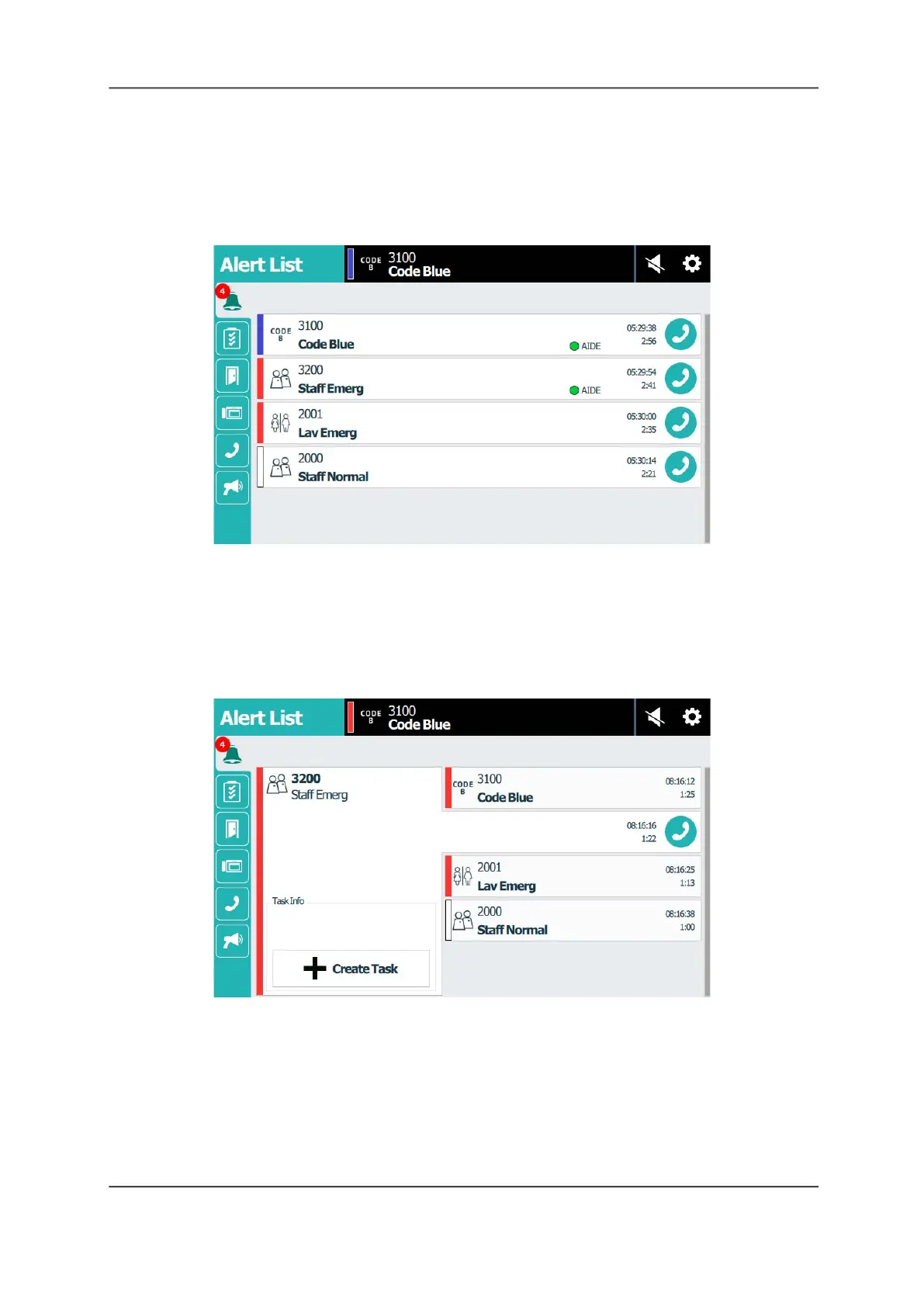
The Alert List screen lists incoming calls and alerts by order of priority. The Alert List icon
displays a number badge denoting how many alerts are in the list. Use the Alert List screen to
answer calls and respond to alerts.
Figure 7: Alert List Screen with Badge
To view details for an alert in the Alert List:
Tap to select the alert that you want to expand in the Alert List.
The selected alert displays in an expanded screen. Here you can create tasks, see tasks
assigned to a room, or respond to the alert. You can also select another alert to see its details,
or you can tap the current alert again to return to the default Alert List view.
Figure 8: Alert List - View Details
Answer Calls
Staff consoles and annunciators provide two-way communication with patient beds, rooms, or
with other staff consoles and annunciators. When a patient calls from a bed or room, the call
rings at the monitoring staff console or annunciator and displays an alert and its priority. Calls
can have different priorities, such as Code Blue, Emergency, or Patient Normal. Use the staff
console or annunciator handset, headset, or speakerphone to answer calls.



 To Next Page