Room Devices
Telligence
62PM000224A / 10 August 2022 / Ver. H
Staff Devices
Staff devices are Telligence system devices that enable staff members to call staff consoles
and annunciators.
Note: The labels applied to buttons are configurable and may differ on your system from those
shown here.
Room Display Modules
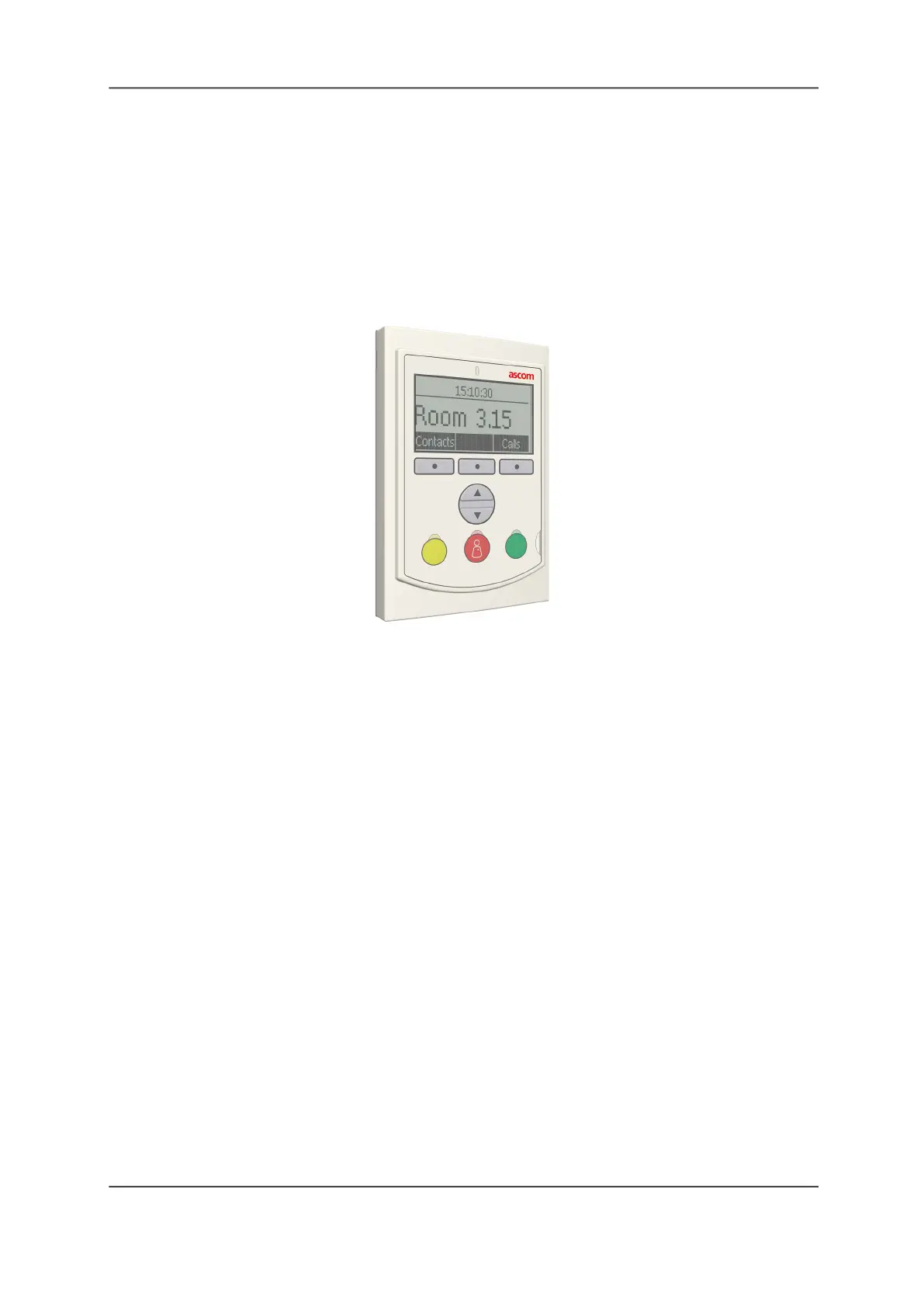
Figure 65: Room Display Module
The Room Display module is similar to a bedside module; however, it has no sockets for beds
and other equipment. The display is equipped with buttons and a loudspeaker for generating
tones and buzzes. One room display can annunciate calls for a single duty area or an area
equal to a staff console coverage area.
Forwarding Nurse Calls From Room to Room
A room display displays nurse calls associated with other rooms. When a staff member enters a
room and presence is registered, the room display emits tones to indicate active nurse calls.
This is called staff follow and the tones are called staff follow tones.
Scroll Button and Function Keys
Use the Up and Down button on the room display to select a call or nurse presence location
from the call list. Use the soft keys with functions displayed on the screen to accept or reject
calls.
Duty Selector
The Duty Selector handles the call forwarding groups and response sequences according to
the duty configurations specified during system configuration.



 To Next Page