Touch Screen Devices
Telligence
14PM000224A / 10 August 2022 / Ver. H
A silenced error alert will re-tone every six hours until the error is resolved. Repeat the above
steps if the error has not been resolved within the allotted time.
Communications Errors
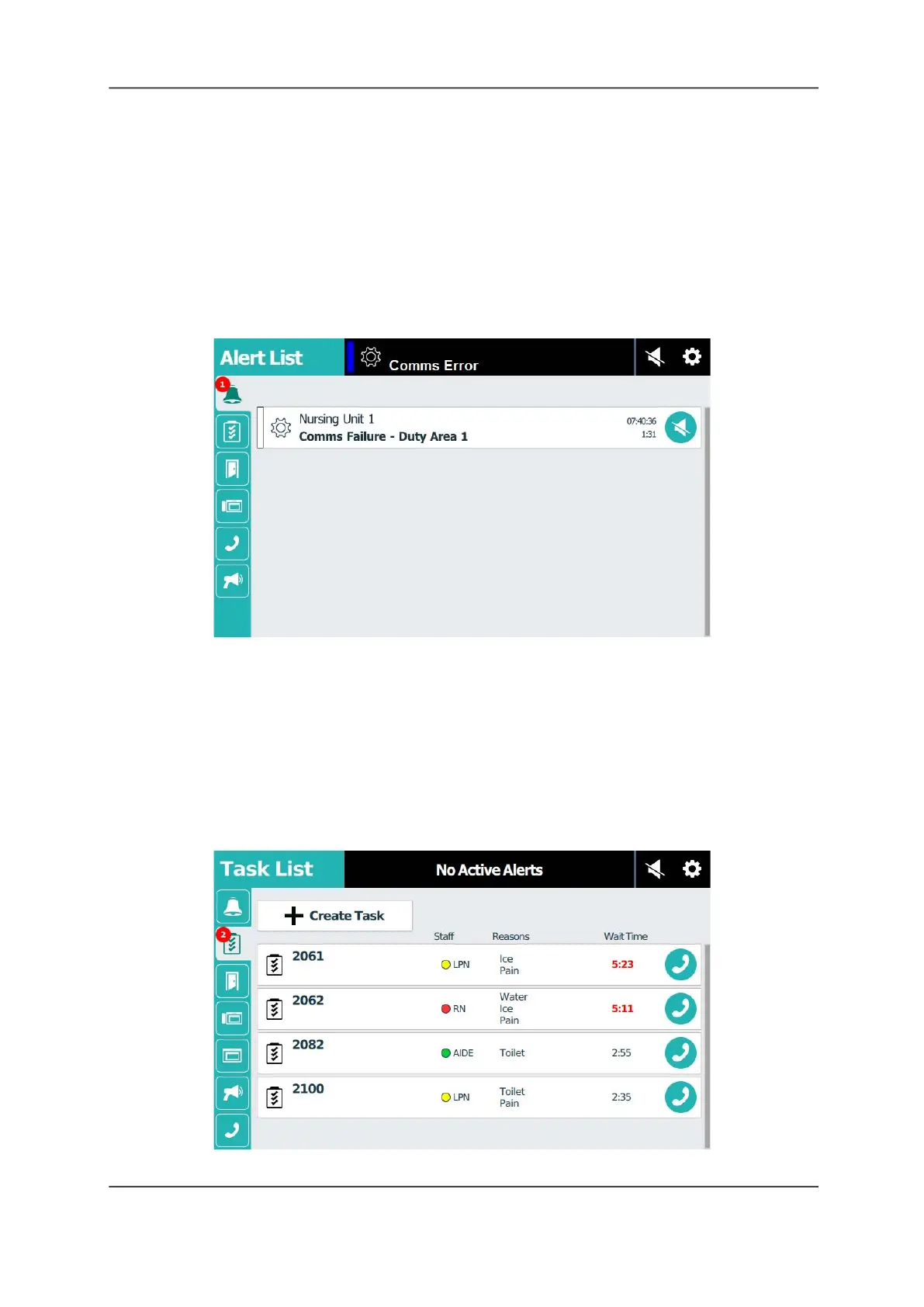
A staff console or annunciator can oversee or supervise other staff consoles, annunciators, or
wireless devices. When one of these supervised devices loses its ability to communicate, the
system generates a communication failure alert that displays on the supervising console and
identifies the duty area where the failure occurred. The alert remains on the screen until
communication is re-established with the failed device.
Figure 16: Alert List Screen with a Comms Failure
Note: If you receive a comms failure alert, contact your supervisor and system administrator as
soon as possible.
The Task List Screen
The Task List screen displays all the tasks assigned to a monitored duty area. Use the Task List
screen to create and monitor tasks.
Note: Depending on your system configuration, task creation may not be available. Check with
your system administrator.
Figure 17: Task List Screen



 To Next Page