Touch Screen Devices
Telligence
9PM000224A / 10 August 2022 / Ver. H
To answer a call in the Alert List:
1. From the Alert List, tap Answer.
2. Use the speakerphone to talk or lift the handset, if equipped, and begin talking.
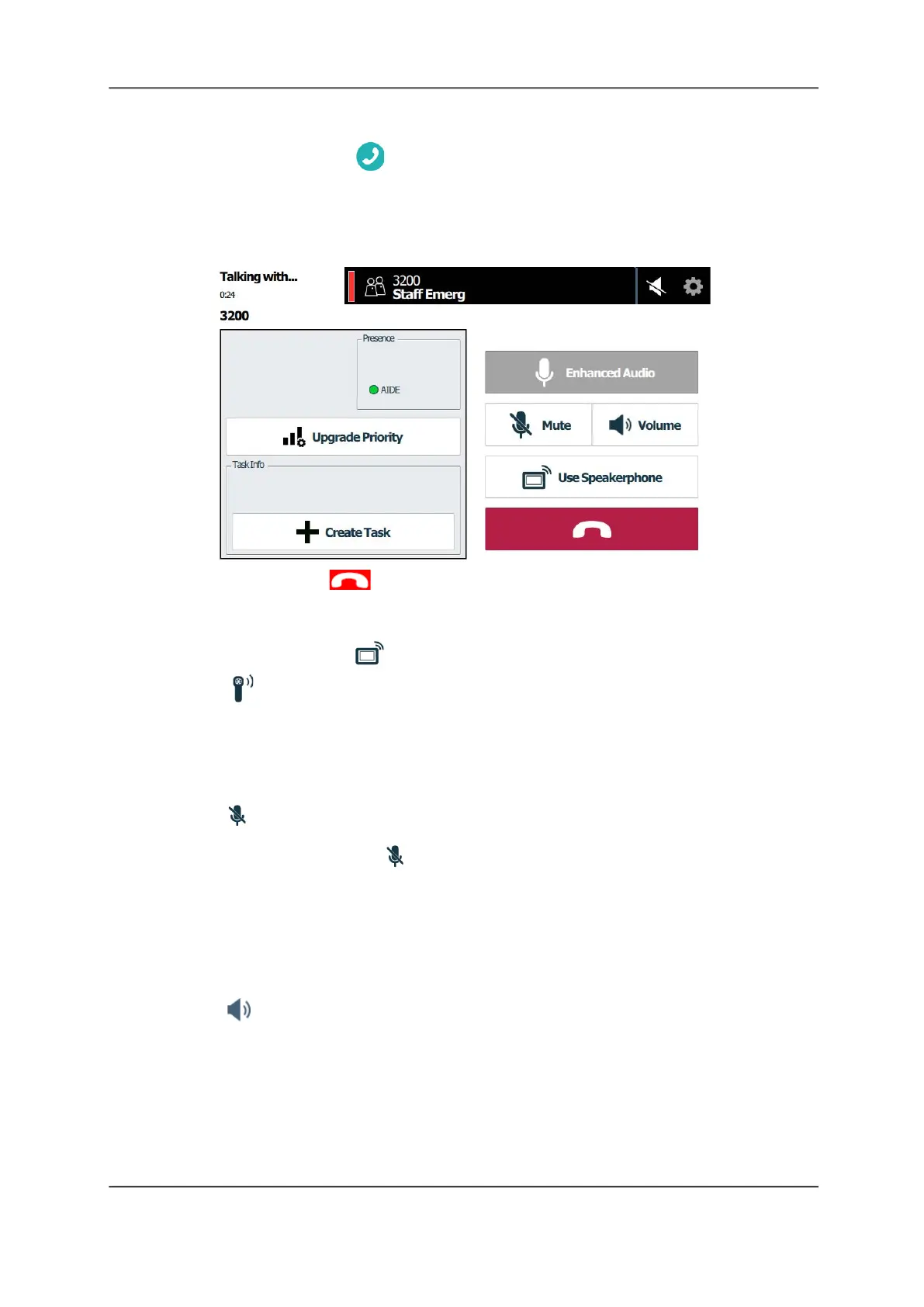
Note: The screen header displays the color assigned to the alarm — for example, red for
staff emergencies.
Figure 9: Call Screen
3. To end the call, tap End Call.
To switch to the speakerphone when using a handset:
On the call screen, tap Use speakerphone.
•Tap Use handset to switch back to the handset.
Mute a Call
To mute a call:
Tab Mute to turn off the audio at the staff console. You can still hear the other party, but
they cannot hear you.
• To unmute your call, tap Mute again.
Adjust the Volume
While on a call, you can adjust the speakerphone, handset, and patient speakerphone volume.
To adjust the call volume:
1. Tap . The volume screen displays.



 To Next Page