Touch Screen Devices
Telligence
26PM000224A / 10 August 2022 / Ver. H
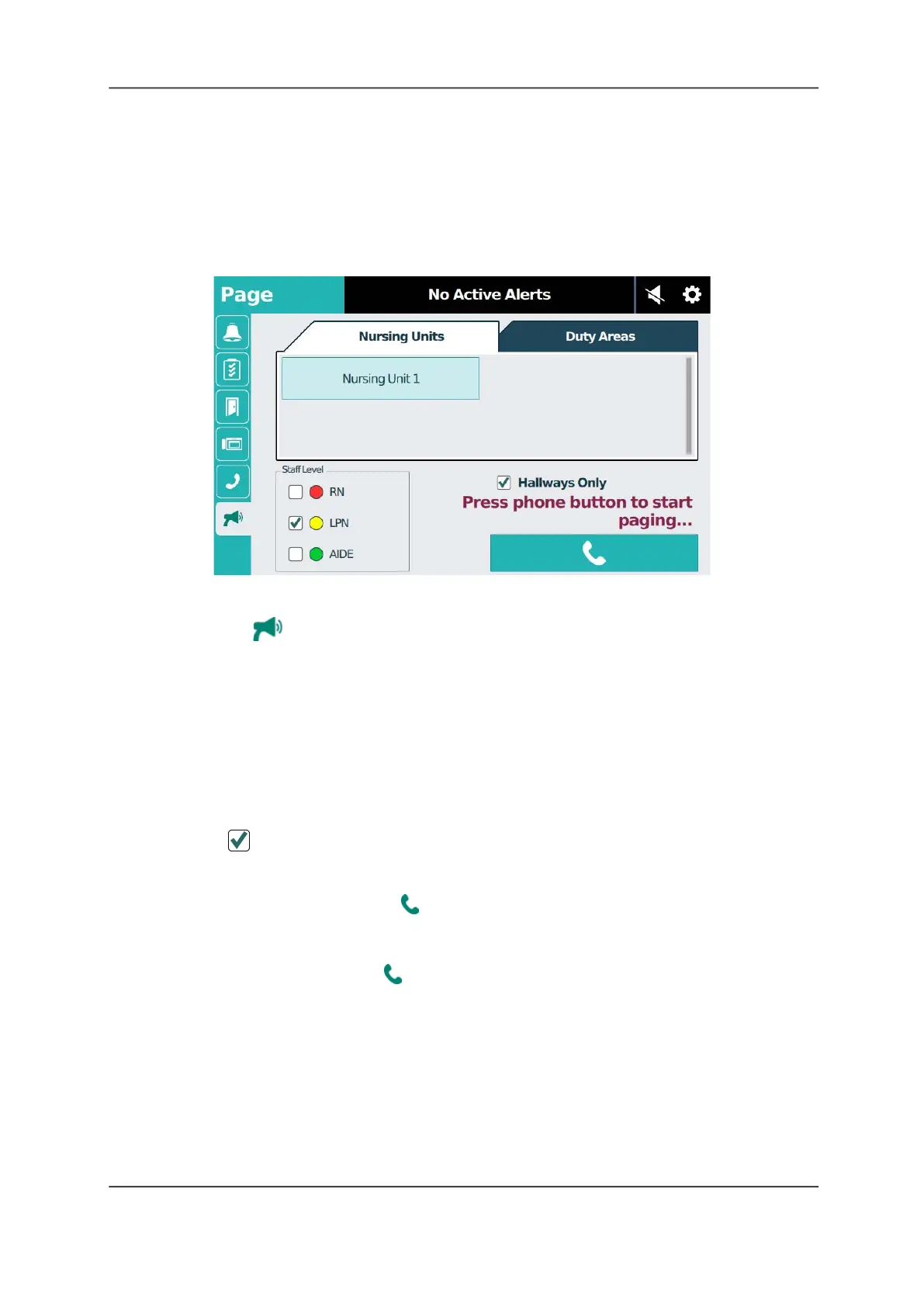
The Page Screen
You can send voice pages to selected nursing units or duty areas using the handset on the
staff console. The handset is required for paging. You can only page one unit at a time, and a
page does not override an established audio connection — for example, a patient talking to the
nurse station. An established audio connection must terminate before initiating a page. The
facility’s paging system does not override Telligence paging.
Figure 34: Page Screen
To page from a staff console:
1. Tap the Page tab.
Note: The icon will not display if the feature has been disabled during system configuration.
If the page feature was configured with password protection, you must enter the password
before you can initiate a page. If you do not know the password, check with your system
administrator.
2. Tap the nursing unit or duty area from the list that you want to page.
3. Tap the staff levels to page (RN, LPN, and/or AIDE). If none of the staff levels are selected,
then the page will broadcast everywhere at the selected destination regardless of staff
levels.
If at least one staff level is chosen, the page will broadcast only in areas where these staff
levels have registered presence. See Table 1 on page 27 for details.
4. Tap Hallways Only if you want to limit the page only to hallway areas.
Note: Hallway paging may not be configured for your system. Contact your facility
administrator.
5. Lift the handset, and then tap Phone.
6. A setup tone sounds and “Please wait” displays. After the tone you can begin speaking.
“Page in Progress” displays above the Phone button.
7. When you are finished, tap Phone again to end the call, and then return the handset to
the cradle.
Caution: If you do not tap the Phone button before returning the handset to the cradle, the
microphone will briefly amplify and broadcast the handset’s contact with the cradle.



 To Next Page