Touch Screen Devices
Telligence
33PM000224A / 10 August 2022 / Ver. H
To enter Screensaver mode:
Tap Screensaver.
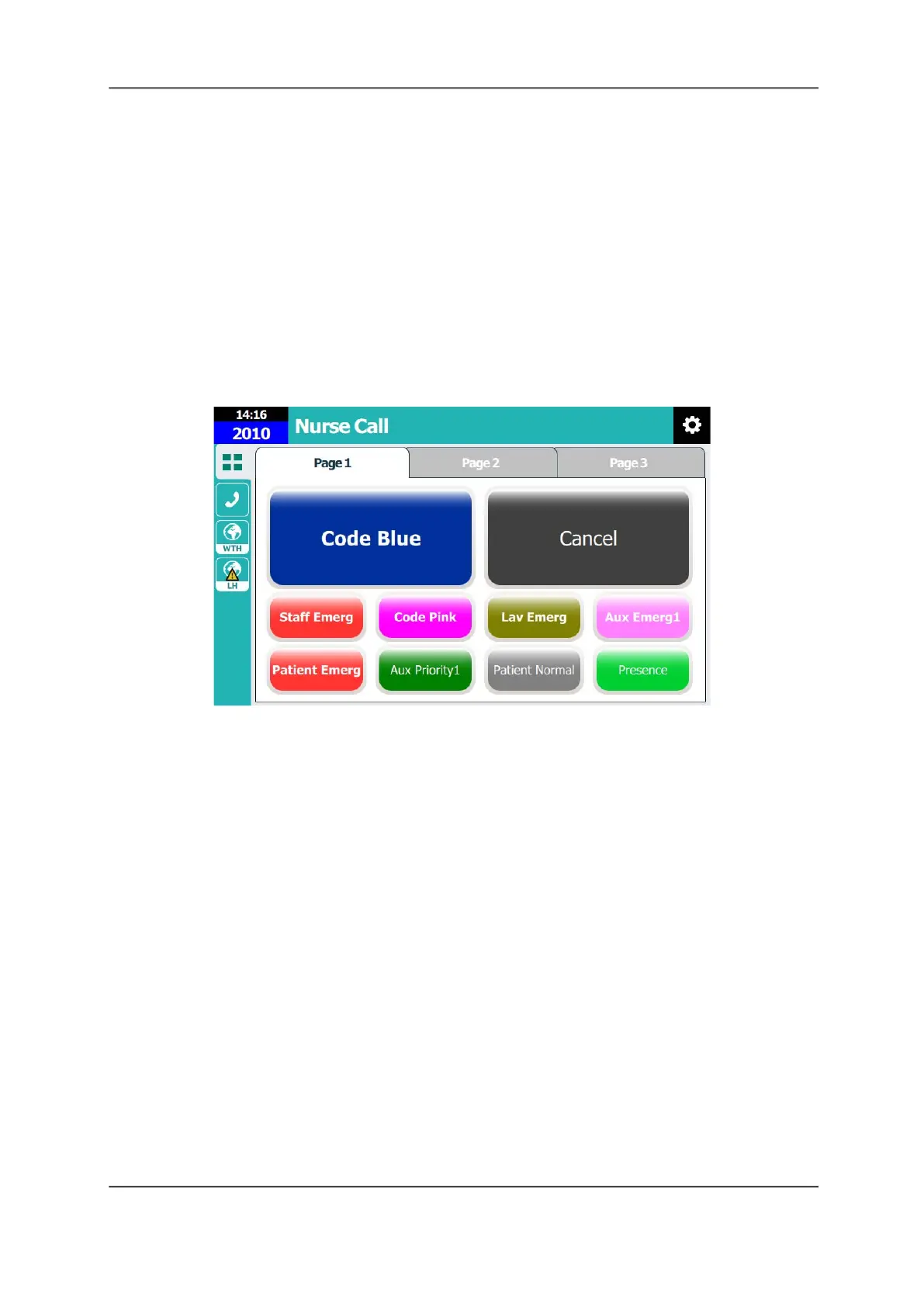
Nurse Call Screen
The Nurse Call screen lets you do the following.
• Activate an event
• Register staff presence
• Call a nurse console, annunciators, patient rooms, beds, or another extension
• Access web apps
• Change station settings
Figure 43: Nurse Call Screen
Note: The example shown above is for demonstration purposes. Your screen display may vary.
Activate an Event
Activate an event, such as a Code Blue event, by tapping a preset button on the display. The
event is sent to the nurse console and the dome light begins flashing. The event remains active
until it is canceled at the TelliConnect station, or from a room module that has the Cancel
option.
To activate an event:
From the Nurse Call screen, tap a page tab, and then tap the button matching the event that
you wish to activate.
• To stop the event, tap Cancel.
Register Staff Presence
If configured for your system, you can register your presence when entering a patient room.
To register presence:
From the Nurse Call screen, tap the Presence button.
• To end presence, tap Presence again.



 To Next Page