Touch Screen Devices
Telligence
24PM000224A / 10 August 2022 / Ver. H
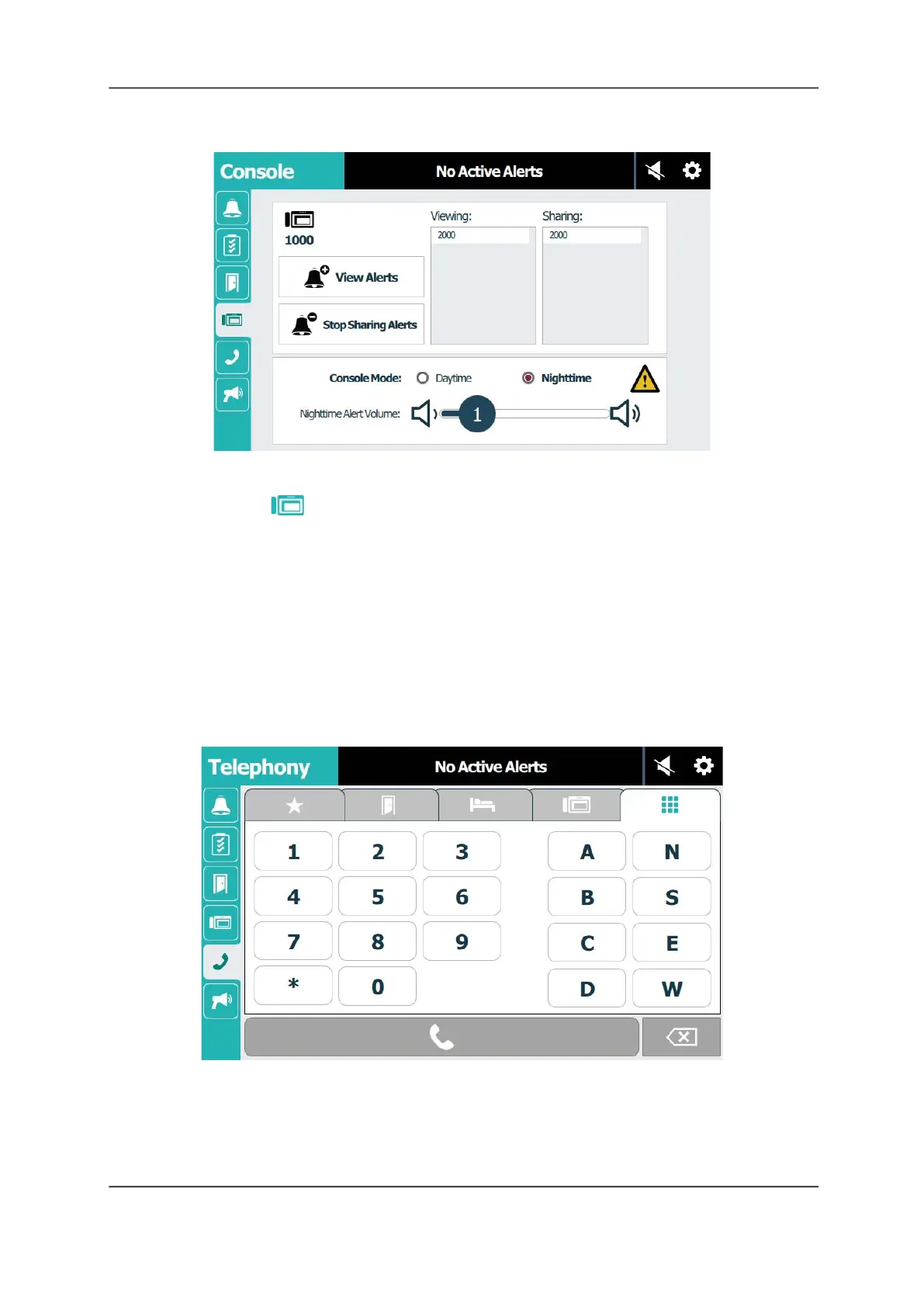
Figure 32: Console Screen: Alert Tone Volume
To adjust the alert tones:
1. Select the Console tab.
2. Tap Daytime or Nighttime mode.
3. Touch and drag the Alert Volume slider to increase or decrease the tone volume. The
setting remains in effect until you change it again.
Telephony Screen - Place a Call
Staff consoles provide two-way communication to a patient’s bed, a room, or to other staff
consoles and annunciators. Place a call by dialing the bed, room, staff console, or annunciator
number from the Telephony screen. You can also call Ascom Myco and Innovaphone wireless
phones, if they are configured for your system.
Figure 33: Dial Pad Screen



 To Next Page