Room Devices
Telligence
49PM000224A / 10 August 2022 / Ver. H
Bedside Modules
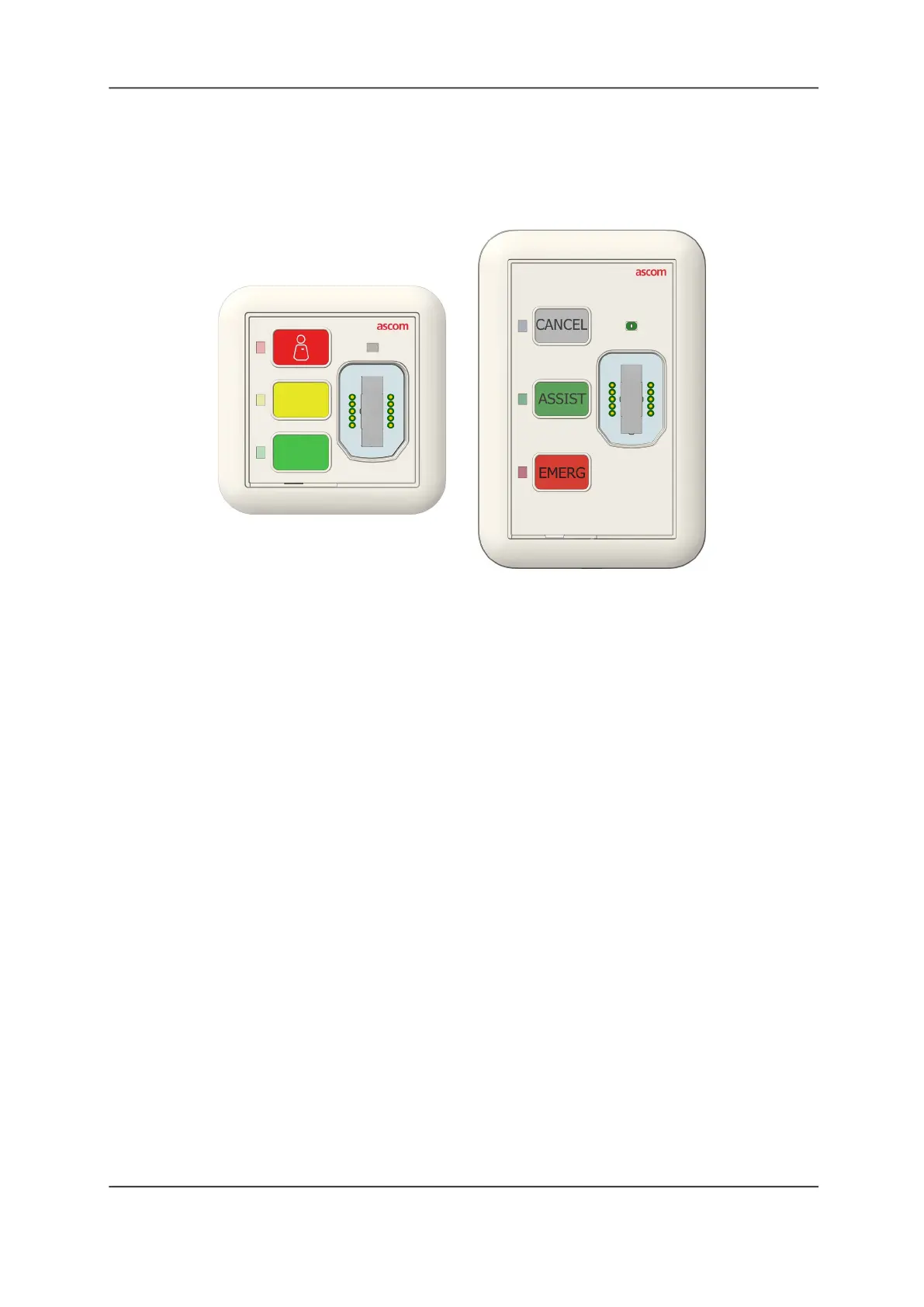
Bedside modules feature three call buttons with color-matching LEDs and a magnetic
SafeConnect socket for connecting handsets and pillow speakers.
Figure 51: Bedside Modules
Each Bedside module may be customized for your facility as a one, two, or three button
module. By default, the Bedside module’s buttons are configured with red, yellow, and green
settings. The module supports both short and long button presses.
When connecting a handset or pillow speaker to the Bedside module, the green LED above
the socket brightens to indicate a good connection, and then dims to its back-lit level.
To activate a button:
Press the button associated with the required task. The LED for that button illuminates to
show that button is active.
To cancel an active button:
Press Cancel or Presence on the module.
The button you press to cancel a call event will depend on how your system was configured
during installation. Check with your system administrator if you are unsure which button to
press.
To disconnect a handset or pillow speaker:
Unplug the handset or pillow speaker, and then press the flashing button.
Note: If your facility is equipped with the passive version of this device (P/N NUBM3P), cord
fault conditions are not generated when the device is disconnected. Instead, a nurse call event
equivalent to tapping the top button on the module is generated and sent to the nurse console.
Clear the Cord Fault Condition
When a cable is not connected properly, or disconnected, or an unsupported cable is
connected, or it goes offline, then the SafeConnect socket LED flashes quickly to indicate a
cord fault error.
Europe/Asia/Africa
Americas/Australia



 To Next Page