Room Devices
Telligence
61PM000224A / 10 August 2022 / Ver. H
handset. If necessary, the staff member can adjust call volume settings on the staff
console or annunciator.
• When the call ends, the Speech module’s Status light returns to a steady illumination
until presence is cleared.
Cancel Calls from Handsets and Pillow Speakers
Patient calls made by patients from handsets and pillow speaker are canceled when answered
at the staff console or annunciator, or when presence is registered in the room where the call
originated, or by an in-room Cancel or Reset button.
Clear the Cord Fault Condition for Handsets and Pillow Speakers
When a handset or pillow speaker cable is not connected properly, or disconnected, or an
unsupported cable is connected, or the handset or pillow speaker goes offline, then the
SafeConnect socket LED flashes quickly to indicate a cord fault error.
To clear a cord fault condition:
Remove the plug from the socket, and then press and hold the Cancel button for at least 6
seconds until the module resets (all LEDs will flash once).
Using Linen Clips with Handsets and Pillow Speakers
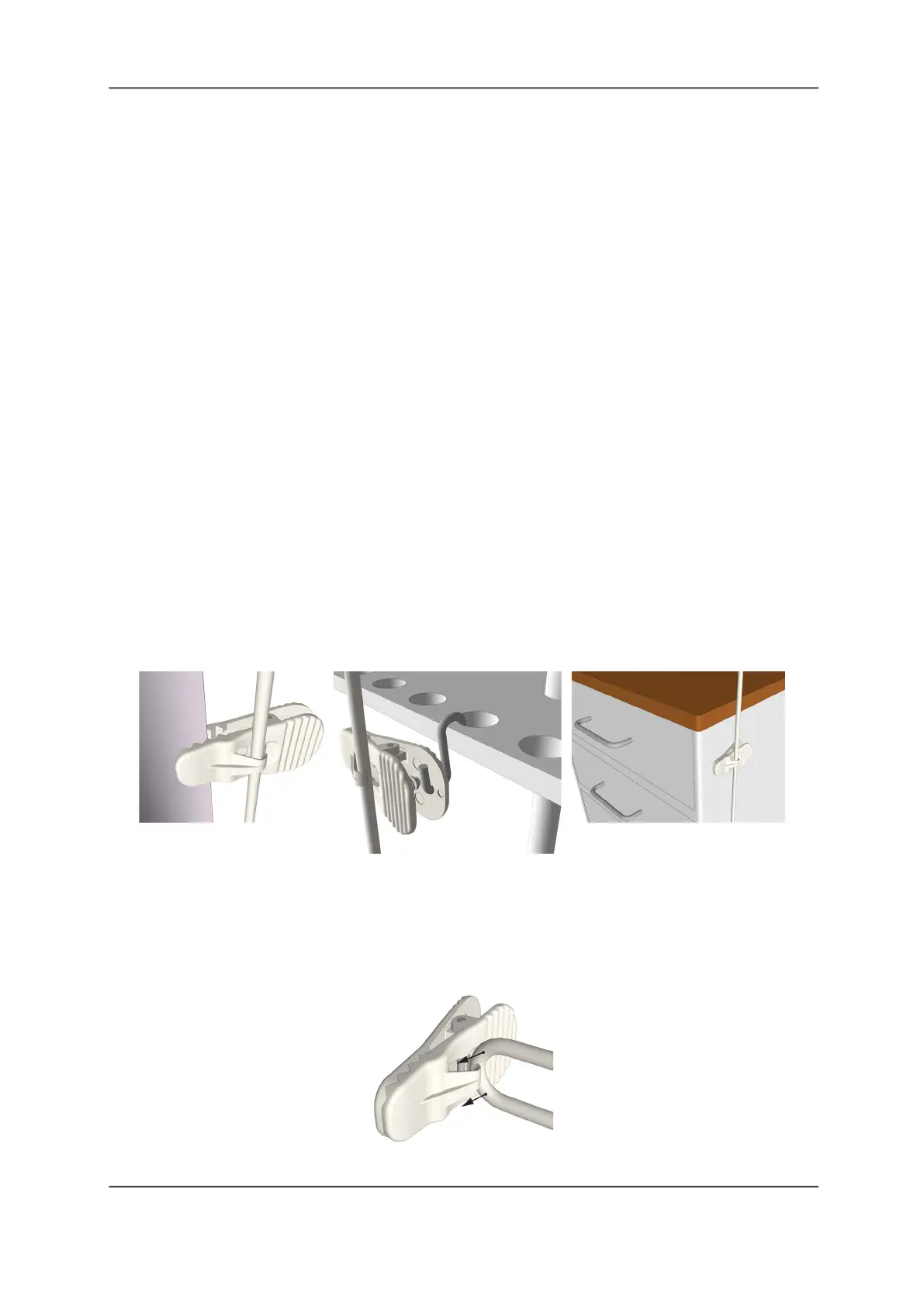
Use the linen clip with any model handset or pillow speaker to keep the handset or pillow
speaker within the patient’s reach. The clip can be clipped to bed linens or other fabric,
suspended from an IV stand, or attached to a metal table or cabinet using its magnet.
Figure 63: Mounting Linen Clips
To attach the linen clip to a handset or pillow speaker:
Insert the handset or pillow speaker’s cord by bending it into a loop and gently pushing the
loop behind the hook on the clip.
Note: Do not bend the cable too tightly as this may damage the cable.
Figure 64: Attaching the Linen Clip to the Cable



 To Next Page