Room Devices
Telligence
47PM000224A / 10 August 2022 / Ver. H
Patient Station
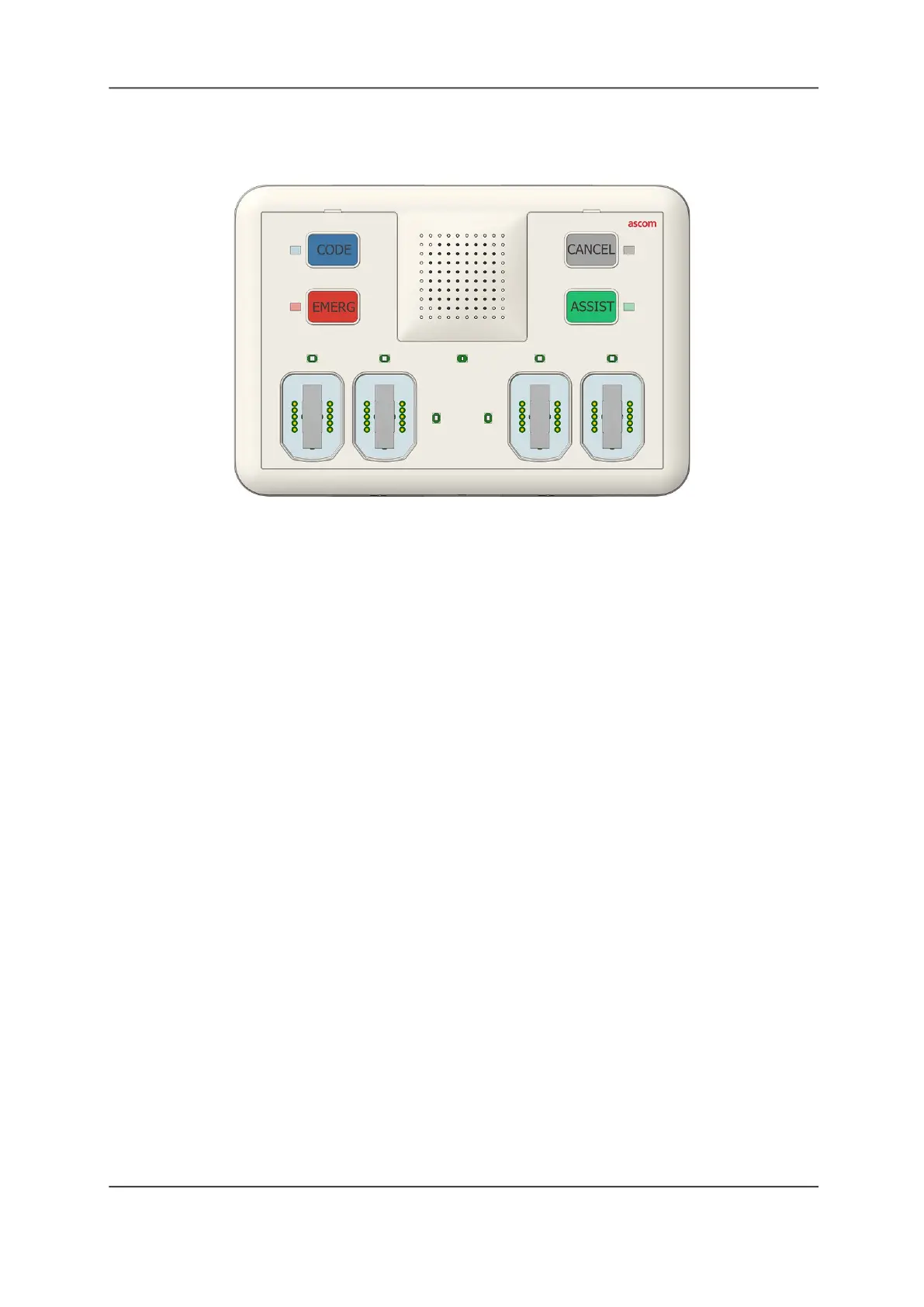
Figure 50: Patient Station Module
The Patient Station features four buttons that can be used to signal an emergency, call the
nurse station, register presence, or request aid. It includes a speaker with a built-in microphone
for hands-free communication and four SafeConnect sockets for connecting bedside handsets,
pillow speakers, call cords, and third-party devices.
To activate a button:
Press the button associated with the required task. The LED for that button illuminates to
show that button is active.
To cancel an active button:
Press Cancel or Presence on the module.
Note: The button you press to cancel a call event will depend on how your system was
configured during installation. Check with your system administrator if you are unsure which
button to press.
To call for assistance:
1. Press Assist, or other button that was configured to call a staff console.
2. When the Speech LED illuminates orange and the audio tone sounds, begin speaking.
3. The operator at the staff console controls the call. The Speech module on the Patient
Station will deactivate when the staff console operator hangs up. The LED extinguishes.
Patient Station SafeConnect Sockets
The Patient Station contains four SafeConnect sockets. During installation, the sockets are
configured for one or two beds. The SafeConnect sockets support the following devices:
• Handsets
• Pillow Speakers
• Call Cords
• 37-Pin Breakaway Bed Cables
• 3.5mm SafeConnect Adapters
• 1/4 inch SafeConnect Adapters



 To Next Page