Touch Screen Devices
Telligence
11PM000224A / 10 August 2022 / Ver. H
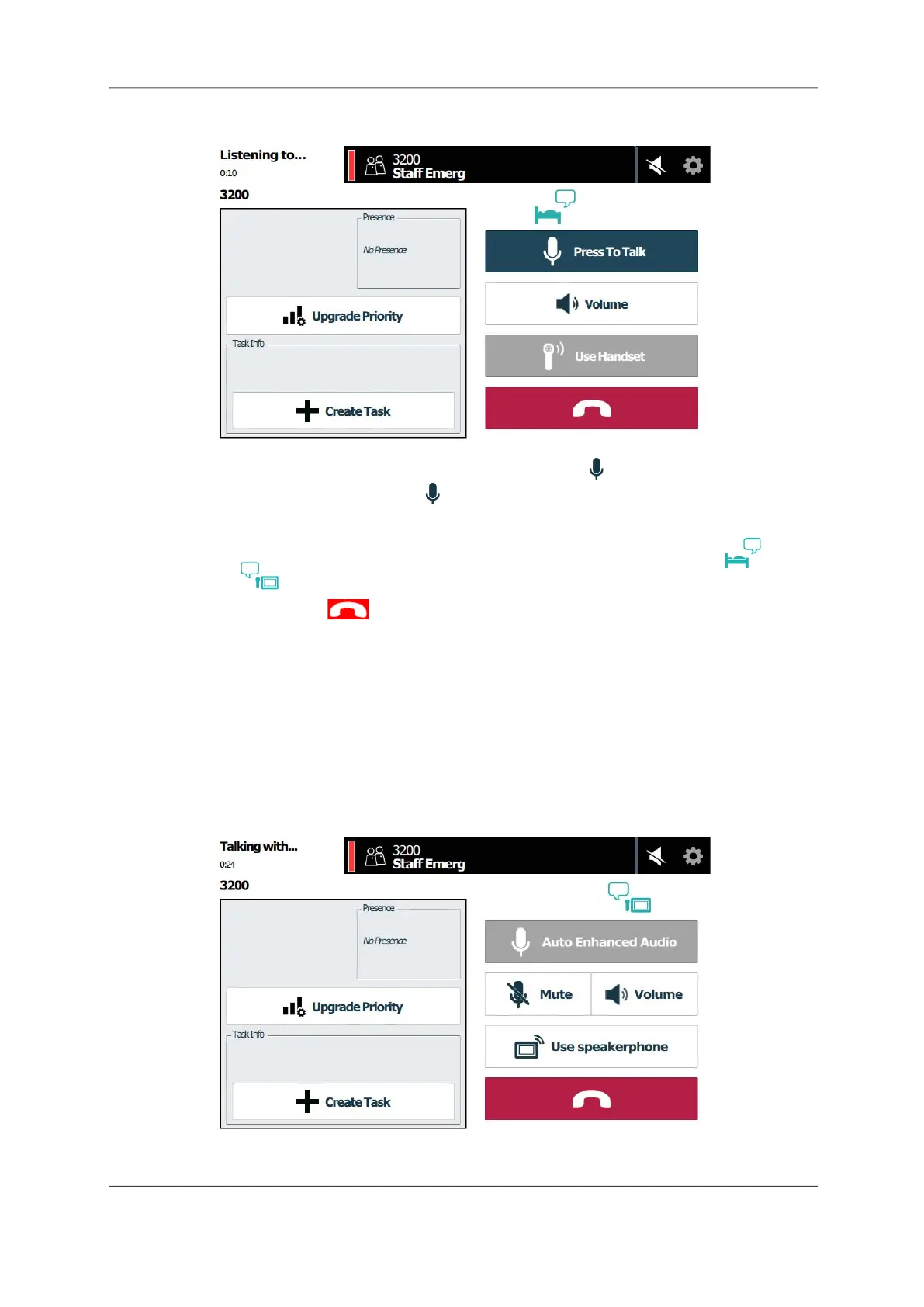
Figure 11: Using Enhanced Audio
2. When you are ready to talk to the patient, touch and hold Press To Talk and begin
speaking. The button changes to Release to Listen. Release the button to hear the
caller.
Note: The icons above the button change to identify who is speaking (patient or
nurse ).
3. When finished, tap End Call or just return the handset to the cradle.
Auto Enhanced Audio Mode
For consoles equipped with handsets, Auto Enhanced Audio mode automatically enables
when the console detects it is needed. In this mode the transmitter and receiver are turned on
and off automatically when the console detects pauses in a conversation. You can still adjust
the volume or mute the call while in this mode.
Note: Before using Auto Enhanced Audio, you must enable auto switching for the handset in
the Enhanced Audio Configuration Settings screen. See “Enhanced Audio Configuration” on
page 29.
Figure 12: Auto Enhanced Audio Screen



 To Next Page