Touch Screen Devices
Telligence
18PM000224A / 10 August 2022 / Ver. H
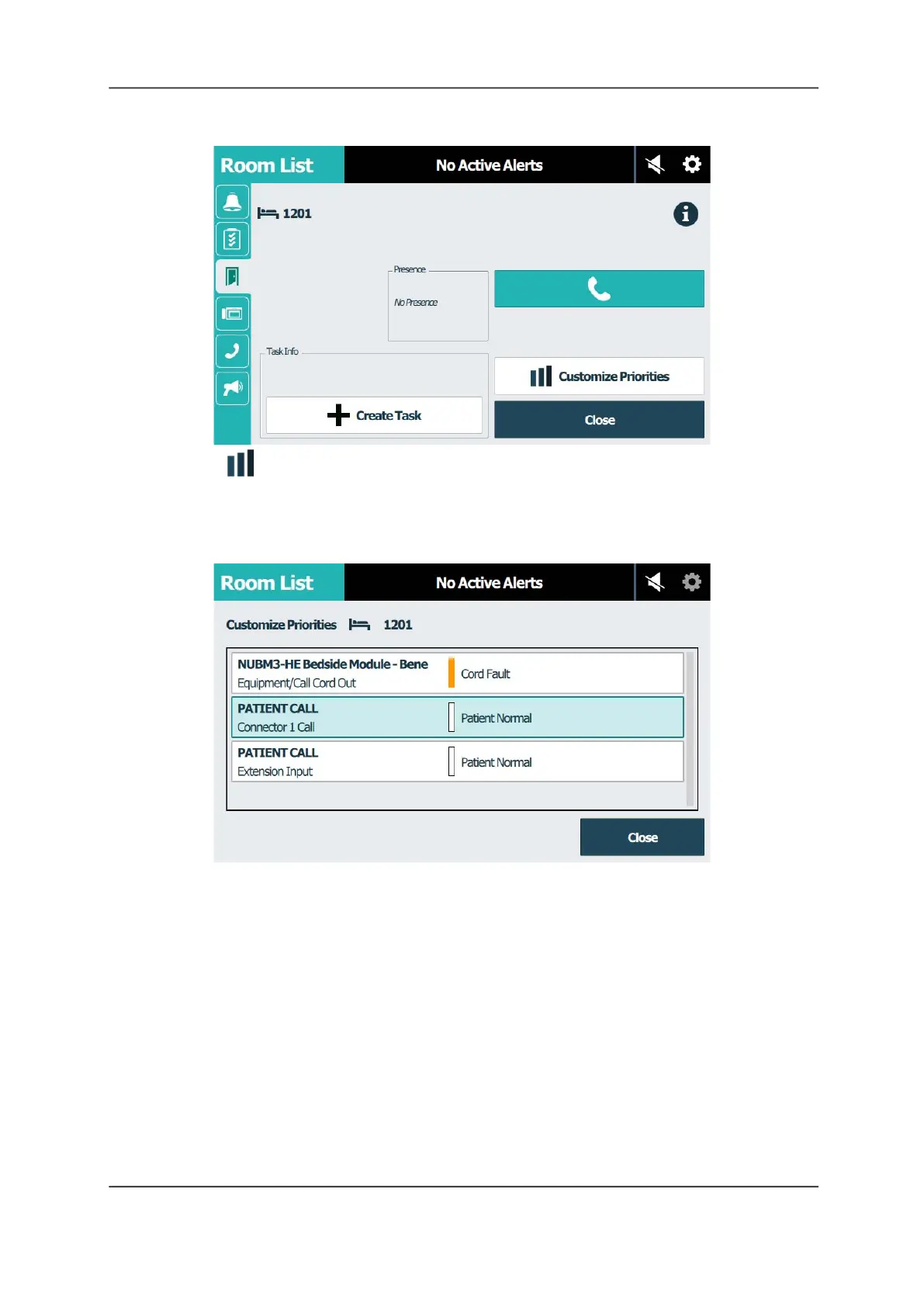
Figure 21: Room Screen
3. Tap Customize Priorities. The Customize Priorities screen displays listing the call
devices connected to the bed or room you are prioritizing.
Note: It is possible that a room or bed has no prioritized devices. In this case, the Customize
Priority button is disabled.
Figure 22: Room List Screen - Device Selection
4. Tap the device that you want to change the call priority. The Change Priority screen
appears.



 To Next Page