Touch Screen Devices
Telligence
22PM000224A / 10 August 2022 / Ver. H
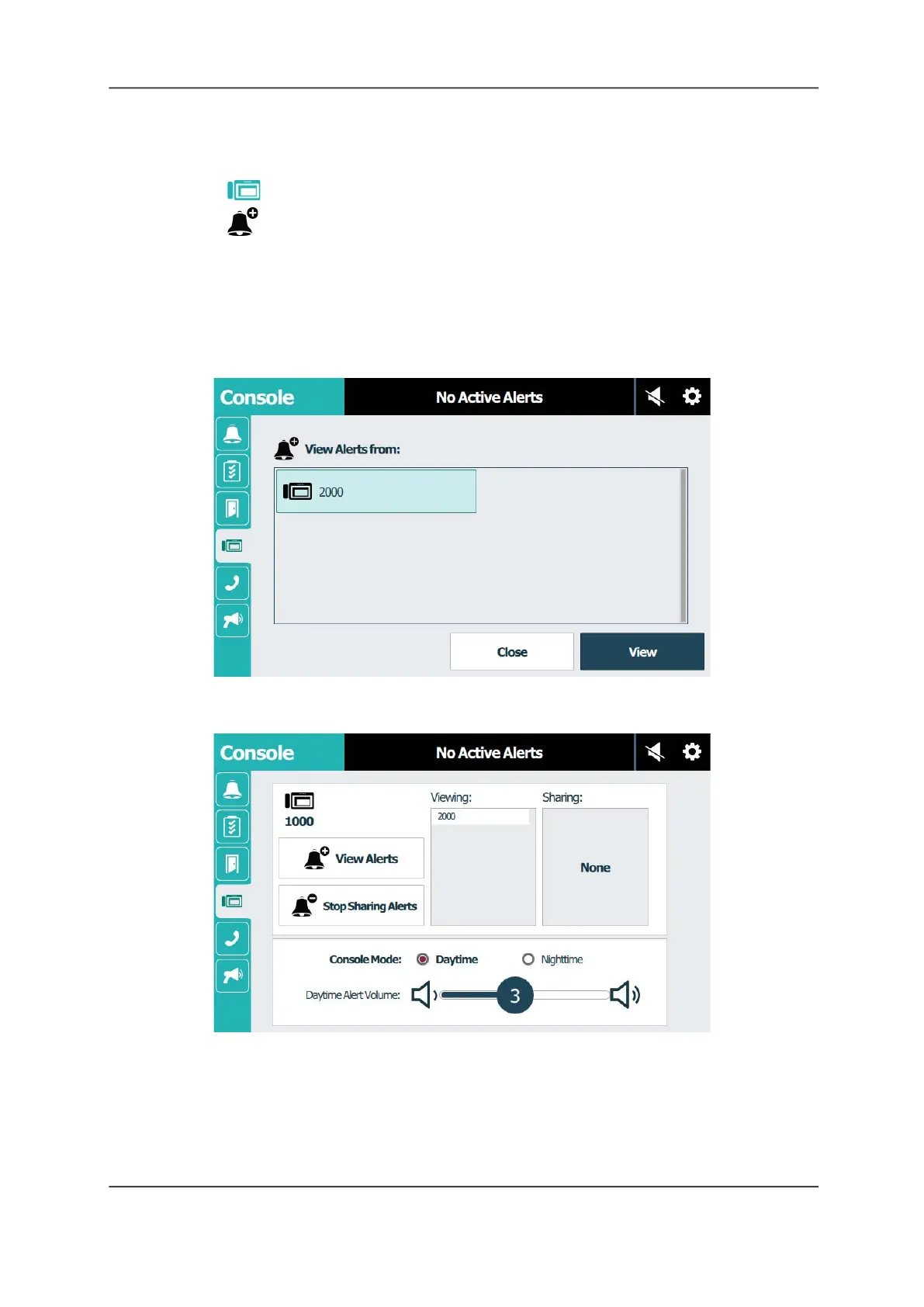
To view alerts for a console:
1. Go to the console that will view alerts from the coverage area of another console.
2. Tap Console.
3. Tap View Alerts.
Notes:
• If the sharing feature is disabled, the View Alerts button will not display. Contact your
system administrator.
• If the sharing feature is configured with password protection, you must enter the
password before you can view alerts.
Figure 29: Console Screen: View Alerts
4. Tap a console to select it, and then tap View.
Figure 30: Console Screen: View
5. The console now being viewed by this console displays in the Viewing list.



 To Next Page