Room Devices
Telligence
52PM000224A / 10 August 2022 / Ver. H
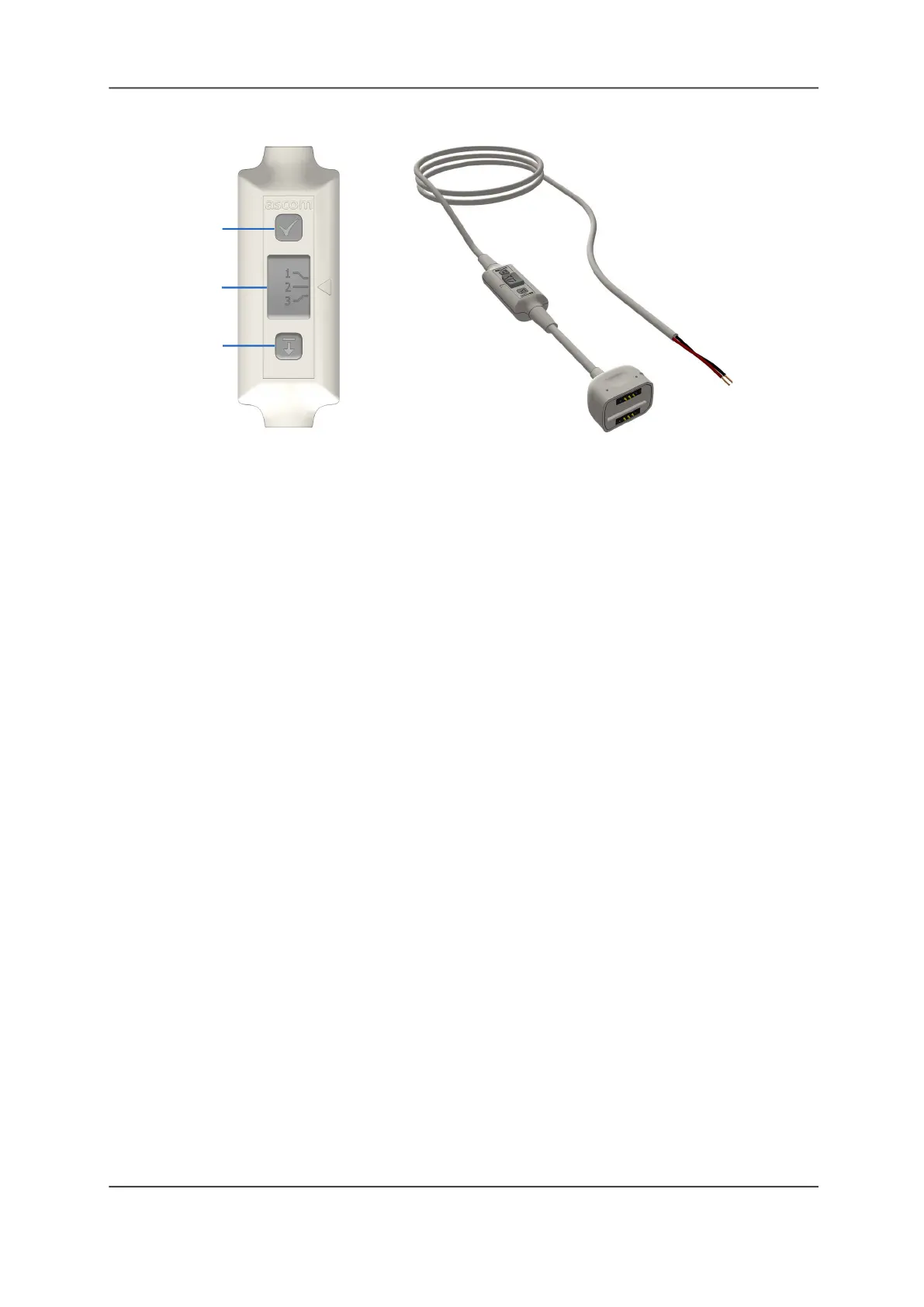
Figure 54: Medical Device Cable with Test, Priority, and Disconnect Buttons
Legend:
(1) Test button
(2) Select slide
(3) Disconnect button
Test Button
Once you connect the cable, verify the operation by tapping the Test button to initiate a test
call for the level selected on the switch.
To use the Test button:
1. Press and hold the button to initiate a test call in the system.
2. Release the button to cancel the call.
Select Slide
Use the select slide to choose a call event priority.
Note: You cannot change the switch priority when the cable is plugged into the SafeConnect
socket. Be sure to remove the cable from the socket before changing the switch priority.
Changing the switch priority while plugged in may cause a cord fault error.
To use the Select button:
Press the button and slide it up or down to select a priority.
Disconnect Button
Use the Disconnect button to release the cable from the SafeConnect socket.
To disconnect the cable:
Press the cable’s Disconnect button until the socket’s LED illuminates green.
You have 3 seconds to disconnect the cable from the Safe Connect socket. If you do not
disconnect the cable within 3 seconds, the system triggers cord fault error.
To clear a cord fault error:
1. Ensure the select slide is in the same position that it was in when the cable became
unplugged.
2. Plug the cable back into the SafeConnect socket to clear the alarm.
(1)
(2)
(3)



 To Next Page