Commissioning
76 AVENTICS | Marex 3D | R417003094–BDL–001–AA
as preset by the joystick.
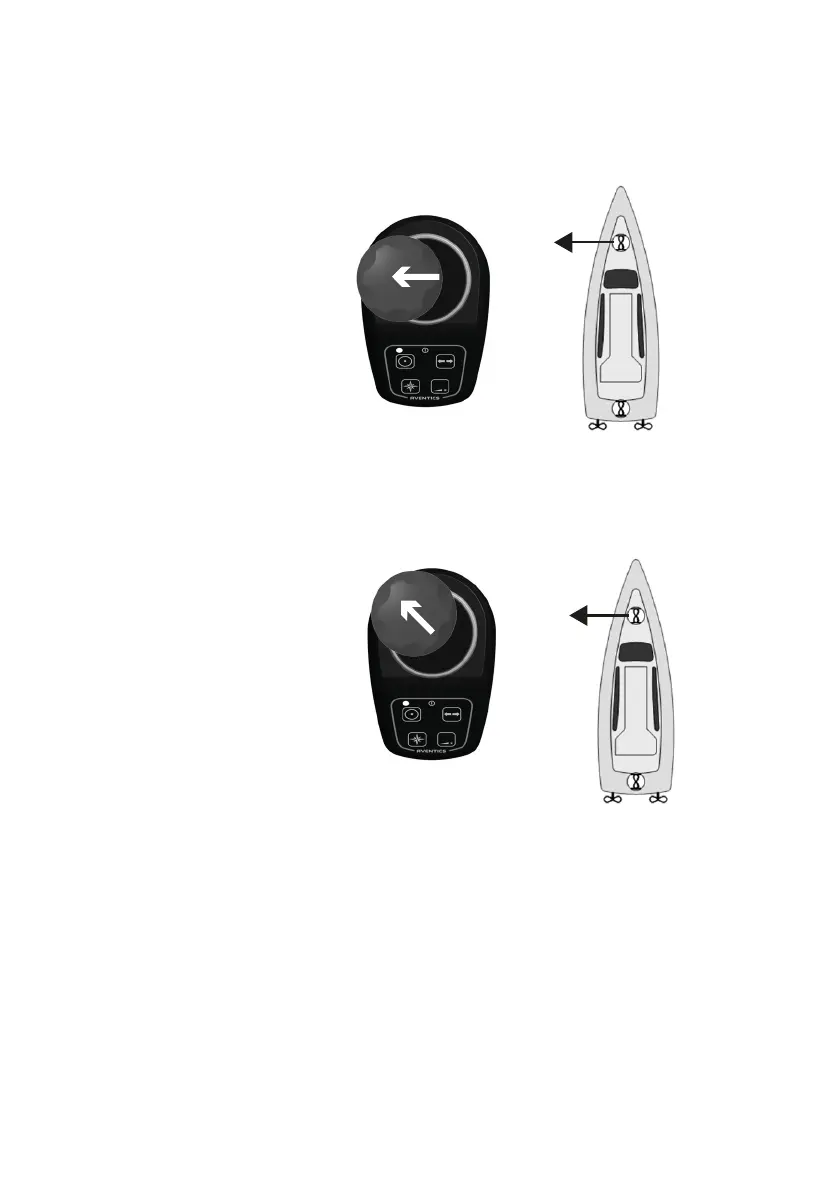
If the ship provides both, bow and stern thruster, you have to
move the joystick forward to the maximum and to the left or
right in order to actuate the bow thruster only.
3. As soon as the bow starts moving, release the joystick.
4. If applicable, test the stern thruster by moving the joystick
backward and to the right and left. See if the stern starts
moving in the same direction.
5. As soon as the stern starts moving, release the joystick.
6. Push the thruster key to switch the thruster mode off.
Function test of the 3D-mode
1. Activate a joystick by pushing its command key twice.
2. Move the joystick gently forward until the clutch engages
and the ship starts to move ahead. If the ship is equipped
with a trolling gearbox, observe if trolling is automatically
3D_manual_R417003094_DE_EN.book Seite 76 Freitag, 30. November 2018 11:36 11



 To Next Page