4: Element Operations • 64
©2008 Axia Audio — Rev. 3.0
To use compression, you must rst set your
threshold value (usually expressed in dB). When
the audio signal is louder than this threshold, its
gain is reduced. The amount of gain reduction
applied depends on the Compression Ratio
setting. For example, with a 2:1 ratio, for every
2 decibels the input signal increases, the output
is allowed to increase only 1 decibel.
The Freeze Gate is used to prevent “suck-up”
of room noise during speech pauses. When ac-
tive, gain is not increased by the compressor
when audio is absent. “Freeze” would be the
default, since it almost always improves results.
De-Essing is just what you think it is - a way to
electronically remove extra sibilance from your
mic channel. If your mic is particularly sensitive
to “s” and “th-” sounds and accentuates them
on-air, De-Essing helps reduce these sounds to
more manageable levels. As with compression,
too much de-essing will produce annoying and
unnatural results - you’ll wind up sounding like
you’re talking through a cotton sock! Stick to
small amounts to get the effect you want.
Rotate the Function/Exit SoftKnob to highlight
the Exp (Expansion), Comp (Compression) or
De-Ess sections of the onscreen display. Note
that the labels above and below the left and cen-
ter SoftKnobs change based upon which section
is highlighted.
When the Expansion controls are active:
Rotating the Exp Thresh/Active/Bypass
SoftKnob varies the level of signal thresh-
old needed for the Gate function to activate
(between -50 and 0dB). Pushing this knob
toggles Dynamics between Active and By-
pass states.
The Exp Depth knob sets the amount of gain
reduction when audio level falls below the
Exp Gate Threshold value (adjustable be-
tween -3 and 0dB).
When the Compression controls are active:
Rotating the Comp Thresh/Bypass/Active
sets the upper limit of the level at which the
compressor will begin to work (between -30
and 0dB). Pushing the SoftKnob toggles be-
tween Active and Bypass states.
Comp Ratio/Freeze/No Freeze sets the
compression ratio (variable between 1:1 and
16:1). Pushing the SoftKnob activates and
deactivates the compressor’s Freeze Gate
»
»
*
*
»
*
*
function. When the Freeze function is active,
a red “lamp” illuminates just above the Com-
pression Ratio bargraph meter.
When the De-Ess controls are active:
Rotating the De-Ess Thresh/Bypass/Ac-
tive knob sets the audio level above which
the de-esser will be engaged (from -20 to
0dB). Pushing the SoftKnob toggles between
Active and Bypass states.
Rotating the De-Ess Ratio knob sets the
amount of sibilance reduction, in dB, that
will be applied (adjustable between 1:1 and
8:1).
Pressing the Function/Exit SoftKnob
returns
you to the Channel Options screen.
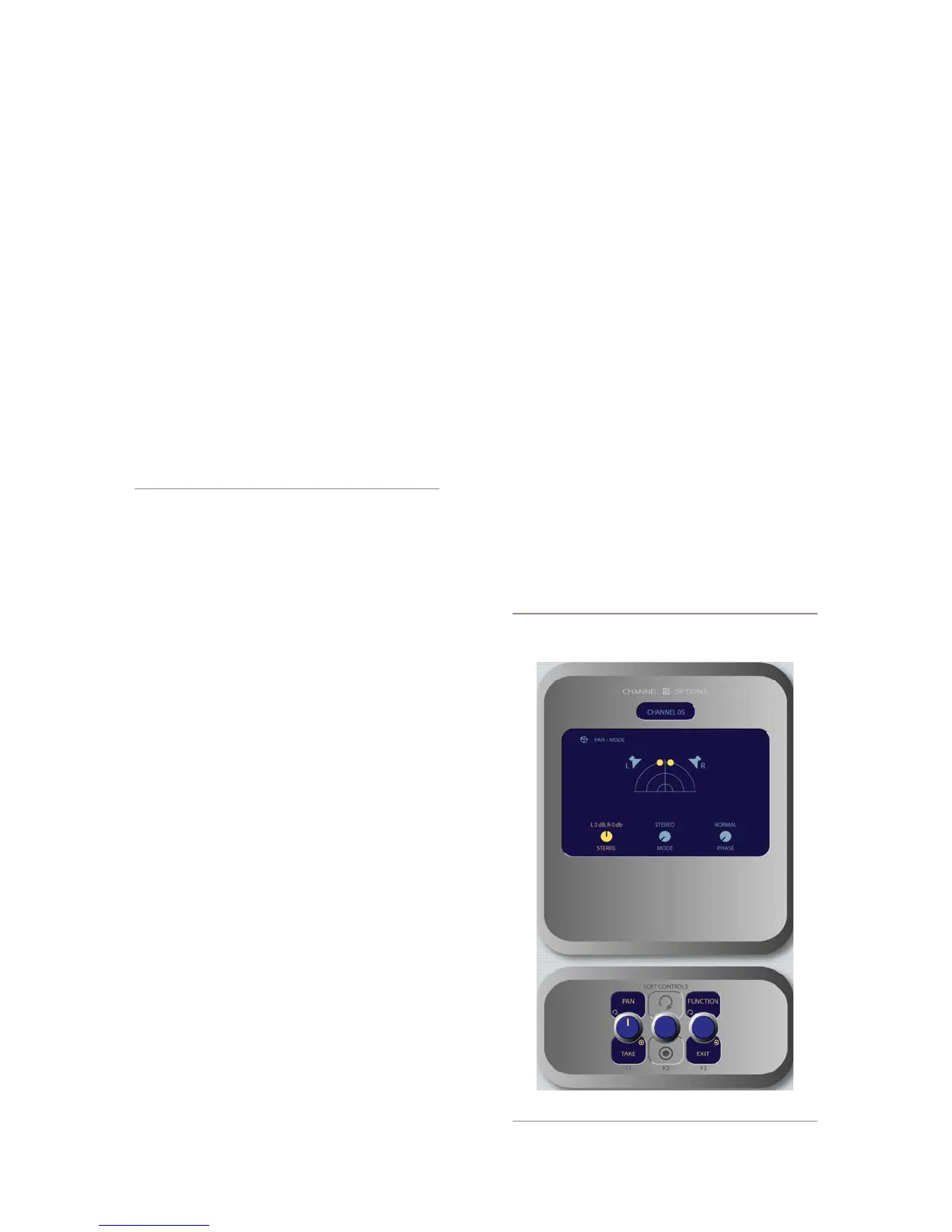
Pan & Mode Controls
Pressing the Select SoftKnob when the Pan &
Mode box is highlighted allows the operator to adjust
the pan or balance of the channel source and correct sig-
nal phase errors.
It’s a Lock: If a “padlock” icon appears in any
options screen, that function is “locked out” in
»
*
*
»
•
Figure 4-25: Pan & Mode menu screen.



 To Next Page