128 BD High Throughput Sampler User’s Guide
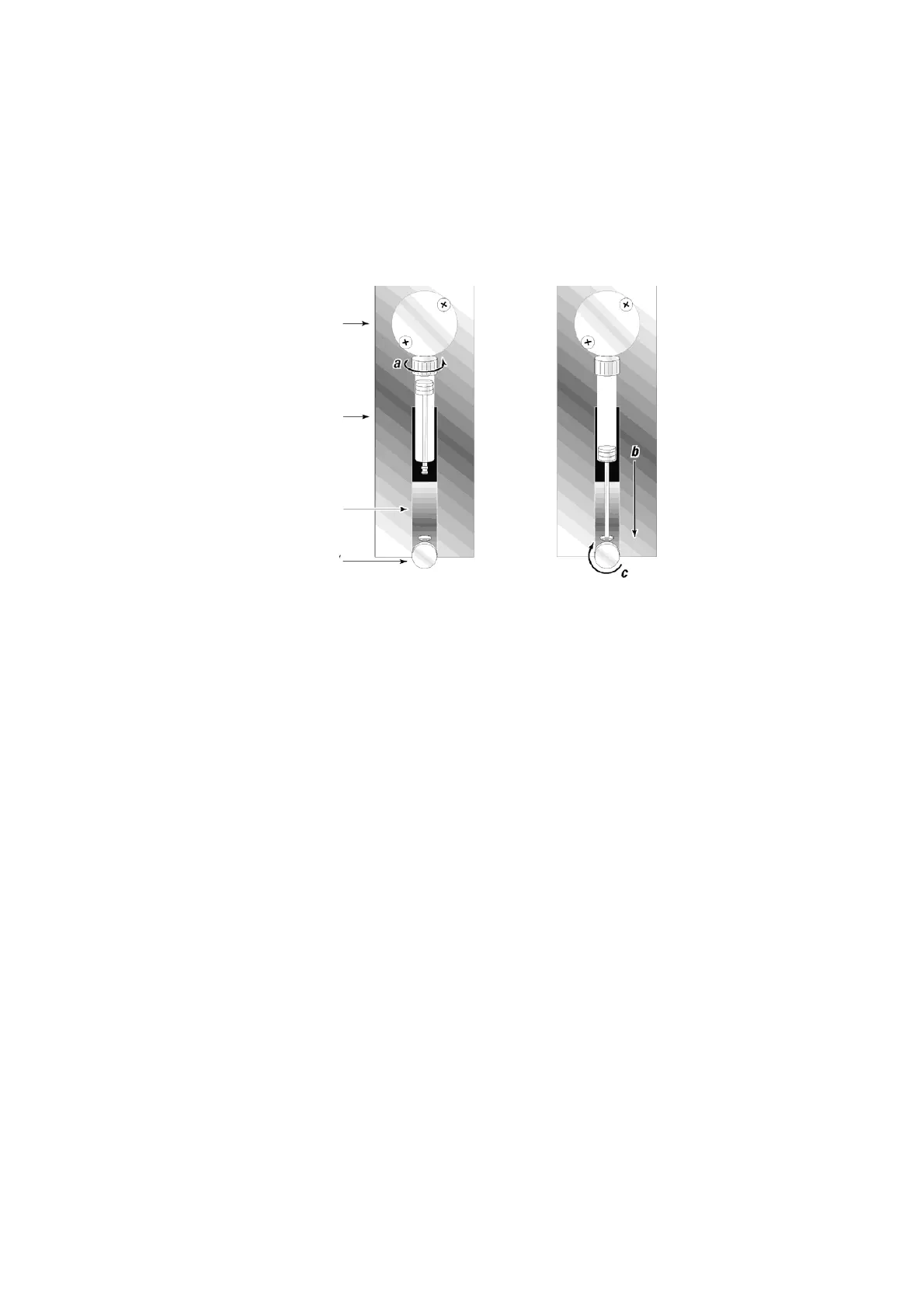
Figure 4-13 Installing the syringe
12 If you:
• replaced the primary pump syringe, skip to step 13.
• replaced the secondary pump syringe, reconnect the HTS to the cytometer
by following the procedure in Installing the HTS Unit on page 170.
13 Refill the pump.
• [BD LSR II] Verify that the cytometer is still in Run mode.
Turn on the BD FACSCanto II.
• Reattach the sheath line and filter in back of the HTS unit.
• [BD LSR II and BD FACSCanto] Turn on the HTS.
• [BD LSR II] Choose HTS > Prime to prime the fluidics until the plunger
barrel is full of sheath fluid. If you see any bubbles, continue priming
until the bubbles are gone.
[BD FACSCanto and BD FACSCanto II] Choose Cytometer > Fluidics
Startup to perform a fluidics startup. Verify that the plunger barrel is
full of sheath fluid. If you seen any bubbles, choose HTS > Prime;
repeat until all bubbles are gone.
plunger drive
syringe
valve
plunger lock screw











 To Next Page