144 BD High Throughput Sampler User’s Guide
1 Remove the sample coupler.
2 About an inch from one end of the cleaning stylus, bend it at a 90" angle.
Bending the end of the cleaning stylus will prevent you from inserting it too
far into the SIT.
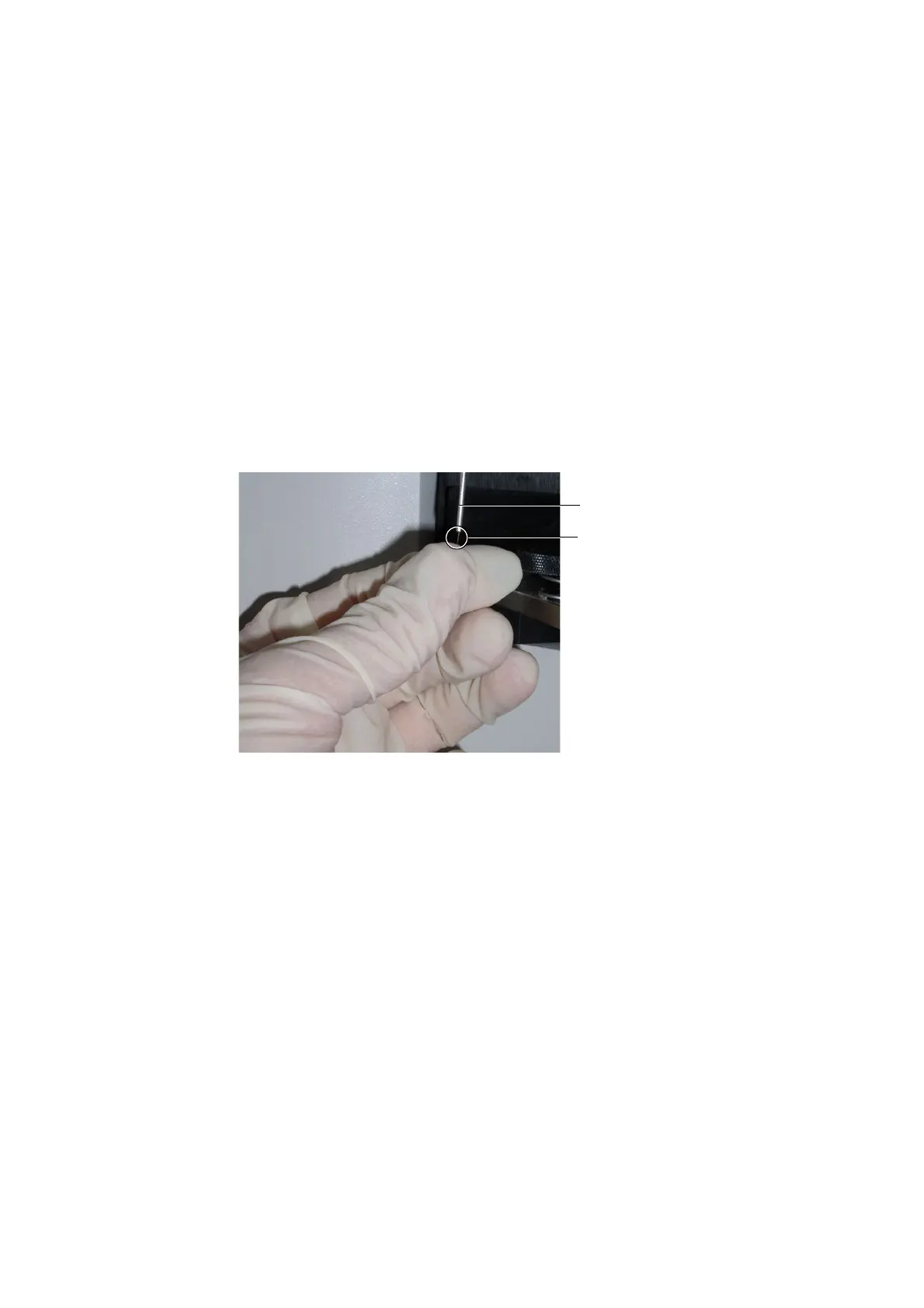
3 Hold the bent end of the cleaning stylus, and thread about three-quarters of
the stylus up into the SIT (see Figure 4-19).
Figure 4-19 Declogging the SIT
4 Gently pull the cleaning stylus most of the way out of the SIT and then
push it back in; repeat several times.
5 Remove the cleaning stylus from the SIT, rinse the stylus with
BD FACSClean followed by DI water, and dry the stylus.
6 Replace the sample coupler.
7 Choose HTS > Prime.
cleaning stylus
SIT











 To Next Page