55
Chapter 7 - BITS Parameters
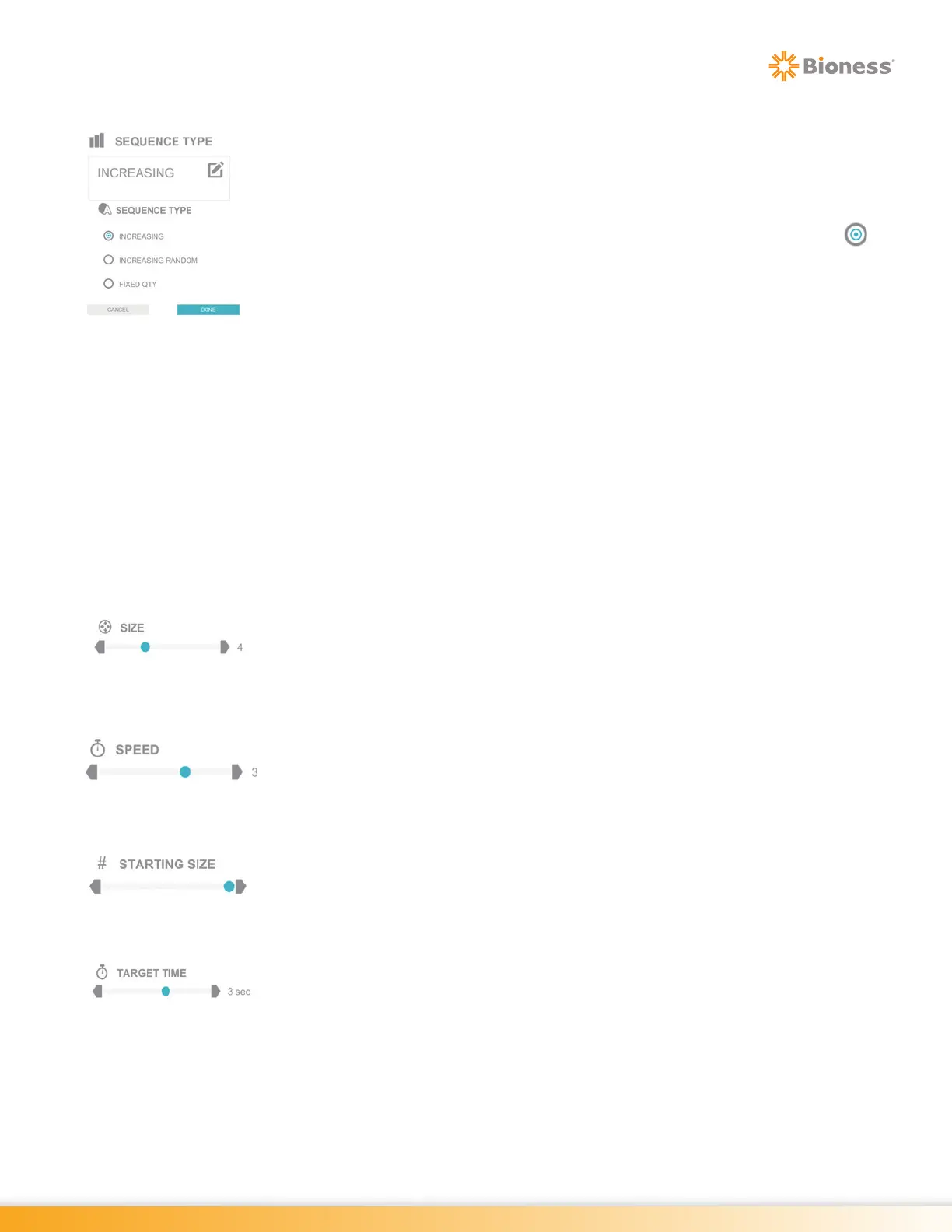
Sequence Type
In the Memory Program, the Sequence Type Parameter determines how the target
stimuli will be presented. The Sequence Type Parameter options are: Increasing,
Increasing Random, and Fixed QTY.
To change this setting, press the Sequence Type Parameter Icon. The Sequence
Type pop up window will open displaying the options. Press the radio button
next to the desired option to enable it. Press the Done Button to close the window.
When this option is selected, the initial trial will display two stimuli, which must be
hit in the correct sequence. If the stimuli are not hit in the correct sequence,
the sequence length will be decreased by one on the next trial until the minimum
sequence length of 2 is reached. Following each successful trial, the sequence
displayed will be increased by one additional stimulus until the maximum sequence
length is reached. The item or characters sequence will be identical until the
maximum sequence length is reached and the sequence is reset.
Increasing Random: When this option is selected, the sequence length will
change as it does when the Increasing Option is selected; however each new
trial will be presented with a new item or character sequence.
Fixed QTY: When this option is selected, the Sequence Length Parameter controls
the consistent sequence length for each trial. The item or character sequence is
random with every trial.
Size
The Size Parameter is used to change the size of the target stimuli. Press the
gray arrows or drag the blue indicator to change the value.
Speed
The Speed Parameter controls how fast the target stimuli move from one side of
the visual field to the other. Press the gray arrows or drag the blue indicator to
change the value.
Starting Size
The Starting Size Parameter controls the starting font size of the ‘E’ optotype in
the Visual Acuity Program.
Target Time
The Target Time Parameter controls the length of the time the target stimulus will
remain in one location, before disappearing and reappearing in a new
location
on the display screen. Press the gray arrows or drag the blue indicator
to change the value.
Note: Only the Time Paced Program has this Parameter.



 To Next Page