57
Chapter 7 - BITS Parameters
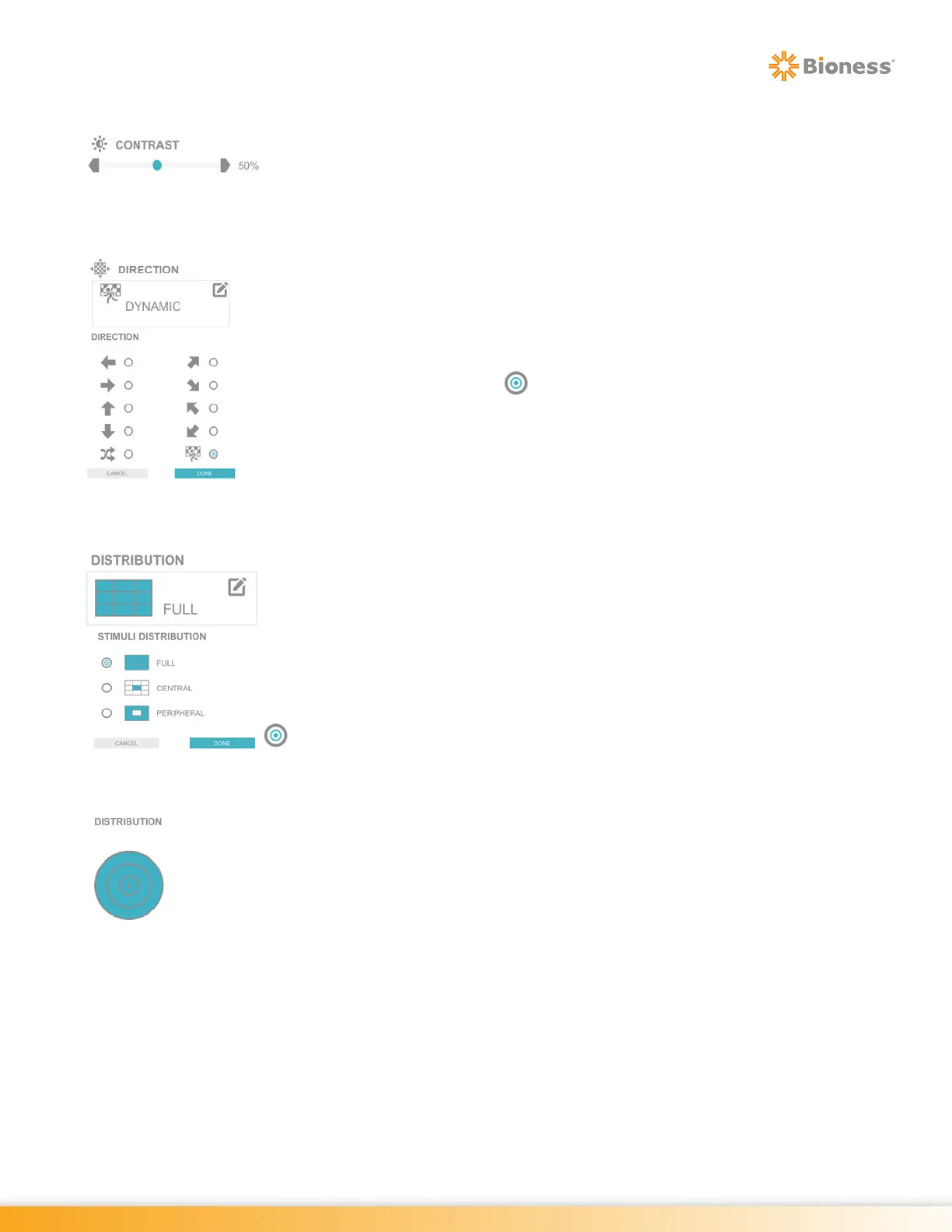
Contrast
The Contrast Parameter is used to increase or decrease the contrast saturation
of the target stimuli. The Contrast Parameter ranges from 5% to 100%. Press the
gray arrows or drag the blue indicator to change the value.
Direction
The Direction Parameter controls the direction of movement for the optokinetic
visual display. Options include left, right, up, down, random, upper right corner,
bottom right corner, upper left corner, bottom left corner and dynamic. Dynamic
option activates the system to require movement of the optokinetic screen to be
opposite to the movement of the Sensor. To change the setting, press the Direction
Parameter Icon. The Direction pop up window will open displaying the direction
options. Press the radio button next to the desired option to enable it. Press
the Done Button to close the window.
Distribution
The Distribution Parameter allows the user to exclude the target stimuli from
appearing in specific locations within the visual field. The Distribution Parameter
options are: Full, Central, Peripheral. The default setting is Full. When the Central
option is selected, target stimuli only appear in the center of the visual field excluding
the periphery. Similarly, when the Peripheral option is selected, stimuli only appear
in the periphery of the visual field excluding the center.
To change the setting, press the Distribution Parameter Icon. The Stimuli Distribution
pop up window will open displaying the distribution options. Press the radio button
next to the desired option to enable it. Press the Done Button to close the
window.
In Dynamic Balance and Optokinetic Dynamic Category the Distribution Parameter
options are: All, Inner, Middle or Outer Rings. When the Inner option is selected,
target stimuli only appear in the center of the Rings excluding the periphery.
Similarly, when the Middle option is selected, stimuli only appear in the second/
middle Ring, excluding the Center and Outer Rings. When the Ring is blue, it
means stimuli will appear within the selected area. Conversely, when the Ring is
white, the stimuli will not appear in that Ring.



 To Next Page