134 | Chapter 4: Maintenance
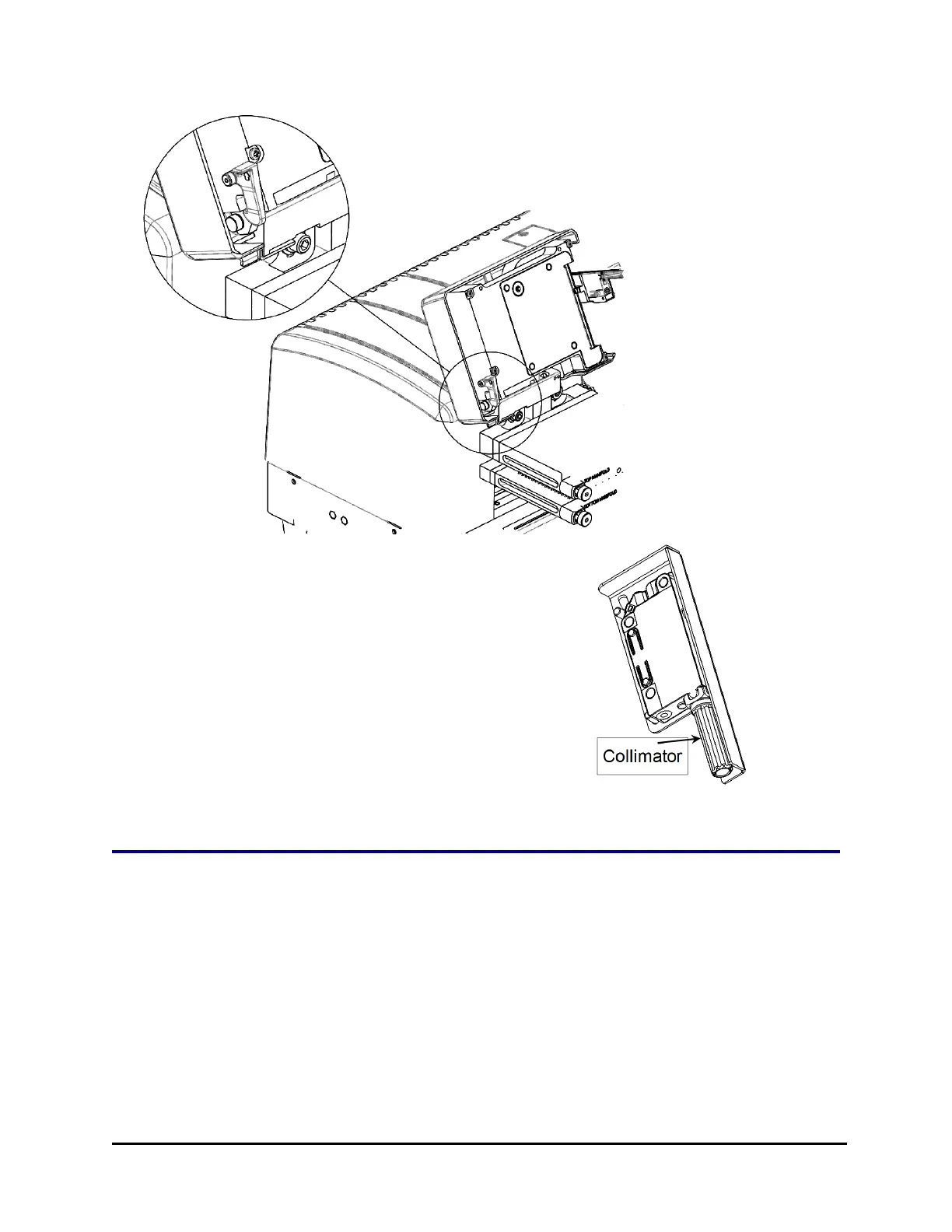
3. Gently pull the collimator off the level sensor.
4. Wipe off the collimator to remove any
contaminants. If necessary, soak the collimator
in hot, soapy water to remove material that
has hardened or resists cleaning.
5. Dry the collimator with a soft, lint-free towel
or allow to air dry.
6. When the collimator is completely dry,
reinstall it. Snap the collimator back in place
on the level sensor.
Replacement Procedure for Verify Test Plate
Before it leaves the factory, BioTek calibrates the 405 LS to use a specific Verify
Test Plate. That test plate is labeled with 405 LS's serial number. When a
replacement plate is needed, follow these instructions to recalibrate the 405 LS for
the new plate.
405™ Microplate Washer LS



 To Next Page